
Updated Software Defined Data Infrastructure Webinars and Fall 2016 events

Software Defined Data Infrastructure Webinars and Fall 2016 events

server storage I/O trends

Here is the updated Server StorageIO fall 2016 webinar and event activities covering software defined data center, data infrastructure, virtual, cloud, containers, converged, hyper-converged server, storage, I/O network, performance and data protection among other topics.

December 7, 2016 – Webinar 11AM PT – BrightTalk
Hyper-Converged Infrastructure Decision Making

Hyper-Converged Infrastructure, HCI and CI Decision Making

Are Converged Infrastructures (CI), Hyper-Converged Infrastructures (HCI), Cluster in Box or Cloud in Box (CiB) solutions for you? The answer is it depends on what your needs, requirements, application among other criteria are. In addition are you focused on a particular technology solution or architecture approach, or, looking for something that adapts to your needs? Join us in this discussion exploring your options for different scenarios as we look beyond they hype including to next wave of hyper-scale converged along with applicable decision-making criteria. Topics include:

– Data Infrastructures exist to support applications and their underlying resource needs
– What are your application and environment needs along with other objectives
– Explore various approaches for hyper-small and hyper-large environments
– What are you converging, hardware, hypervisors, management or something else?
– Does HCI mean hyper-vendor-lock-in, if so, is that a bad thing?
– When, where, why and how to use different scenarios

November 29-30, 2016 (New) – Converged & Hyper-Converged Decision Making
Is Converged Infrastructure Right For You?
Workshop Seminar – Nijkerk The Netherlands

Converged and server storage I/O data infrastructure trends
Agenda and topics to be covered include:

  • When should decide to evaluate CI/HCI vs. traditional approach
  • What are decision and evaluation criteria for apples to apples vs. Apples to pears
  • What are the costs, benefits, and caveats of the different approaches
  • How different applications such as VDI or VSI or database have different needs
  • What are the network, storage, software license and training cost implications
  • Different comparison criteria for smaller environments remote office vs. Larger enterprise
  • How will you protect and secure a CI, HCI environment (HA, BC, BR, DR, Backup)
  • What is the risk and benefit of startups, companies with limited portfolios vs. Big vendors
  • Do it yourself (DiY) vs. Turnkey software vs. Bundled tin wrapped software solution
  • We will also look at associated trends including software-defined, NVM/SSD, NVMe, VMware, Microsoft, KVM, Citrix/Xen, Docker, OpenStack among others.

Organized by:
Brouwer Storage Consultancy

November 28, 2016 (New) – Server Storage I/O Fundamental Trends V2.1116
Whats New, Whats the buzz, what you need to know about and whos doing what
Workshop Seminar – Nijkerk The Netherlands
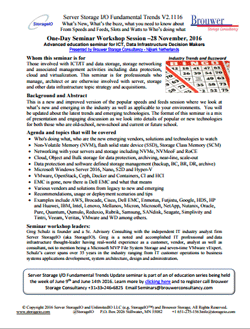
Converged and server storage I/O data infrastructure trends
Agenda and topics that will be covered include:

  • Who’s doing what, who are the new emerging vendors, solutions and technologies to watch
  • Non-Volatile Memory (NVM), flash solid state device (SSD), Storage Class Memory (SCM)
  • Networking with your servers and storage including NVMe, NVMeoF and RoCE
  • Cloud, Object and Bulk storage for data protection, archiving, near-line, scale-out
  • Data protection and software defined storage management (backup, BC, BR, DR, archive)
  • Microsoft Windows Server 2016, Nano, S2D and Hyper-V
  • VMware, OpenStack, Ceph, Docker and Containers, CI and HCI
  • EMC is gone, now there is Dell EMC and what that means
  • Various vendors and solutions from legacy to new and emerging
  • Recommendations, usage or deployment scenarios and tips
  • Some examples of who’s doing what includes AWS, Brocade, Cisco, Dell EMC, Enmotus, Futjistu, Google, HDS, HP and Huawei, IBM, Intel, Lenovo, Mellanox, Micron, Microsoft, NetApp, Nutanix, Oracle, Pure, Quantum, Qumulo, Reduxio, Rubrik, Samsung, SANdisk, Seagate, Simplivity and Tintri, Veeam, Veritas, VMware and WD among others.

Organized by:
Brouwer Storage Consultancy

November 23, 2016 – Webinar 10AM PT BrightTalk
BCDR and Cloud Backup Software Defined Data Infrastructures (SDDI) and Data Protection

BC DR Cloud Backup and Data Protection

The answer is BCDR and Cloud Backup, however what was the question? Besides how to protect preserve and secure your data, applications along with data Infrastructures against various threat risk issues, what are some other common questions? For example how to modernize, rethink, re-architect, use new and old things in new ways, these and other topics, techniques, trends, tools have a common theme of BCDR and Cloud Backup. Join us in this discussion exploring your options for protecting data, applications and your data Infrastructures spanning legacy, software-defined virtual and cloud environments. Topics include:

– Data Infrastructures exist to support applications and their underlying resource needs
– Various cloud storage options to meet different application PACE needs
– Do clouds need to be backed-up or protected?
– How to leverage clouds for various data protection objectives
– When, where, why and how to use different scenarios

November 23, 2016 – Webinar 9AM PT – BrightTalk
Cloud Storage – Hybrid and Software Defined Data Infrastructures (SDDI)

Cloud Storage Decision Making

You have been told, or determined that you need (or want) to use cloud storage, ok, now what? What type of cloud storage do you need or want, or do you simply want cloud storage? However, what are your options as well as application requirements including Performance, Availability, Capacity and Economics (PACE) along with access or interfaces? Where are your applications and where will they be located? What are your objectives for using cloud storage or is it simply you have heard or told its cheaper. Join us in this discussion exploring your options, considerations for cloud storage decision-making. Topics include:

– Data Infrastructures exist to support applications and their underlying resource needs
– Various cloud storage options to meet different application PACE needs
– Storage for primary, secondary, performance, availability, capacity, backup, archiving
– Public, private and hybrid cloud storage options from block, file, object to application service
– When, where, why and how to use cloud storage for different scenarios

November 22, 2016 – Webinar 10AM PT – BrightTalk
Cloud Infrastructure Hybrid and Software Defined Data Infrastructures (SDDI)

Cloud Infrastructure and Hybrid Software Defined

At the core of cloud (public, private, hybrid) next generation data centers are software defined data infrastructures that exist to protect, preserve and serve applications, data along with their resulting information services. Software defined data infrastructure core components include hardware, software servers and storage configured (defined) to provide various services enabling application Performance Availability Capacity and Economics (PACE). Just as there are different types of environments, applications along with workloads various options, technologies as well as techniques exist for cloud services (and underlying data infrastructures). Join us in this session to discuss trends, technologies, tools, techniques and services options for cloud infrastructures. Topics include:

– Data Infrastructures exist to support applications and their underlying resource needs
– Software Defined Infrastructures (SDDI) are what enable Software Defined Data Centers and clouds
– Various types of clouds along with cloud services that determine how resources get defined
– When, where, why and how to use cloud Infrastructures along with associated resources

November 15, 2016 (New) – 11AM PT Webinar – Redmond Magazine and Solarwinds
The O.A.R. of Virtualization Scaling
A journey of optimization, automation, and reporting

Your journey to a flexible, scalable and secure IT universe begins now. Join Microsoft MVP and VMware vSAN and vExpert Greg Schulz of Server StorageIO along with VMware vExpert, Cisco Champion and Head Geek of Virtualization and Cloud Practice Kong Yang of SolarWinds for an interactive discussion empowering you to become the master of your software defined and virtual data center. Topics will include:

  • Trust your instruments and automation, however, verify they are working properl
  • Insight into how your environment, as well as automation tools, are working
  • Leverage automation to handle recurring tasks so you can focus on more productive activities
  • Capture, retain and transfer knowledge and tradecraft experiences into automation policies
  • Automated system management is only as good as the policies and data they rely upon
  • Optimize via automation that relies on reporting for insight, awareness and analytics 

November 3, 2016 (New) – Webinar 11AM PT – Redmond Magazine and
Dell Software
Tailor Your Backup Data Repositories to
Fit Your Security and Management Needs

Does data protection storage have you working overtime to take care of it? Do you have the flexibility to protect, preserve, secure and serve different workgroups or customers in a shared environment? Is your environment looking to expand with new applications and remote offices, yet your data protection is slowing you down? 

In this webinar we will look at current and emerging trends along with issues including how different threat risk challenges impact your evolving environment, as well as opportunities to address them. It’s time to deploy technology that works for you and your environment instead of you working for the solution. 

Attend and learn about:

  • Data protection trends, issues, regulatory compliance, challenges and opportunities
  • How to utilize purpose built appliances to protect and defend your systems, applications and data from various threat risks
  • Importance of timely insight and situational awareness into your data protection infrastructure
  • Protecting centralized and distributed remote office branch offices (ROBO) workgroups
  • What you can do today to optimize your environment

October 27, 2016 (New) – Webinar 10AM PT – Virtual Instruments
The Value of Infrastructure Insight

This webinar looks at the value of data center infrastructure insight both as a technology as well as a business productivity enabler. Besides productivity, having insight into how data infrastructure resources (servers, storage, networks, system software) are used, enables informed analysis, troubleshooting, planning, forecasting as well as cost-effective decision-making. In other words, data center infrastructure insight, based on infrastructure performance analytics, enables you to avoid flying blind, having situational awareness for proactive Information Technology (IT) management. Your return on innovation is increased, and leveraging insight awareness along with metrics that matter drives return on investment (ROI) along with enhanced service delivery.

October 20, 2016 – Webinar 9AM PT – BrightTalk
Next-Gen Data Centers Software Defined Data Infrastructures (SDDI) including Servers, Storage and Virtualization

Cloud Storage Decision Making

At the core of next generation data centers are software defined data infrastructures that enable, protect, preserve and serve applications, data along with their resulting information services. Software defined data infrastructure core components include hardware, software servers and storage configured (defined) to provide various services enabling application Performance Availability Capacity and Economics (PACE). Just as there are different types of environments, applications along with workloads various options, technologies as well as techniques exist for virtual servers and storage. Join us in this session to discuss trends, technologies, tools, techniques and services around storage and virtualization for today, tomorrow, and in the years to come. Topics include:

– Data Infrastructures exist to support applications and their underlying resource needs
– Software Defined Infrastructures (SDDI) are what enable Software Defined Data Centers
– Server and Storage Virtualization better together, with and without CI/HCI
– Many different facets (types) of Server virtualization and virtual storage
– When, where, why and how to use storage virtualization and virtual storage

September 20, 2016 – Webinar 8AM PT – BrightTalk
Software Defined Data Infrastructures (SDDI) Enabling Software Defined Data Centers – Part of Software-Defined Storage summit

Cloud Storage Decision Making

Data Infrastructures exist to support applications and their underlying resource needs. Software-Defined Infrastructures (SDI) are what enable Software-Defined Data Centers, and at the heart of a SDI is storage that is software-defined. This spans cloud, virtual and physical storage and is at the focal point of today. Join us in this session to discuss trends, technologies, tools, techniques and services around SDI and SDDC- today, tomorrow, and in the years to come.

September 13, 2016 – Webinar 11AM PT – Redmond Magazine and
Dell Software
Windows Server 2016 and Active Directory
Whats New and How to Plan for Migration

Windows Server 2016 is expected to GA this fall and is a modernized version of the Microsoft operating system that includes new capabilities such as Active Directory (AD) enhancements. AD is critical to organizational operations providing control and secure access to data, networks, servers, storage and more from physical, virtual and cloud (public and hybrid). But over time, organizations along with their associated IT infrastructures have evolved due to mergers, acquisitions, restructuring and general growth. As a result, yesterday’s AD deployments may look like they did in the past while using new technology (e.g. in old ways). Now is the time to start planning for how you will optimize your AD environment using new tools and technologies such as those in Windows Server 2016 and AD in new ways. Optimizing AD means having a new design, performing cleanup and restructuring prior to migration vs. simply moving what you have. Join us for this interactive webinar to begin planning your journey to Windows Server 2016 and a new optimized AD deployment that is flexible, scalable and elastic, and enables resilient infrastructures. You will learn:

  • What’s new in Windows Server 2016 and how it impacts your AD
  • Why an optimized AD is critical for IT environments moving forward
  • How to gain insight into your current AD environment
  • AD restructuring planning considerations

September 8, 2016 – Webinar 11AM PT (Watch on Demand) – Redmond Magazine, Acronis and Unitrends
Data Protection for Modern Microsoft Environments

Your organization’s business depends on modern Microsoft® environments — Microsoft Azure and new versions of Windows Server 2016, Microsoft Hyper-V with RCT, and business applications — and you need a data protection solution that keeps pace with Microsoft technologies. If you lose mission-critical data, it can cost you $100,000 or more for a single hour of downtime. Join our webinar and learn how different data protection solutions can protect your Microsoft environment, whether you store data on company premises, at remote locations, in private and public clouds, and on mobile devices.

Where To Learn More

What This All Means

Its fall back to school and learning time, join me on these and other upcoming event activities.

Ok, nuff said, for now…

Cheers
Gs

Greg Schulz – Microsoft MVP Cloud and Data Center Management, vSAN and VMware vExpert. Author Cloud and Virtual Data Storage Networking (CRC Press), The Green and Virtual Data Center (CRC Press) and Resilient Storage Networks (Elsevier) and twitter @storageio

All Comments, (C) and (TM) belong to their owners/posters, Other content (C) Copyright 2006-2023 Server StorageIO(R) and UnlimitedIO All Rights Reserved
Back To Software Defined Data Infrastructure School, Webinar and Fall 2016 events

Software Defined Data Infrastructure Webinars and Fall 2016 events

server storage I/O trends

Its September and that means back to school time, and not just for the kids. Here is the preliminary Server StorageIO fall 2016 back to school, webinar and event activities covering software defined data center, data infrastructure, virtual, cloud, containers, converged, hyper-converged server, storage, I/O network, performance and data protection among other topics.

December 7, 2016 – Webinar 11AM PT – BrightTalk
Hyper-Converged Infrastructure Decision Making

Are Converged Infrastructures (CI), Hyper-Converged Infrastructures (HCI), Cluster in Box or Cloud in Box (CiB) solutions for you? The answer is it depends on what your needs, requirements, application among other criteria are. In addition are you focused on a particular technology solution or architecture approach, or, looking for something that adapts to your needs? Join us in this discussion exploring your options for different scenarios as we look beyond they hype including to next wave of hyper-scale converged along with applicable decision-making criteria. Topics include:

– Data Infrastructures exist to support applications and their underlying resource needs
– What are your application and environment needs along with other objectives
– Explore various approaches for hyper-small and hyper-large environments
– What are you converging, hardware, hypervisors, management or something else?
– Does HCI mean hyper-vendor-lock-in, if so, is that a bad thing?
– When, where, why and how to use different scenarios

November 23, 2016 – Webinar 10AM PT BrightTalk
BCDR and Cloud Backup Software Defined Data Infrastructures (SDDI) and Data Protection

The answer is BCDR and Cloud Backup, however what was the question? Besides how to protect preserve and secure your data, applications along with data Infrastructures against various threat risk issues, what are some other common questions? For example how to modernize, rethink, re-architect, use new and old things in new ways, these and other topics, techniques, trends, tools have a common theme of BCDR and Cloud Backup. Join us in this discussion exploring your options for protecting data, applications and your data Infrastructures spanning legacy, software-defined virtual and cloud environments. Topics include:

– Data Infrastructures exist to support applications and their underlying resource needs
– Various cloud storage options to meet different application PACE needs
– Do clouds need to be backed-up or protected?
– How to leverage clouds for various data protection objectives
– When, where, why and how to use different scenarios

November 23, 2016 – Webinar 9AM PT – BrightTalk
Cloud Storage – Hybrid and Software Defined Data Infrastructures (SDDI)

You have been told, or determined that you need (or want) to use cloud storage, ok, now what? What type of cloud storage do you need or want, or do you simply want cloud storage? However, what are your options as well as application requirements including Performance, Availability, Capacity and Economics (PACE) along with access or interfaces? Where are your applications and where will they be located? What are your objectives for using cloud storage or is it simply you have heard or told its cheaper. Join us in this discussion exploring your options, considerations for cloud storage decision-making. Topics include:

– Data Infrastructures exist to support applications and their underlying resource needs
– Various cloud storage options to meet different application PACE needs
– Storage for primary, secondary, performance, availability, capacity, backup, archiving
– Public, private and hybrid cloud storage options from block, file, object to application service
– When, where, why and how to use cloud storage for different scenarios

November 22, 2016 – Webinar 10AM PT – BrightTalk
Cloud Infrastructure Hybrid and Software Defined Data Infrastructures (SDDI)

At the core of cloud (public, private, hybrid) next generation data centers are software defined data infrastructures that exist to protect, preserve and serve applications, data along with their resulting information services. Software defined data infrastructure core components include hardware, software servers and storage configured (defined) to provide various services enabling application Performance Availability Capacity and Economics (PACE). Just as there are different types of environments, applications along with workloads various options, technologies as well as techniques exist for cloud services (and underlying data infrastructures). Join us in this session to discuss trends, technologies, tools, techniques and services options for cloud infrastructures. Topics include:

– Data Infrastructures exist to support applications and their underlying resource needs
– Software Defined Infrastructures (SDDI) are what enable Software Defined Data Centers and clouds
– Various types of clouds along with cloud services that determine how resources get defined
– When, where, why and how to use cloud Infrastructures along with associated resources

October 27, 2016 – Webinar 10AM PT – Virtual Instruments
The Value of Infrastructure Insight

This webinar looks at the value of data center infrastructure insight both as a technology as well as a business productivity enabler. Besides productivity, having insight into how data infrastructure resources (servers, storage, networks, system software) are used, enables informed analysis, troubleshooting, planning, forecasting as well as cost-effective decision-making. In other words, data center infrastructure insight, based on infrastructure performance analytics, enables you to avoid flying blind, having situational awareness for proactive Information Technology (IT) management. Your return on innovation is increased, and leveraging insight awareness along with metrics that matter drives return on investment (ROI) along with enhanced service delivery.

October 20, 2016 – Webinar 9AM PT – BrightTalk
Next-Gen Data Centers Software Defined Data Infrastructures (SDDI) including Servers, Storage and Virtualizations

At the core of next generation data centers are software defined data infrastructures that enable, protect, preserve and serve applications, data along with their resulting information services. Software defined data infrastructure core components include hardware, software servers and storage configured (defined) to provide various services enabling application Performance Availability Capacity and Economics (PACE). Just as there are different types of environments, applications along with workloads various options, technologies as well as techniques exist for virtual servers and storage. Join us in this session to discuss trends, technologies, tools, techniques and services around storage and virtualization for today, tomorrow, and in the years to come. Topics include:

– Data Infrastructures exist to support applications and their underlying resource needs
– Software Defined Infrastructures (SDDI) are what enable Software Defined Data Centers
– Server and Storage Virtualization better together, with and without CI/HCI
– Many different facets (types) of Server virtualization and virtual storage
– When, where, why and how to use storage virtualization and virtual storage

September 20, 2016 – Webinar 8AM PT – BrightTalk
Software Defined Data Infrastructures (SDDI) Enabling Software Defined Data Centers – Part of Software-Defined Storage summit

Data Infrastructures exist to support applications and their underlying resource needs. Software-Defined Infrastructures (SDI) are what enable Software-Defined Data Centers, and at the heart of a SDI is storage that is software-defined. This spans cloud, virtual and physical storage and is at the focal point of today. Join us in this session to discuss trends, technologies, tools, techniques and services around SDI and SDDC- today, tomorrow, and in the years to come.

September 13, 2016 – Webinar 11AM PT – Redmond Magazine and
Dell Software
Windows Server 2016 and Active Directory
Whats New and How to Plan for Migration

Windows Server 2016 is expected to GA this fall and is a modernized version of the Microsoft operating system that includes new capabilities such as Active Directory (AD) enhancements. AD is critical to organizational operations providing control and secure access to data, networks, servers, storage and more from physical, virtual and cloud (public and hybrid). But over time, organizations along with their associated IT infrastructures have evolved due to mergers, acquisitions, restructuring and general growth. As a result, yesterday’s AD deployments may look like they did in the past while using new technology (e.g. in old ways). Now is the time to start planning for how you will optimize your AD environment using new tools and technologies such as those in Windows Server 2016 and AD in new ways. Optimizing AD means having a new design, performing cleanup and restructuring prior to migration vs. simply moving what you have. Join us for this interactive webinar to begin planning your journey to Windows Server 2016 and a new optimized AD deployment that is flexible, scalable and elastic, and enables resilient infrastructures. You will learn:

  • What’s new in Windows Server 2016 and how it impacts your AD
  • Why an optimized AD is critical for IT environments moving forward
  • How to gain insight into your current AD environment
  • AD restructuring planning considerations

September 8, 2016 – Webinar 11AM PT (Watch on Demand) – Redmond Magazine, Acronis and Unitrends
Data Protection for Modern Microsoft Environments

Your organization’s business depends on modern Microsoft® environments — Microsoft Azure and new versions of Windows Server 2016, Microsoft Hyper-V with RCT, and business applications — and you need a data protection solution that keeps pace with Microsoft technologies. If you lose mission-critical data, it can cost you $100,000 or more for a single hour of downtime. Join our webinar and learn how different data protection solutions can protect your Microsoft environment, whether you store data on company premises, at remote locations, in private and public clouds, and on mobile devices.

Where To Learn More

What This All Means

Its back to school and learning time, join me on these and other upcoming event activities.

Ok, nuff said, for now…

Cheers
Gs

Greg Schulz – Author Cloud and Virtual Data Storage Networking (CRC Press), The Green and Virtual Data Center (CRC Press) and Resilient Storage Networks (Elsevier)
twitter @storageio

All Comments, (C) and (TM) belong to their owners/posters, Other content (C) Copyright 2006-2023 Server StorageIO(R) and UnlimitedIO All Rights Reserved

Part II – Some server storage I/O workload scripts and results

Part II – Some server storage I/O workload scripts and results

server storage I/O trends

Updated 1/28/2018

This is the second in a two part series of posts pertaining to using some common server storage I/O workload benchmark tools and scripts. View part I here which includes overview, background and information about the tools used and related topics.

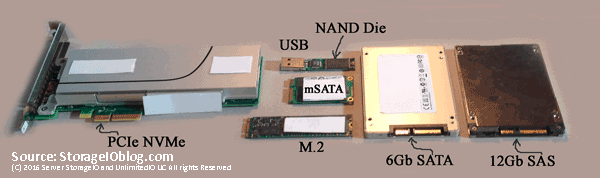
NVMe ssd storage
Various NVM flash SSD including NVMe devices

Following are some server I/O benchmark workload scripts to exercise various storage devices such as Non-Volatile Memory (NVM) flash Solid State Devices (SSDs) or Hard Disk Drives (HDD) among others.

The Workloads

Some ways that can impact the workload performance results besides changing the I/O size, read write, random sequential mix is the number of threads, workers and jobs. Note that in the workload steps, the larger 1MB and sequential scenarios have fewer threads, workers vs. the smaller IOP or activity focused workloads. Too many threads or workers can cause overhead and you will reach a point of diminishing return at some point. Likewise too few and you will not drive the system under test (SUT) or device under test (DUT) to its full potential. If you are not sure how many threads or workers to use, run some short calibration tests to see the results before doing a large, longer test.

Keep in mind that the best benchmark or workload is your own application running with similar load to what you would see in real world, along with applicable features, configuration and functionality enabled. The second best would be those that closely resemble your workload characteristics and that are relevant.

The following workloads involved a system test initiator (STI) server driving workload using the different tools as well as scripts shown. The STI sends the workload to a SUT or DUT that can be a single drive, card or multiple devices, storage system or appliance. Warning: The following workload tests does both reads and writes which can be destructive to your device under test. Exercise caution on the device and file name specified to avoid causing a problem that might result in you testing your backup / recovery process. Likewise no warranty is given, implied or made for these scripts or their use or results, they are simply supplied as is for your reference.

The four free tools that I’m using with this set of scripts are:

  • Microsoft Diskspd (free), get the tool and bits here or here (open source), learn more about Diskspd here.
  • FIO.exe (free), get the tool and bits here or here among other venues.
  • Vdbench (free with registration), get the tool and bits here or here among other venues.
  • Iometer (free), get the tool and bits here among other venues.

Notice: While best effort has been made to verify the above links, they may change over time and you are responsible for verifying the safety of links and your downloads

Microsoft Diskspd workloads

Note that a 300GB size file named iobw.tst on device N: is being used for performing read and write I/Os to. There are 160 threads, I/O size of 4KB and 8KB varying from 100% Read (0% write), 70% Read (30% write) and 0% Read (100% write) with random (seek) and no hardware or software cache. Also specified are to collect latency statistics, a 30 second warm up ramp up time, and a quick 5 minute duration (test time). 5 minutes is a quick test for calibration, verify your environment however relatively short for a real test which should be in the hours or more depending on your needs.

Note that the output results are put into a file with a name describing the test tool, workload and other useful information such as date and time. You may also want to specify a different directory where output files are placed.

diskspd.exe -c300G -o160 -t160 -b4K -w0 -W30 -d300 -h -fr  N:iobw.tst -L  > DiskSPD_300G_4KRan100Read_160x160_072416_8AM.txt
diskspd.exe -c300G -o160 -t160 -b4K -w30 -W30 -d300 -h -fr  N:iobw.tst -L  > DiskSPD_300G_4KRan70Read_160x160_072416_8AM.txt
diskspd.exe -c300G -o160 -t160 -b4K -w100 -W30 -d300 -h -fr  N:iobw.tst -L  > DiskSPD_300G_4KRan0Read_160x160_072416_8AM.txt
diskspd.exe -c300G -o160 -t160 -b8K -w0 -W30 -d300 -h -fr  N:iobw.tst -L  > DiskSPD_300G_8KRan100Read_160x160_072416_8AM.txt
diskspd.exe -c300G -o160 -t160 -b8K -w30 -W30 -d300 -h -fr  N:iobw.tst -L  > DiskSPD_300G_8KRan70Read_160x160_072416_8AM.txt
diskspd.exe -c300G -o160 -t160 -b8K -w100 -W30 -d300 -h -fr  N:iobw.tst -L  > DiskSPD_300G_8KRan0Read_160x160_072416_8AM.txt

The following Diskspd tests use similar settings as above, however instead of random, sequential is specified, threads and outstanding I/Os are reduced while I/O size is set to 1MB, then 8KB, with 100% read and 100% write scenarios. The -t specifies the number of threads and -o number of outstanding I/Os per thread.

diskspd.exe -c300G -o32 -t132 -b1M -w0 -W30 -d300 -h -si  N:iobw.tst -L  > DiskSPD_300G_1MSeq100Read_32x32_072416_8AM.txt
diskspd.exe -c300G -o32 -t132 -b1M -w100 -W30 -d300 -h -si  N:iobw.tst -L  > DiskSPD_300G_1MSeq0Read_32x32_072416_8AM.txt
diskspd.exe -c300G -o160 -t160 -b8K -w0 -W30 -d300 -h -si  N:iobw.tst -L  > DiskSPD_300G_8KSeq100Read_32x32_072416_8AM.txt
diskspd.exe -c300G -o160 -t160 -b8K -w100 -W30 -d300 -h -si  N:iobw.tst -L  > DiskSPD_300G_8KSeq0Read_32x32_072416_8AM.txt

Fio.exe workloads

Next are the fio workloads similar to those run using Diskspd except the sequential scenarios are skipped.

fio --filename=N\:\iobw.tst --filesize=300000M --direct=1  --rw=randrw --refill_buffers --norandommap --randrepeat=0 --ioengine=windowsaio  --ba=4k --bs=4k --rwmixread=100 --iodepth=32 --numjobs=5 --exitall --time_based  --ramp_time=30 --runtime=300 --group_reporting --name=xxx  --output=FIO_300000M_4KRan100Read_5x32_072416_8AM.txt
fio --filename=N\:\iobw.tst --filesize=300000M --direct=1  --rw=randrw --refill_buffers --norandommap --randrepeat=0 --ioengine=windowsaio  --ba=4k --bs=4k --rwmixread=70 --iodepth=32 --numjobs=5 --exitall --time_based  --ramp_time=30 --runtime=300 --group_reporting --name=xxx  --output=FIO_300000M_4KRan70Read_5x32_072416_8AM.txt
fio --filename=N\:\iobw.tst --filesize=300000M --direct=1  --rw=randrw --refill_buffers --norandommap --randrepeat=0 --ioengine=windowsaio  --ba=4k --bs=4k --rwmixread=0 --iodepth=32 --numjobs=5 --exitall --time_based  --ramp_time=30 --runtime=300 --group_reporting --name=xxx  --output=FIO_300000M_4KRan0Read_5x32_072416_8AM.txt
fio --filename=N\:\iobw.tst --filesize=300000M --direct=1  --rw=randrw --refill_buffers --norandommap --randrepeat=0 --ioengine=windowsaio  --ba=8k --bs=8k --rwmixread=100 --iodepth=32 --numjobs=5 --exitall --time_based  --ramp_time=30 --runtime=300 --group_reporting --name=xxx  --output=FIO_300000M_8KRan100Read_5x32_072416_8AM.txt
fio --filename=N\:\iobw.tst --filesize=300000M --direct=1  --rw=randrw --refill_buffers --norandommap --randrepeat=0 --ioengine=windowsaio  --ba=8k --bs=8k --rwmixread=70 --iodepth=32 --numjobs=5 --exitall --time_based  --ramp_time=30 --runtime=300 --group_reporting --name=xxx  --output=FIO_300000M_8KRan70Read_5x32_072416_8AM.txt
fio --filename=N\:\iobw.tst --filesize=300000M --direct=1  --rw=randrw --refill_buffers --norandommap --randrepeat=0 --ioengine=windowsaio  --ba=8k --bs=8k --rwmixread=0 --iodepth=32 --numjobs=5 --exitall --time_based  --ramp_time=30 --runtime=300 --group_reporting --name=xxx  --output=FIO_300000M_8KRan0Read_5x32_072416_8AM.txt

Vdbench workloads

Next are the Vdbench workloads similar to those used with the Microsoft Diskspd scenarios. In addition to making sure Vdbench is installed and working, you will need to create a text file called seqrxx.txt containing the following:

hd=localhost,jvms=!jvmn
sd=sd1,lun=!drivename,openflags=directio,size=!dsize
wd=mix,sd=sd1
rd=!jobname,wd=mix,elapsed=!etime,interval=!itime,iorate=max,forthreads=(!tthreads),forxfersize=(!worktbd),forseekpct=(!workseek),forrdpct=(!workread),openflags=directio

The following are the commands that call the Vdbench script file. Note Vdbench puts output files (yes, plural there are many results) in a output folder.

vdbench -f seqrxx.txt dsize=300G  tthreads=160 jvmn=64 worktbd=4k workseek=100 workread=100 jobname=NVME etime=300 itime=30 drivename="\\.\N:\iobw.tst" -o  vdbench_NNVMe_300GB_64JVM_160TH_4K100Ran100Read_0726166AM
vdbench -f seqrxx.txt dsize=300G  tthreads=160 jvmn=64 worktbd=4k workseek=100 workread=70 jobname=NVME etime=300 itime=30 drivename="\\.\N:\iobw.tst" -o vdbench_NNVMe_300GB_64JVM_160TH_4K100Ran70Read_072416_8AM
vdbench -f seqrxx.txt dsize=300G  tthreads=160 jvmn=64 worktbd=4k workseek=100 workread=0 jobname=NVME etime=300 itime=30 drivename="\\.\N:\iobw.tst" -o vdbench_NNVMe_300GB_64JVM_160TH_4K100Ran0Read_072416_8AM
vdbench -f seqrxx.txt dsize=300G  tthreads=160 jvmn=64 worktbd=8k workseek=100 workread=100 jobname=NVME etime=300 itime=30 drivename="\\.\N:\iobw.tst" -o vdbench_NNVMe_300GB_64JVM_160TH_8K100Ran100Read_072416_8AM
vdbench -f seqrxx.txt dsize=300G  tthreads=160 jvmn=64 worktbd=8k workseek=100 workread=70 jobname=NVME etime=300 itime=30 drivename="\\.\N:\iobw.tst" -o vdbench_NNVMe_300GB_64JVM_160TH_8K100Ran70Read_072416_8AM
vdbench -f seqrxx.txt dsize=300G  tthreads=160 jvmn=64 worktbd=8k workseek=100 workread=0 jobname=NVME etime=300 itime=30 drivename="\\.\N:\iobw.tst" -o vdbench_NNVMe_300GB_64JVM_160TH_8K100Seq0Read_072416_8AM
vdbench -f seqrxx.txt dsize=300G  tthreads=160 jvmn=64 worktbd=8k workseek=0 workread=100 jobname=NVME etime=300 itime=30 drivename="\\.\N:\iobw.tst" -o vdbench_NNVMe_300GB_64JVM_160TH_8K100Seq100Read_072416_8AM
vdbench -f seqrxx.txt dsize=300G  tthreads=160 jvmn=64 worktbd=8k workseek=0 workread=70 jobname=NVME etime=300 itime=30 drivename="\\.\N:\iobw.tst" -o vdbench_NNVMe_300GB_64JVM_160TH_8K100Seq70Read_072416_8AM
vdbench -f seqrxx.txt dsize=300G  tthreads=160 jvmn=64 worktbd=8k workseek=0 workread=0 jobname=NVME etime=300 itime=30 drivename="\\.\N:\iobw.tst" -o vdbench_NNVMe_300GB_64JVM_160TH_8K100Seq0Read_072416_8AM
vdbench -f seqrxx.txt dsize=300G  tthreads=32 jvmn=64 worktbd=1M workseek=0 workread=100 jobname=NVME etime=300 itime=30 drivename="\\.\N:\iobw.tst" -o vdbench_NNVMe_300GB_64JVM_32TH_1M100Seq100Read_072416_8AM
vdbench -f seqrxx.txt dsize=300G  tthreads=32 jvmn=64 worktbd=1M workseek=0 workread=0 jobname=NVME etime=300 itime=30 drivename="\\.\N:\iobw.tst" -o vdbench_NNVMe_300GB_64JVM_32TH_1M100Seq0Read_072416_8AM

Iometer workloads

Last however not least, lets do an Iometer run. The following command calls an Iometer input file (icf) that you can find here. In that file you will need to make a few changes including the name of the server where Iometer is running, description and device under test address. For example in the icf file change SIOSERVER to the name of the server where you will be running Iometer from. Also change the address for the DUT, for example N: to what ever address, drive, mount point you are using. Also update the description accordingly (e.g. "NVME" to "Your test example".

Here is the command line to run Iometer specifying an icf and where to put the results in a CSV file that can be imported into Excel or other tools.

iometer /c  iometer_5work32q_intel_Profile.icf /r iometer_nvmetest_5work32q_072416_8AM.csv

server storage I/O SCM NVM SSD performance

What About The Results?

For context, the following results were run on a Lenovo TS140 (32GB RAM), single socket quad core (3.2GHz) Intel E3-1225 v3 with an Intel NVMe 750 PCIe AiC (Intel SSDPEDMW40). Out of the box Microsoft Windows NVMe drive and controller drivers were used (e.g. 6.3.9600.18203 and 6.3.9600.16421). Operating system is Windows 2012 R2 (bare metal) with NVMe PCIe card formatted with ReFS file system. Workload generator and benchmark driver tools included Microsoft Diskspd version 2.012, Fio.exe version 2.2.3, Vdbench 50403 and Iometer 1.1.0. Note that there are newer versions of the various workload generation tools.

Example results are located here.

Where To Learn More

Additional learning experiences along with common questions (and answers), as well as tips can be found in Software Defined Data Infrastructure Essentials book.

Software Defined Data Infrastructure Essentials Book SDDC

What This All Means

Remember, everything is not the same in the data center or with data infrastructures that support different applications.

While some tools are more robust or better than others for different things, ultimately its usually not the tool that results in a bad benchmark or comparison, its the configuration or lack of including workload settings that are not relevant or applicable. The best benchmark, workload or simulation is your own application. Second best is one that closely resembles your application workload characteristics. A bad benchmark is one that has no relevance to your environment, application use scenario. Take and treat all benchmark or workload simulation results with a grain of salt as something to compare, contrast or make reference to in the proper context.

Ok, nuff said, for now.

Gs

Greg Schulz – Microsoft MVP Cloud and Data Center Management, VMware vExpert 2010-2017 (vSAN and vCloud). Author of Software Defined Data Infrastructure Essentials (CRC Press), as well as Cloud and Virtual Data Storage Networking (CRC Press), The Green and Virtual Data Center (CRC Press), Resilient Storage Networks (Elsevier) and twitter @storageio. Courteous comments are welcome for consideration. First published on https://storageioblog.com any reproduction in whole, in part, with changes to content, without source attribution under title or without permission is forbidden.

All Comments, (C) and (TM) belong to their owners/posters, Other content (C) Copyright 2006-2026 Server StorageIO and UnlimitedIO. All Rights Reserved. StorageIO is a registered Trade Mark (TM) of Server StorageIO.

NetApp Announces ONTAP 9 software defined storage management

NetApp Announces ONTAP 9 software defined storage management

server storage I/O trends

NetApp has announced ONTAP 9 the latest version or generation of their storage software that defines and powers ONTAP storage systems and appliances (e.g. those known by some as FAS among others).

The major theme of ONTAP 9 is simple anywhere eluding to the software runs on storage system appliances (e.g. “tin wrapped” or hardware platform based), virtual storage (e.g. what has been known as “edge” in the past), as well as cloud versions (cDOT). The other part of simple beyond where the software gets deployed and how the resources along with functionality are consumed ties to management.

This means simple from standalone systems to clusters, ONTAP 9 is focused on consolidation and management across different storage media mediums (HDD and SSD), platforms (engineered e.g. FAS to white box), protocols (block, file, objects) as well as consumption (on hardware or software deployed including cloud).

As part of the announcement NetApp will continue with its engineered hardware platform solutions (e.g. appliances or storage systems) as well as ONTAP Select (third-party storage) and Flex using white box server platforms (e.g. a software defined storage option). This capability provides customers with flexibility on where and how to buy as well as deployment options.

Another dimension to ONTAP 7 simple theme is support for known workloads such as Oracle RAC, Microsoft SQL Server and VMware among others. ONTAP 9 provides tools for rapid provisioning of storage resources to support those and other application workloads.

Data services feature enhancements include support of new high-capacity read optimized SSDs, along with inline data compaction on 4K boundaries (data chunks) including data reduction guarantees of 4:1. For data durability, triple parity RAID has also been implemented, as well as Snaplock is also present in ONTAP 9.

Another aspect of Simple theme for ONTAP 9 is an easy transition from third-party storage systems, as well as ONTAP 8.3 and ONTAP 7 modes with new tools and processes. These also include copy free transitions where existing storage systems are detached from older generation ONTAP controller, attached to new versions and an auto update occurs.

Where To Learn More

ONTAP 9 Data Sheet (PDF)
NetApp FlashAdvantage 3-4-5 Makes the All-Flash Data Center a Reality
NetApp ONTAP 9 Software Simplifies Transition to Hybrid Cloud, Next-Generation Data Center

What This All Means

ONTAP 9 are a welcome set of enhancements for NetApps flagship storage platforms that are based on ONTAP. With these enhancements, existing or new customers gain flexibility and deployment option choices for how the ONTAP software gets deployed from physical NetApp based storage systems, to white box hardware, software defined and cloud editions. In an era where there is a focus on converged, hyper-converged, object, all flash arrays and software defined virtual as well as cloud, ONTAP 9 provides options for customers who simply want or still need a traditional multi-protocol storage system that can run in an all flash or hybrid with disk modes.

Ok, nuff said, for now…

Cheers
Gs

Greg Schulz – Author Cloud and Virtual Data Storage Networking (CRC Press), The Green and Virtual Data Center (CRC Press) and Resilient Storage Networks (Elsevier)
twitter @storageio

All Comments, (C) and (TM) belong to their owners/posters, Other content (C) Copyright 2006-2023 Server StorageIO(R) and UnlimitedIO All Rights Reserved

Server StorageIO May 2016 Update Newsletter

Volume 16, Issue V

Hello and welcome to this May 2016 Server StorageIO update newsletter.

In This Issue

  • Commentary in the news
  • Tips and Articles
  • StorageIOblog posts
  • Events and Webinars
  • Industry Activity Trends
  • Resources and Links
  • Enjoy this shortened edition of the Server StorageIO update newsletter, watch for more tips, articles, lab report test drive reviews, blog posts, videos and podcast’s and in the news commentary appearing soon.

    Cheers GS

    StorageIOblog Posts

    Recent and popular Server StorageIOblog posts include:

    View other recent as well as past blog posts here


    StorageIO Commentary in the news

    Recent Server StorageIO industry trends perspectives commentary in the news.

    Cloud and Virtual Data Storage Networking: Various comments and discussions

    StorageIOblog: Additional comments and perspectives

    SearchCloudStorage: Comments on OpenIO joins object storage cloud scrum

    SearchCloudStorage: Comments on EMC VxRack Neutrino Nodes and OpenStack

    View more Server, Storage and I/O hardware as well as software trends comments here


    StorageIO Tips and Articles

    Recent Server StorageIO articles appearing in different venues include:

    Via Micron Blog (Guest Post): What’s next for NVMe and your Data Center – Preparing for Tomorrow Today

    Check out these resources techniques, trends as well as tools. View more tips and articles here

    StorageIO Webinars and Industry Events

    Brouwer Storage (Nijkerk Holland) June 10-15, 2016 – Various in person seminar workshops

    June 15: Software Defined Data center with Greg Schulz and Fujitsu International

    June 14: Round table with Greg Schulz and John Williams (General manager of Reduxio) and Gert Brouwer. Discussion about new technologies with Reduxio as an example.

    June 10: Hyper converged, Converged , and related subjects presented Greg Schulz

    Simplify and Streamline Your Virtual Infrastructure – May 17 webinar

    Is Hyper-Converged Infrastructure Right for Your Business? May 11 webinar

    EMCworld (Las Vegas) May 2-4, 2016

    Interop (Las Vegas) May 4-6 2016

    Making the Cloud Work for You: Rapid Recovery April 27, 2016 webinar

    See more webinars and other activities on the Server StorageIO Events page here.


    Server StorageIO Industry Resources and Links

    Check out these useful links and pages:

    storageio.com/links – Various industry links (over 1,000 with more to be added soon)
    objectstoragecenter.com – Cloud and object storage topics, tips and news items
    storageioblog.com/data-protection-diaries-main/ – Various data protection items and topics
    thenvmeplace.com – Focus on NVMe trends and technologies
    thessdplace.com – NVM and Solid State Disk topics, tips and techniques
    storageio.com/performance.com – Various server, storage and I/O performance and benchmarking

    Ok, nuff said

    Cheers
    Gs

    Greg Schulz – Author Cloud and Virtual Data Storage Networking (CRC Press), The Green and Virtual Data Center (CRC Press) and Resilient Storage Networks (Elsevier)
    twitter @storageio

    All Comments, (C) and (TM) belong to their owners/posters, Other content (C) Copyright 2006-2026 Server StorageIO and UnlimitedIO LLC All Rights Reserved

    2016 Going Dutch Cloud Virtualization Server Storage I/O Seminars

    2016 Going Dutch Cloud Virtualization Server Storage I/O Seminars

    server storage I/O trends

    In June 2016 Brouwer Storage Consultancy is organizing their yearly spring seminar workshops in Nijkerk Holland (south of Amsterdam, near Utrecht and Amersfoort) with myself among others presenting.

    Brouwer Consultancy

    Cloud Virtualization Server Storage I/O Seminars

    For this series of seminar workshops, there are four sessions, two being presented by myself, and two others in conjunction with Reduxio as well as Fujitsu & SJ Solutions.

    Brouwer and Server StorageIO Seminar Sessions

    Agenda, How To Register and Where To Learn More

    The vendor sponsored sessions will consist of about 50% content being independent presented by myself and Gert Brouwer, the balance by the event sponsors as well as their partners. All presentation and associated content including handouts will be in English.

    There will be 4 seminar workshop sessions, two of those are paid sessions dedicated to Greg Schulz and the other two are free (sponsored) sessions where 50% of the content is sponsored (Reduxio, FujitsuSJ Solutions) and the other 50% will be independent (Greg Schulz & Gert Brouwer).

    Thursday June 9th – Server StorageIO Trends and Updates

    Server Storage I/O Fundamental Trends V2.016 and Updates. What’s New, What’s the buzz, what you need to know about. From Speeds and Feeds, Slots and Watts to Who’s doing what. Event Location: Golden Tulip Ampt van Nijkerk Hotel, Berencamperweg 4, 3861MC, Nijkerk. Learn more here (PDF abstract and topics to be covered).

    Thursday June 10th – Converged Day

    Converged Day – Moving beyond Hyper-Converged Hype and Server Storage I/O Decision Making Strategies. Event Location: Golden Tulip Ampt van Nijkerk Hotel, Berencamperweg 4, 3861MC, Nijkerk. Learn more here (PDF abstract and topics to be covered).

    Brouwer and Server StorageIO Seminar Sessions De Roode Schuur

    Tuesday June 14th – Round Table Vendor Session with Reduxio

    Symposium Workshop – Round Table Vendor Session with Reduxio – Are some solutions really ‘a Paradigm shift’ or ‘new and revolutionary” as they claim to be, or is it just more of the same (e.g. evolutionary)? – Presentations and discussions led by Greg Schulz (StorageIO), Reduxio and Brouwer Storage Consultancy. (Free, sponsored Session, Access for end-users only). Event Location: Hotel & Gasterij De Roode Schuur, Oude Barneveldseweg 98, 3862PS Nijkerk. Learn more here (PDF abstract and topics to be covered).

    Wednesday June 15th – Software Defined Data Center Symposium Workshop

    Software Defined Data Center Symposium Workshop – Round Table Vendor Session with Fujitsu & SJ Solutions
    With subjects like Openstack, Ceph, distributed object storage, Bigdata, Hyper-Converged Infrastructure (HCI), Converged Infrastructure (CI), Software defined storage (SDS) and Network (SDN and NFV), this round table format workshop seminars explores these and other related topics including what to use when, where, why and how. Presentations by Greg Schulz (StorageIO), SJ Solutions & Fujitsu and Brouwer Storage Consultancy. Event Location: Hotel & Gasterij De Roode Schuur, Oude Barneveldseweg 98, 3862PS Nijkerk. Learn more here (PDF abstract and topics to be covered).

    For more information, abstracts/agenda, registration and the specific locations for all the above events click here.

    Brouwer and Server StorageIO Sessions Ampt van Nijkerk

    What This All Means

    There is a lot of things occurring in the IT industry from physical to software defined clouds, containers and virtualization, nonvolatile memory (NVM) including flash SSD among others. These series of interactive educational workshop seminars converge on Nijkerk Holland combing content discussions from strategy, planning decision making, to what’s new (and old) that can be used in new ways, as well as some trends, speeds and feeds along with practicality for your environment.

    Brouwer Consultancy

    I Look forward to seeing you in Nijkerk and Europe during June 2016, in the meantime, contact Brouwer Storage Consultancy for more information on the above sessions as well as to arrange private discussions or meetings.

    Ok, nuff said, for now…

    Cheers
    Gs

    Greg Schulz – Author Cloud and Virtual Data Storage Networking (CRC Press), The Green and Virtual Data Center (CRC Press) and Resilient Storage Networks (Elsevier)
    twitter @storageio

    All Comments, (C) and (TM) belong to their owners/posters, Other content (C) Copyright 2006-2023 Server StorageIO(R) and UnlimitedIO All Rights Reserved

    Ubuntu 16.04 LTS (aka Xenial Xerus) What’s In The Bits and Bytes?

    Ubuntu 16.04 LTS (aka Xenial Xerus) What’s In The Bits and Bytes?

    server storage I/O trends

    Ubuntu 16.04 LTS (aka Xenial Xerus) was recently released (you can get the bits or software download here). Ubuntu is available in various distributions including as a server, workstation or desktop among others that can run bare metal on a physical machine (PM), virtual machine (VM) or as a cloud instance via services such as Amazon Web Services (AWS) as well as Microsoft Azure among others.

    Refresh, What is Ubuntu

    For those not familiar or who need a refresh, Ubuntu is an open source Linux distribution with the company behind it called Canonical. The Ubuntu software is a Debian based Linux distribution with Unity (user interface). Ubuntu is available across different platform architecture from industry standard Intel and AMD x86 32bit and 64bit to ARM processors and even the venerable IBM zSeriues (aka zed) mainframe as part of LinuxOne.

    As a desktop, some see or use Ubuntu as an open source alternative to desktop interfaces based on those from Microsoft such as Windows or Apple.

    As a server Ubuntu can be deployed from traditional applications to cloud, converged and many others including as a docker container, Ceph or OpenStack deployment platform. Speaking of Microsoft and Windows, if you are a *nix bash type person yet need (or have) to work with Windows, bash (and more) are coming to Windows 10. Ubuntu desktop GUI or User Interface options include Unity along with tools such as Compiz and LibreOffice (an alternative to Microsoft Office).

    What’s New In the Bits and Bytes (e.g. Software)

    Ubuntu 16.04 LTS is based on the Linux 4.4 kernel, that also includes Python 3, Ceph Jewel (block, file and object storage) and OpenStack Mitaka among other enhancements. These and other fixes as well as enhancements include:

    • Libvirt 1.3.1
    • Qemu 2.5
    • Open vSwitch 2.5.0
    • NginxLX2 2.0
    • Docker 1.10
    • PHP 7.9
    • MySQL 7.0
    • Juju 2.0
    • Golang 1.6 toolchain
    • OpenSSH 7.2p2 with legacy support along with cipher improvements, including 1024 bit diffie-hellman-group1-sha1 key exchange, ssh-dss, ssh-dss-cert
    • GNU toolchain
    • Apt 1.2

    What About Ubuntu for IBM zSeries Mainframe

    Ubuntu runs on 64 bit zSeries architecture with about 95% binary compatibility. If you look at the release notes, there are still a few things being worked out among known issues. However (read the release notes), Ubuntu 16.04 LTS has OpenStack and Ceph, means that those capabilities could be deployed on a zSeries.

    Now some of you might think wait, how can Linux and Ceph among others work on a FICON based mainframe?

    No worries, keep in mind that FICON the IBM zSeries server storage I/O protocol that co-exists on Fibre Channel along with SCSI_FCP (e.g. FCP) aka what most Open Systems people simply refer to as Fibre Channel (FC) works with the zOS and other operating systems. In the case of native Linux on zSeries, those systems can in fact use SCSI mode for accessing shared storage. In addition to the IBM LinuxOne site, you can learn more about Ubuntu running native on zSeries here on the Ubuntu site.

    Where To Learn More

    What This All Means

    Ubuntu as a Linux distribution continues to evolve and increase in deployment across different environments. Some still view Ubuntu as the low-end Linux for home, hobbyist or those looking for a alternative desktop to Microsoft Windows among others. However Ubuntu is also increasingly being used in roles where other Linux distribution such as Red Hat Enterprise Linux (RHEL), SUSE and Centos among others have gained prior popularity.

    In someway’s you can view RHEL as the first generation Linux distribution that gained popular in the enterprise with early adopters, followed by a second wave or generation of those who favored Centos among others such as the cloud crowd. Then there is the Ubuntu wave which is expanding in many areas along with others such as CoreOS. Granted with some people the preference between one Linux distribution vs. another can be as polarizing as Linux vs. Windows, OpenSystems vs. Mainframe vs. Cloud among others.

    Having various Ubuntu distributions installed across different servers (in addition to Centos, Suse and others), I found the install and new capabilities of Ubuntu 16.04 LTS interesting and continue to explore the many new features, while upgrading some of my older systems.

    Get the Ubuntu 16.04 LTS bits here to give a try or upgrade your existing systems.

    Ok, nuff said

    Cheers
    Gs

    Greg Schulz – Author Cloud and Virtual Data Storage Networking (CRC Press), The Green and Virtual Data Center (CRC Press) and Resilient Storage Networks (Elsevier)
    twitter @storageio

    All Comments, (C) and (TM) belong to their owners/posters, Other content (C) Copyright 2006-2023 Server StorageIO(R) and UnlimitedIO All Rights Reserved

    Which Enterprise HDD for Content Server Platform

    Which Enterprise HDD to use for a Content Server Platform

    data infrastructure HDD server storage I/O trends

    Updated 1/23/2018

    Which enterprise HDD to use with a content server platform?

    Insight for effective server storage I/O decision making
    Server StorageIO Lab Review

    Which enterprise HDD to use for content servers

    This post is the first in a multi-part series based on a white paper hands-on lab report I did compliments of Equus Computer Systems and Seagate that you can read in PDF form here. The focus is looking at the Equus Computer Systems (www.equuscs.com) converged Content Solution platforms with Seagate Enterprise Hard Disk Drive (HDD’s). I was given the opportunity to do some hands-on testing running different application workloads with a 2U content solution platform along with various Seagate Enterprise 2.5” HDD’s handle different application workloads. This includes Seagate’s Enterprise Performance HDD’s with the enhanced caching feature.

    Issues And Challenges

    Even though Non-Volatile Memory (NVM) including NAND flash solid state devices (SSDs) have become popular storage for use internal as well as external to servers, there remains the need for HDD’s Like many of you who need to make informed server, storage, I/O hardware, software and configuration selection decisions, time is often in short supply.

    A common industry trend is to use SSD and HDD based storage mediums together in hybrid configurations. Another industry trend is that HDD’s continue to be enhanced with larger space capacity in the same or smaller footprint, as well as with performance improvements. Thus, a common challenge is what type of HDD to use for various content and application workloads balancing performance, availability, capacity and economics.

    Content Applications and Servers

    Fast Content Needs Fast Solutions

    An industry and customer trend are that information and data are getting larger, living longer, as well as there is more of it. This ties to the fundamental theme that applications and their underlying hardware platforms exist to process, move, protect, preserve and serve information.

    Content solutions span from video (4K, HD, SD and legacy streaming video, pre-/post-production, and editing), audio, imaging (photo, seismic, energy, healthcare, etc.) to security surveillance (including Intelligent Video Surveillance [ISV] as well as Intelligence Surveillance and Reconnaissance [ISR]). In addition to big fast data, other content solution applications include content distribution network (CDN) and caching, network function virtualization (NFV) and software-defined network (SDN), to cloud and other rich unstructured big fast media data, analytics along with little data (e.g. SQL and NoSQL database, key-value stores, repositories and meta-data) among others.

    Content Solutions And HDD Opportunities

    A common theme with content solutions is that they get defined with some amount of hardware (compute, memory and storage, I/O networking connectivity) as well as some type of content software. Fast content applications need fast software, multi-core processors (compute), large memory (DRAM, NAND flash, SSD and HDD’s) along with fast server storage I/O network connectivity. Content-based applications benefit from having frequently accessed data as close as possible to the application (e.g. locality of reference).

    Content solution and application servers need flexibility regarding compute options (number of sockets, cores, threads), main memory (DRAM DIMMs), PCIe expansion slots, storage slots and other connectivity. An industry trend is leveraging platforms with multi-socket processors, dozens of cores and threads (e.g. logical processors) to support parallel or high-concurrent content applications. These servers have large amounts of local storage space capacity (NAND flash SSD and HDD) and associated I/O performance (PCIe, NVMe, 40 GbE, 10 GbE, 12 Gbps SAS etc.) in addition to using external shared storage (local and cloud).

    Where To Learn More

    Additional learning experiences along with common questions (and answers), as well as tips can be found in Software Defined Data Infrastructure Essentials book.

    Software Defined Data Infrastructure Essentials Book SDDC

    What This All Means

    Fast content applications need fast content and flexible content solution platforms such as those from Equus Computer Systems and HDD’s from Seagate. Key to a successful content application deployment is having the flexibility to hardware define and software defined the platform to meet your needs. Just as there are many different types of content applications along with diverse environments, content solution platforms need to be flexible, scalable and robust, not to mention cost effective.

    Continue reading part two of this multi-part series here where we look at how and what to test as well as project planning.

    Ok, nuff said, for now.

    Gs

    Greg Schulz – Microsoft MVP Cloud and Data Center Management, VMware vExpert 2010-2017 (vSAN and vCloud). Author of Software Defined Data Infrastructure Essentials (CRC Press), as well as Cloud and Virtual Data Storage Networking (CRC Press), The Green and Virtual Data Center (CRC Press), Resilient Storage Networks (Elsevier) and twitter @storageio. Courteous comments are welcome for consideration. First published on https://storageioblog.com any reproduction in whole, in part, with changes to content, without source attribution under title or without permission is forbidden.

    All Comments, (C) and (TM) belong to their owners/posters, Other content (C) Copyright 2006-2026 Server StorageIO and UnlimitedIO. All Rights Reserved. StorageIO is a registered Trade Mark (TM) of Server StorageIO.

    Part 2 – Which HDD for Content Applications – HDD Testing

    Part 2 – Which HDD for Content Applications – HDD Testing

    HDD testing server storage I/O trends

    Updated 1/23/2018

    Which enterprise HDD to use with a content server, hdd testing, how and what to do

    Insight for effective server storage I/O decision making
    Server StorageIO Lab Review

    Which enterprise HDD to use for content servers

    This is the second in a multi-part series (read part one here) based on a white paper hands-on lab report I did compliments of Servers Direct and Seagate that you can read in PDF form here. The focus is looking at the Servers Direct (www.serversdirect.com) converged Content Solution platforms with Seagate Enterprise Hard Disk Drive (HDD’s). In this post we look at some decisions and configuration choices to make for testing content applications servers as well as project planning.

    Content Solution Test Objectives

    In short period, collect performance and another server, storage I/O decision-making information on various HDD’s running different content workloads.

    Working with the Servers Direct staff a suitable content solution platform test configuration was created. In addition to providing two Intel-based content servers, Servers Direct worked with their partner Seagate to arrange for various enterprise-class HDD’s to be evaluated. For these series of content application tests, being short on time, I chose to do run some simple workloads including database, basic file (large and small) processing and general performance characterization.

    Content Solution Decision Making

    Knowing how Non-Volatile Memory (NVM) NAND flash SSD (1) devices (drives and PCIe cards) perform, what would be the best HDD based storage option for my given set of applications? Different applications have various performance, capacity and budget considerations. Different types of Seagate Enterprise class 2.5” Small Form Factor (SFF) HDD’s were tested.

    While revolutions per minute (RPM) still plays a role in HDD performance, there are other factors including internal processing capabilities, software or firmware algorithm optimization, and caching. Most HDD’s today have some amount of DRAM for read caching and other operations. Seagate Enterprise Performance HDD’s with the enhanced caching feature (2) are examples of devices accelerate storage I/O speed vs. traditional 10K and 15K RPM drives.

    Project Planning And Preparation

    Workload to be tested included:

    • Database read/writes
    • Large file processing
    • Small file processing
    • General I/O profile

    Project testing consisted of five phases, some of which overlapped with others:

    Phase 1 – Plan
    Identify candidate workloads that could be run in the given amount of time, determine time schedules and resource availability, create a project plan.

    Phase 2 – Define
    Hardware define and software define the test platform.

    Phase 3 – Setup
    The objective was to assess plug-play capability of the server, storage and I/O networking hardware with a Linux OS before moving on to the reported workloads in the next phase. Initial setup and configuration of hardware and software, installation of additional devices along with software configuration, troubleshooting, and learning as applicable. This phase consisted of using Ubuntu Linux 14.04 server as the operating system (OS) along with MySQL 5.6 as a database server during initial hands-on experience.

    Phase 4 – Execute
    This consisted of using Windows 2012 R2 server as the OS along with Microsoft SQL Server on the system under test (SUT) to support various workloads. Results of this phase are reported below.

    Phase 5 – Analyze      
    Results from the workloads run in phase 3 were analyzed and summarized into this document.

    (Note 1) Refer to Seagate 1200 12 Gbps Enterprise SAS SSD StorageIO lab review

    (Note 2) Refer to Enterprise SSHD and Flash SSD Part of an Enterprise Tiered Storage Strategy

    Planning And Preparing The Tests

    As with most any project there were constraints to contend with and work around.

    Test constraints included:

    • Short-time window
    • Hardware availability
    • Amount of hardware
    • Software availability

    Three most important constraints and considerations for this project were:

    • Time – This was a project with a very short time “runway”, something common in most customer environments who are looking to make a knowledgeable server, storage I/O decisions.
    • Amount of hardware – Limited amount of DRAM main memory, sixteen 2.5” internal hot-swap storage slots for HDD’s as well as SSDs. Note that for a production content solution platform; additional DRAM can easily be added, along with extra external storage enclosures to scale memory and storage capacity to fit your needs.
    • Software availability – Utilize common software and management tools publicly available so anybody could leverage those in their own environment and tests.

    The following content application workloads were profiled:

    • Database reads/writes – Updates, inserts, read queries for a content environment
    • Large file processing – Streaming of large video, images or other content objects.
    • Small file processing – Processing of many small files found in some content applications
    • General I/O profile – IOP, bandwidth and response time relevant to content applications

    Where To Learn More

    Additional learning experiences along with common questions (and answers), as well as tips can be found in Software Defined Data Infrastructure Essentials book.

    Software Defined Data Infrastructure Essentials Book SDDC

    What This All Means

    There are many different types of content applications ranging from little data databases to big data analytics as well as very big fast data such as for video. Likewise there are various workloads and characteristics to test. The best test and metrics are those that apply to your environment and application needs.

    Continue reading part three of this multi-part series here looking at how the systems and HDD’s were configured and tested.

    Ok, nuff said, for now.

    Gs

    Greg Schulz – Microsoft MVP Cloud and Data Center Management, VMware vExpert 2010-2017 (vSAN and vCloud). Author of Software Defined Data Infrastructure Essentials (CRC Press), as well as Cloud and Virtual Data Storage Networking (CRC Press), The Green and Virtual Data Center (CRC Press), Resilient Storage Networks (Elsevier) and twitter @storageio. Courteous comments are welcome for consideration. First published on https://storageioblog.com any reproduction in whole, in part, with changes to content, without source attribution under title or without permission is forbidden.

    All Comments, (C) and (TM) belong to their owners/posters, Other content (C) Copyright 2006-2026 Server StorageIO and UnlimitedIO. All Rights Reserved. StorageIO is a registered Trade Mark (TM) of Server StorageIO.

    Part 4 – Which HDD for Content Applications – Database Workloads

    Part 4 – Which HDD for Content Applications – Database Workloads

    data base server storage I/O trends

    Updated 1/23/2018
    Which enterprise HDD to use with a content server platform for database workloads

    Insight for effective server storage I/O decision making
    Server StorageIO Lab Review

    Which enterprise HDD to use for content servers

    This is the fourth in a multi-part series (read part three here) based on a white paper hands-on lab report I did compliments of Servers Direct and Seagate that you can read in PDF form here. The focus is looking at the Servers Direct (www.serversdirect.com) converged Content Solution platforms with Seagate Enterprise Hard Disk Drive (HDD’s). In this post the focus expands to database application workloads that were run to test various HDD’s.

    Database Reads/Writes

    Transaction Processing Council (TPC) TPC-C like workloads were run against the SUT from the STI. These workloads simulated transactional, content management, meta-data and key-value processing. Microsoft SQL Server 2012 was configured and used with databases (each 470GB e.g. scale 6000) created and workload generated by virtual users via Dell Benchmark Factory (running on STI Windows 2012 R2).

    A single SQL Server database instance (8) was used on the SUT, however unique databases were created for each HDD set being tested. Both the main database file (.mdf) and the log file (.ldf) were placed on the same drive set being tested, keep in mind the constraints mentioned above. As time was a constraint, database workloads were run concurrent (9) with each other except for the Enterprise 10K RAID 1 and RAID 10. Workload was run with two 10K HDD’s in a RAID 1 configuration, then another workload run with a four drive RAID 10. In a production environment, ideally the .mdf and .ldf would be placed on separate HDD’s and SSDs.

    To improve cache buffering the SQL Server database instance memory could be increased from 16GB to a larger number that would yield higher TPS numbers. Keep in mind the objective was not to see how fast I could make the databases run, rather how the different drives handled the workload.

    (Note 8) The SQL Server Tempdb was placed on a separate NVMe flash SSD, also the database instance memory size was set to 16GB which was shared by all databases and virtual users accessing it.

    (Note 9) Each user step was run for 90 minutes with a 30 minute warm-up preamble to measure steady-state operation.

    Users

    TPCC Like TPS

    Single Drive Cost per TPS

    Drive Cost per TPS

    Single Drive Cost / Per GB Raw Cap.

    Cost / Per GB Usable (Protected) Cap.

    Drive Cost (Multiple Drives)

    Protect
    Space Over head

    Cost per usable GB per TPS

    Resp. Time (Sec.)

    ENT 15K R1

    1

    23.9

    $24.94

    $49.89

    $0.99

    $0.99

    $1,190

    100%

    $49.89

    0.01

    ENT 10K R1

    1

    23.4

    $37.38

    $74.77

    $0.49

    $0.49

    $1,750

    100%

    $74.77

    0.01

    ENT CAP R1

    1

    16.4

    $24.26

    $48.52

    $0.20

    $0.20

    $ 798

    100%

    $48.52

    0.03

    ENT 10K R10

    1

    23.2

    $37.70

    $150.78

    $0.49

    $0.97

    $3,500

    100%

    $150.78

    0.07

    ENT CAP SWR5

    1

    17.0

    $23.45

    $117.24

    $0.20

    $0.25

    $1,995

    20%

    $117.24

    0.02

    ENT 15K R1

    20

    362.3

    $1.64

    $3.28

    $0.99

    $0.99

    $1,190

    100%

    $3.28

    0.02

    ENT 10K R1

    20

    339.3

    $2.58

    $5.16

    $0.49

    $0.49

    $1,750

    100%

    $5.16

    0.01

    ENT CAP R1

    20

    213.4

    $1.87

    $3.74

    $0.20

    $0.20

    $ 798

    100%

    $3.74

    0.06

    ENT 10K R10

    20

    389.0

    $2.25

    $9.00

    $0.49

    $0.97

    $3,500

    100%

    $9.00

    0.02

    ENT CAP SWR5

    20

    216.8

    $1.84

    $9.20

    $0.20

    $0.25

    $1,995

    20%

    $9.20

    0.06

    ENT 15K R1

    50

    417.3

    $1.43

    $2.85

    $0.99

    $0.99

    $1,190

    100%

    $2.85

    0.08

    ENT 10K R1

    50

    385.8

    $2.27

    $4.54

    $0.49

    $0.49

    $1,750

    100%

    $4.54

    0.09

    ENT CAP R1

    50

    103.5

    $3.85

    $7.71

    $0.20

    $0.20

    $ 798

    100%

    $7.71

    0.45

    ENT 10K R10

    50

    778.3

    $1.12

    $4.50

    $0.49

    $0.97

    $3,500

    100%

    $4.50

    0.03

    ENT CAP SWR5

    50

    109.3

    $3.65

    $18.26

    $0.20

    $0.25

    $1,995

    20%

    $18.26

    0.42

    ENT 15K R1

    100

    190.7

    $3.12

    $6.24

    $0.99

    $0.99

    $1,190

    100%

    $6.24

    0.49

    ENT 10K R1

    100

    175.9

    $4.98

    $9.95

    $0.49

    $0.49

    $1,750

    100%

    $9.95

    0.53

    ENT CAP R1

    100

    59.1

    $6.76

    $13.51

    $0.20

    $0.20

    $ 798

    100%

    $13.51

    1.66

    ENT 10K R10

    100

    560.6

    $1.56

    $6.24

    $0.49

    $0.97

    $3,500

    100%

    $6.24

    0.14

    ENT CAP SWR5

    100

    62.2

    $6.42

    $32.10

    $0.20

    $0.25

    $1,995

    20%

    $32.10

    1.57

    Table-2 TPC-C workload results various number of users across different drive configurations

    Figure-2 shows TPC-C TPS (red dashed line) workload scaling over various number of users (1, 20, 50, and 100) with peak TPS per drive shown. Also shown is the used space capacity (in green), with total raw storage capacity in blue cross hatch. Looking at the multiple metrics in context shows that the 600GB Enterprise 15K HDD with performance enhanced cache is a premium option as an alternative, or, to complement flash SSD solutions.

    database TPCC transactional workloads
    Figure-2 472GB Database TPS scaling along with cost per TPS and storage space used

    In figure-2, the 1.8TB Enterprise 10K HDD with performance enhanced cache while not as fast as the 15K, provides a good balance of performance, space capacity and cost effectiveness. A good use for the 10K drives is where some amount of performance is needed as well as a large amount of storage space for less frequently accessed content.

    A low cost, low performance option would be the 2TB Enterprise Capacity HDD’s that have a good cost per capacity, however lack the performance of the 15K and 10K drives with enhanced performance cache. A four drive RAID 10 along with a five drive software volume (Microsoft WIndows) are also shown. For apples to apples comparison look at costs vs. capacity including number of drives needed for a given level of performance.

    Figure-3 is a variation of figure-2 showing TPC-C TPS (blue bar) and response time (red-dashed line) scaling across 1, 20, 50 and 100 users. Once again the Enterprise 15K with enhanced performance cache feature enabled has good performance in an apples to apples RAID 1 comparison.

    Note that the best performance was with the four drive RAID 10 using 10K HDD’s Given popularity, a four drive RAID 10 configuration with the 10K drives was used. Not surprising the four 10K drives performed better than the RAID 1 15Ks. Also note using five drives in a software spanned volume provides a large amount of storage capacity and good performance however with a larger drive footprint.

    database TPCC transactional workloads scaling
    Figure-3 472GB Database TPS scaling along with response time (latency)

    From a cost per space capacity perspective, the Enterprise Capacity drives have a good cost per GB. A hybrid solution for environment that do not need ultra-high performance would be to pair a small amount of flash SSD (10) (drives or PCIe cards), as well as the 10K and 15K performance enhanced drives with the Enterprise Capacity HDD (11) along with cache or tiering software.

    (Note 10) Refer to Seagate 1200 12 Gbps Enterprise SAS SSD StorageIO lab review

    (Note 11) Refer to Enterprise SSHD and Flash SSD Part of an Enterprise Tiered Storage Strategy

    Where To Learn More

    Additional learning experiences along with common questions (and answers), as well as tips can be found in Software Defined Data Infrastructure Essentials book.

    Software Defined Data Infrastructure Essentials Book SDDC

    What This All Means

    If your environment is using applications that rely on databases, then test resources such as servers, storage, devices using tools that represent your environment. This means moving up the software and technology stack from basic storage I/O benchmark or workload generator tools such as Iometer among others instead using either your own application, or tools that can replay or generate various workloads that represent your environment.

    Continue reading part five in this multi-part series here where the focus shifts to large and small file I/O processing workloads.

    Ok, nuff said, for now.

    Gs

    Greg Schulz – Microsoft MVP Cloud and Data Center Management, VMware vExpert 2010-2017 (vSAN and vCloud). Author of Software Defined Data Infrastructure Essentials (CRC Press), as well as Cloud and Virtual Data Storage Networking (CRC Press), The Green and Virtual Data Center (CRC Press), Resilient Storage Networks (Elsevier) and twitter @storageio. Courteous comments are welcome for consideration. First published on https://storageioblog.com any reproduction in whole, in part, with changes to content, without source attribution under title or without permission is forbidden.

    All Comments, (C) and (TM) belong to their owners/posters, Other content (C) Copyright 2006-2026 Server StorageIO and UnlimitedIO. All Rights Reserved. StorageIO is a registered Trade Mark (TM) of Server StorageIO.

    The Future of Ethernet – 2016 Roadmap released by Ethernet Alliance

    The Future of Ethernet – 2016 Roadmap released by Ethernet Alliance

    server storage I/O trends

    The Future of Ethernet – 2016 Roadmap released by Ethernet Alliance

    The Ethernet Alliance has announced their 2016 roadmap of enhancements for Ethernet.

    Ethernet enhancements include speeds, connectivity interfaces that span needs from consumer, enterprise, to cloud and managed service providers.

    Highlights of Ethernet Roadmap

    • FlexEthernet (FlexE)
    • QSFP-DD, microQSFP and OBO interfaces
    • Speeds from 10Mbps to 400GbE.
    • 4 Pair Power over Ethernet (PoE)
    • Power over Data Line (PoDL)

    Images via EthernetAlliance.org

    Who is the Ethernet Alliance

    The Ethernet Alliance (@ethernetallianc) is an industry trade and marketing consortium focused on the advancement and success of Ethernet related technologies.

    Where to learn more

    The Ethernet Alliance has also made available via their web site two presentations part one here and part two here (or click on the following images).

    Ethernet Alliance 2016 roadmap presentation #1 Ethernet Alliance 2016 roadmap presentation #2

    Also visit www.ethernetalliance.org/roadmap

    What this all means

    Ethernet technologies continue to be enhanced from consumer focused, Internet of Things (IoT) and Internet of Devices (IoD) to enterprise, data centers, IT and non-IT usage as well as cloud and managed service providers. At the lower end where there is broad adoption, the continued evolution of easier to use, lower cost, interoperable technologies and interfaces expands Ethernet adoption footprint while at the higher-end, all of those IoT, IoD, consumer and other devices aggregated (consolidate) into cloud and other services that have the need for speeds from 10GbE, 40GbE, 100GbE and 400GbE.

    With the 2016 Roadmap the Ethernet Alliance has provided good direction as to where Ethernet fits today and tomorrow.

    Ok, nuff said (for now)

    Cheers
    Gs

    Greg Schulz – Author Cloud and Virtual Data Storage Networking (CRC Press), The Green and Virtual Data Center (CRC Press) and Resilient Storage Networks (Elsevier)
    twitter @storageio

    All Comments, (C) and (TM) belong to their owners/posters, Other content (C) Copyright 2006-2023 Server StorageIO(R) and UnlimitedIO All Rights Reserved

    Part V – NVMe overview primer (Where to learn more, what this all means)

    This is the fifth in a five-part mini-series providing a NVMe primer overview.

    View Part I, Part II, Part III, Part IV, Part V as well as companion posts and more NVMe primer material at www.thenvmeplace.com.

    There are many different facets of NVMe including protocol that can be deployed on PCIe (AiC, U.2/8639 drives, M.2) for local direct attached, dedicated or shared for front-end or back-end of storage systems. NVMe direct attach is also found in servers and laptops using M.2 NGFF mini cards (e.g. “gum sticks”). In addition to direct attached, dedicated and shared, NVMe is also deployed on fabrics including over Fibre Channel (FC-NVMe) as well as NVMe over Fabrics (NVMeoF) leveraging RDMA based networks (e.g. iWARP, RoCE among others).

    The storage I/O capabilities of flash can now be fed across PCIe faster to enable modern multi-core processors to complete more useful work in less time, resulting in greater application productivity. NVMe has been designed from the ground up with more and deeper queues, supporting a larger number of commands in those queues. This in turn enables the SSD to better optimize command execution for much higher concurrent IOPS. NVMe will coexist along with SAS, SATA and other server storage I/O technologies for some time to come. But NVMe will be at the top-tier of storage as it takes full advantage of the inherent speed and low latency of flash while complementing the potential of multi-core processors that can support the latest applications.

    With NVMe, the capabilities of underlying NVM and storage memories are further realized Devices used include a PCIe x4 NVMe AiC SSD, 12 GbpsSAS SSD and 6 GbpsSATA SSD. These and other improvements with NVMe enable concurrency while reducing latency to remove server storage I/O traffic congestion. The result is that application demanding more concurrent I/O activity along with lower latency will gravitate towards NVMe for access fast storage.

    Like the robust PCIe physical server storage I/O interface it leverages, NVMe provides both flexibility and compatibility. It removes complexity, overhead and latency while allowing far more concurrent I/O work to be accomplished. Those on the cutting edge will embrace NVMe rapidly. Others may prefer a phased approach.

    Some environments will initially focus on NVMe for local server storage I/O performance and capacity available today. Other environments will phase in emerging external NVMe flash-based shared storage systems over time.

    Planning is an essential ingredient for any enterprise. Because NVMe spans servers, storage, I/O hardware and software, those intending to adopt NVMe need to take into account all ramifications. Decisions made today will have a big impact on future data and information infrastructures.

    Key questions should be, how much speed do your applications need now, and how do growth plans affect those requirements? How and where can you maximize your financial return on investment (ROI) when deploying NVMe and how will that success be measured?

    Several vendors are working on, or have already introduced NVMe related technologies or initiatives. Keep an eye on among others including AWS, Broadcom (Avago, Brocade), Cisco (Servers), Dell EMC, Excelero, HPE, Intel (Servers, Drives and Cards), Lenovo, Micron, Microsoft (Azure, Drivers, Operating Systems, Storage Spaces), Mellanox, NetApp, OCZ, Oracle, PMC, Samsung, Seagate, Supermicro, VMware, Western Digital (acquisition of SANdisk and HGST) among others.

    Where To Learn More

    View additional NVMe, SSD, NVM, SCM, Data Infrastructure and related topics via the following links.

    Additional learning experiences along with common questions (and answers), as well as tips can be found in Software Defined Data Infrastructure Essentials book.

    Software Defined Data Infrastructure Essentials Book SDDC

    What this all means

    NVMe is in your future if not already, so If NVMe is the answer, what are the questions?

    Ok, nuff said, for now.

    Gs

    Greg Schulz – Microsoft MVP Cloud and Data Center Management, VMware vExpert 2010-2017 (vSAN and vCloud). Author of Software Defined Data Infrastructure Essentials (CRC Press), as well as Cloud and Virtual Data Storage Networking (CRC Press), The Green and Virtual Data Center (CRC Press), Resilient Storage Networks (Elsevier) and twitter @storageio. Courteous comments are welcome for consideration. First published on https://storageioblog.com any reproduction in whole, in part, with changes to content, without source attribution under title or without permission is forbidden.

    All Comments, (C) and (TM) belong to their owners/posters, Other content (C) Copyright 2006-2026 Server StorageIO and UnlimitedIO. All Rights Reserved. StorageIO is a registered Trade Mark (TM) of Server StorageIO.

    Where, How to use NVMe overview primer

    server storage I/O trends
    Updated 1/12/2018

    This is the fourth in a five-part miniseries providing a primer and overview of NVMe. View companion posts and more material at www.thenvmeplace.com.

    Where and how to use NVMe

    As mentioned and shown in the second post of this series, initially, NVMe is being deployed inside servers as “ back-end,” fast, low latency storage using PCIe Add-In-Cards (AIC) and flash drives. Similar to SAS NVM SSDs and HDDs that support dual-paths, NVMe has a primary path and an alternate path. If one path fails, traffic keeps flowing without causing slowdowns. This feature is an advantage to those already familiar with the dual-path capabilities of SAS, enabling them to design and configure resilient solutions.

    NVMe devices including NVM flash AIC flash will also find their way into storage systems and appliances as back-end storage, co-existing with SAS or SATA devices. Another emerging deployment configuration scenario is shared NVMe direct attached storage (DAS) with multiple server access via PCIe external storage with dual paths for resiliency.

    Even though NVMe is a new protocol, it leverages existing skill sets. Anyone familiar with SAS/SCSI and AHCI/SATA storage devices will need little or no training to carry out and manage NVMe. Since NVMe-enabled storage appears to a host server or storage appliance as an LUN or volume, existing Windows, Linux and other OS or hypervisors tools can be used. On Windows, such as,  other than going to the device manager to see what the device is and what controller it is attached to, it is no different from installing and using any other storage device. The experience on Linux is similar, particularly when using in-the-box drivers that ship with the OS. One minor Linux difference of note is that instead of seeing a /dev/sda device as an example, you might see a device name like /dev/nvme0n1 or /dev/nvme0n1p1 (with a partition).

    Keep in mind that NVMe like SAS can be used as a “back-end” access from servers (or storage systems) to a storage device or system. For example JBOD SSD drives (e.g. 8639), PCIe AiC or M.2 devices. NVMe can also like SAS be used as a “front-end” on storage systems or appliances in place of, or in addition to other access such as GbE based iSCSI, Fibre Channel, FCoE, InfiniBand, NAS or Object.

    What this means is that NVMe can be implemented in a storage system or appliance on both the “front-end” e.g. server or host side as well as on the “back-end” e.g. device or drive side that is like SAS. Another similarity to SAS is that NVMe dual-pathing of devices, permitting system architects to design resiliency into their solutions. When the primary path fails, access to the storage device can be maintained with failover so that fast I/O operations can continue when using SAS and NVMe.

    NVM connectivity options including NVMe
    Various NVM NAND flash SSD devices and their connectivity including NVMe, M2, SATA and 12 Gbps SAS are shown in figure 6.

    Various NVM SSD interfaces including NVMe and M2
    Figure 6 Various NVM flash SSDs (Via StorageIO Labs)

    Left in figure 6 is an NAND flash NVMe PCIe AiC, top center is a USB thumb drive that has been opened up showing an NAND die (chip), middle center is a mSATA card, bottom center is an M.2 card, next on the right is a 2.5” 6 Gbps SATA device, and far fright is a 12 Gbps SAS device. Note that an M.2 card can be either an SATA or NVMe device depending on its internal controller that determines which host or server protocol device driver to use.

    The role of PCIe has evolved over the years as has its performance and packaging form factors. Also, to add in card (AiC) slots, PCIe form factors also include M.2 small form factor that replaces legacy mini-PCIe cards. Another form factor is M.2 (aka Next Generation Form Factor or NGFF) that like other devices, can be an NVMe, or SATA device.

    NGFF also known as 8639 or possibly 8637 (figure 7) can be used to support SATA as well as NVMe depending on the card device installed and host server driver support. There are various M.2 NGFF form factors including 2230, 2242, 2260 and 2280. There are also M.2 to regular physical SATA converter or adapter cards that are available enabling M.2 devices to attach to legacy SAS/SATA RAID adapters or HBAs.

    NVMe 8637 and 8639 interface backplane slotsNVMe 8637 and 8639 interface
    Figure 7 PCIe NVMe 8639 Drive (Via StorageIO Labs)

    On the left of figure 7 is a view towards the backplane of a storage enclosure in a server that supports SAS, SATA, and NVMe (e.g. 8639). On the right of figure 7 is the connector end of an 8639 NVM SSD showing addition pin connectors compared to an SAS or SATA device. Those extra pins give PCIe x4 connectivity to the NVMe devices. The 8639 drive connectors enable a device such as an NVM, or NAND flash SSD to share a common physical storage enclosure with SAS and SATA devices, including optional dual-pathing.

    Where To Learn More

    View additional NVMe, SSD, NVM, SCM, Data Infrastructure and related topics via the following links.

    Additional learning experiences along with common questions (and answers), as well as tips can be found in Software Defined Data Infrastructure Essentials book.

    Software Defined Data Infrastructure Essentials Book SDDC

    What This All Means

    Be careful judging a device or component by its physical packaging or interface connection about what it is or is not. In figure 6.6 the device has SAS/SATA along with PCIe physical connections, yet it’s what’s inside (e.g. its controller) that determines if it is an SAS, SATA or NVMe enabled device. This also applies to HDDs and PCIe AiC devices, as well as I/O networking cards and adapters that may use common physical connectors, yet implement different protocols. For example, the SFF-8643 HD-Mini SAS internal connector is used for 12 Gbps SAS attachment as well as PCIe to devices such as 8630.

    Depending on the type of device inserted, access can be via NVMe over PCIe x4, SAS (12 Gbps or 6Gb) or SATA. 8639 connector based enclosures have a physical connection with their backplanes to the individual drive connectors, as well as to PCIe, SAS, and SATA cards or connectors on the server motherboard or via PCIe riser slots.

    While PCIe devices including AiC slot based, M.2 or 8639 can have common physical interfaces and lower level signaling, it’s the protocols, controllers, and drivers that determine how they get a software defined and used. Keep in mind that it’s not just the physical connector or interface that determines what a device is or how it is used, it’s also the protocol, command set, and controller and device drivers.

    Continue reading about NVMe with Part V (Where to learn more, what this all means) in this five-part series, or jump to Part I, Part II or Part III.

    Ok, nuff said, for now.

    Gs

    Greg Schulz – Microsoft MVP Cloud and Data Center Management, VMware vExpert 2010-2017 (vSAN and vCloud). Author of Software Defined Data Infrastructure Essentials (CRC Press), as well as Cloud and Virtual Data Storage Networking (CRC Press), The Green and Virtual Data Center (CRC Press), Resilient Storage Networks (Elsevier) and twitter @storageio. Courteous comments are welcome for consideration. First published on https://storageioblog.com any reproduction in whole, in part, with changes to content, without source attribution under title or without permission is forbidden.

    All Comments, (C) and (TM) belong to their owners/posters, Other content (C) Copyright 2006-2026 Server StorageIO and UnlimitedIO. All Rights Reserved. StorageIO is a registered Trade Mark (TM) of Server StorageIO.