Cashton (Cash) is a Software architect, product mason, family bonder, life builder, idea founder along with Founder & CEO of SuccessBricks, Inc., makers of ClearDB. ClearDB is a provider of MySQL database software tools for cloud and physical environments. In our conversation talk about ClearDB, what they do and whom they do it with including deployments in cloud’s as well as onsite. For example if you are using some of the Microsoft Azure cloud services using MySQL, you may already be using this technology. However, there is more to the story and discussion including how Cash got his name, how to speed up databases for little and big data among other topics.
If you are a database person, you will want to listen to what Cash has to say about boosting performance and getting more value out of your physical hardware or cloud services. On the other hand if you are a storage person, listen in to get some insight and ideas on to address database performance and resiliency. For others who just like to listen to new trends, technology talk, or hear about emerging companies to keep an eye on, you wont want to miss the podcast conversation.
Topics and themes discussed:
Traditional and Cloud Database
MySQL and Database as a Service (DaaS)
Microsoft Azure and Amazon Web Services (AWS)
Little Data, Big Data and Big Data Databases
Boosting database performance with less hardware
Getting more value out of fast SSD hardware
Database performance and resiliency
What’s the Johnny Cash and Cloud Connection
Check out ClearDB and listen in to the conversation with Cash podcast here.
All Comments, (C) and (TM) belong to their owners/posters, Other content (C) Copyright 2006-2026 Server StorageIO and UnlimitedIO LLC All Rights Reserved
This is a review that looks at my recent hands on experiences in using a TS140 (Model MT-M 70A4 – 001RUS) pedestal (aka tower) server that the Lenovo folks sent to me to use for a month or so. The TS140 is one of the servers that Lenovo had prior to its acquisition of IBM x86 server business that you can read about here.
The Lenovo TS140 Experience
Lets start with the overall experience which was very easy and good. This includes going from initial answering some questions to get the process moving, agreeing to keep the equipment safe, secure, insured as well as not damaging anything (this was not a tear down and rip it apart into pieces trial).
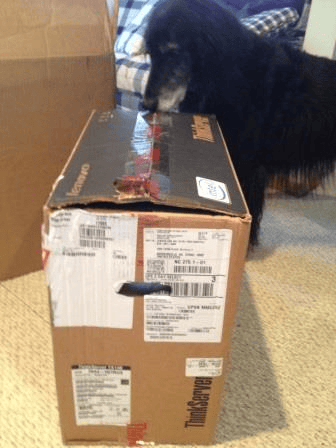
Part of the process also involved answering some configuration related questions and shortly there after a large box from Lenovo arrived. Turns out it was a box (server hardware) inside of a Lenovo box, that was inside a slightly larger unmarked shipping box (see larger box in the background).
TS140 shipment undergoing initial security screen scan and sniff (all was ok)
TS140 with Keyboard and Mouse (Monitor not included)
One of the reasons I have a photo of the TS140 on a desk is that I initially put it in an office environment as Lenovo claimed it would be quiet enough to do so. I was not surprised and indeed the TS140 is quiet enough to be used where you would normally find a workstation or mini-tower. By being so quiet the TS140 is a good fit for environments that need a small or starter server that has to go into an office environment as opposed to a server or networking room. For those who are into mounting servers, there is the option for placing the TS140 on its side into a cabinet or rack.
All Comments, (C) and (TM) belong to their owners/posters, Other content (C) Copyright 2006-2026 Server StorageIO and UnlimitedIO LLC All Rights Reserved
After initial check out in an office type environment, I moved the TS140 into the lab area where it joined other servers to be used for various things.
Some of those activities included using the Windows Server 2012 Essentials along with associated admin activities. Also, I also installed VMware ESXi 5.5 and ran into a few surprises. One of those was that I needed to apply an update to VMware drivers to support the onboard Intel NIC, as well as enable VT and EP modes for virtualization to assist via the BIOS. The biggest surprise was that I discovered I could not install VMware onto an internal drive attached via one of the internal SATA ports which turns out to be a BIOS firmware issue.
Lenovo confirmed this when I brought it to their attention, and the workaround is to use USB to install VMware onto a USB flash SSD thumb drive, or other USB attached drive or to use external storage via an adapter. As of this time Lenovo is aware of the VMware issue, however, no date for new BIOS or firmware is available. Speaking of BIOS, I did notice that there was some newer BIOS and firmware available (FBKT70AUS December 2013) than what was installed (FB48A August of 2013). So I went ahead and did this upgrade which was a smooth, quick and easy process. The process included going to the Lenovo site (see resource links below), selecting the applicable download, and then installing it following the directions.
Since I was going to install various PCIe SAS adapters into the TS140 attached to external SAS and SATA storage, this was not a big issue, more of an inconvenience Likewise for using storage mounted internally the workaround is to use an SAS or SATA adapter with internal ports (or cable). Speaking of USB workarounds, have a HDD, HHDD, SSHD or SSD that is a SATA device and need to attach it to USB, then get one of these cables. Note that there are USB 3.0 and USB 2.0 cables (see below) available so choose wisely.
USB to SATA adapter cable
In addition to running various VMware-based workloads with different guest VMs.
I also ran FUTREMARK PCmark (btw, if you do not have this in your server storage I/O toolbox it should be) to gauge the systems performance. As mentioned the TS140 is quiet. However, it also has good performance depending on what processor you select. Note that while the TS140 has a list price as of the time of this post under $400 USD, that will change depending on which processor, amount of memory, software and other options you choose.
PCmark test
Results
Composite score
2274
Compute
11530
System Storage
2429
Secondary Storage
2428
Productivity
1682
Lightweight
2137
PCmark results are shown above for the Windows Server 2012 system (non-virtualized) configured as shipped and received from Lenovo.
What I liked
Unbelievably quiet which may not seem like a big deal, however, if you are looking to deploy a server or system into a small office workspace, this becomes an important considerations. Otoh, if you are a power user and want a robust server that can be installed into a home media entertainment system, well, this might be a nice to have consideration ;).
Something else that I liked is that the TS140 with the E3-1220 v3 family of processor supports PCIe G3 adapters which are useful if you are going to be using 10GbE cards or 12Gbs SAS and faster cards to move lots of data, support more IOPs or reduce response time latency.
In addition, while only 4 DIMM slots is not very much, its more than what some other similar focused systems have, plus with large capacity DIMMs, you can still get a nice system, or two, or three or four for a cluster at a good price or value (Hmm, VSAN anybody?). Also while not a big item, the TS140 did not require ordering an HDD or SSD if you are not also ordering software the system for a diskless system and have your own.
Speaking of IO slots, naturally I’m interested in Server Storage I/O so having multiple slots is a must have, along with the processor that is quad core (pretty much standard these days) along with VT and EP for supporting VMware (these were disabled in the BIOS. However, that was an easy fix).
Then there is the price as of this posting starting at $379 USD which is a bare bones system (e.g. minimal memory, basic processor, no software) whose price increases as you add more items. What I like about this price is that it has the PCIe G3 slot as well as other PCIe G2 slots for expansion meaning I can install 12Gbps (or 6Gbps) SAS storage I/O adapters, or other PCIe cards including SSD, RAID, 10GbE CNA or other cards to meet various needs including software defined storage.
What I did not like
I would like to have had at least six vs. four DIMM slots, however keeping in mind the price point of where this system is positioned, not to mention what you could do with it thinking outside of the box, I’m fine with only 4 x DIMM. Space for more internal storage would be nice, however, if that is what you need, then there are the larger Lenovo models to look at. By the way, thinking outside of the box, could you do something like a Hadoop, OpenStack, Object Storage, VMware VSAN or other cluster with these in addition to using as a Windows Server?
Yup.
Granted you won’t have as much internal storage, as the TS140 only has two fixed drive slots (for more storage there is the model TD340 among others).
However it is not that difficult to add more (not Lenovo endorsed) by adding a StarTech enclosure like I did with my other systems (see here). Oh and those extra PCIe slots, that’s where a 12Gbs (or 6Gbps) adapter comes into play while leaving room for GbE cards and PCIe SSD cards. Btw not sure what to do with that PCIe x1 slot, that’s a good place for a dual GbE NIC to add more networking ports or an SATA adapter for attaching to larger capacity slower drives.
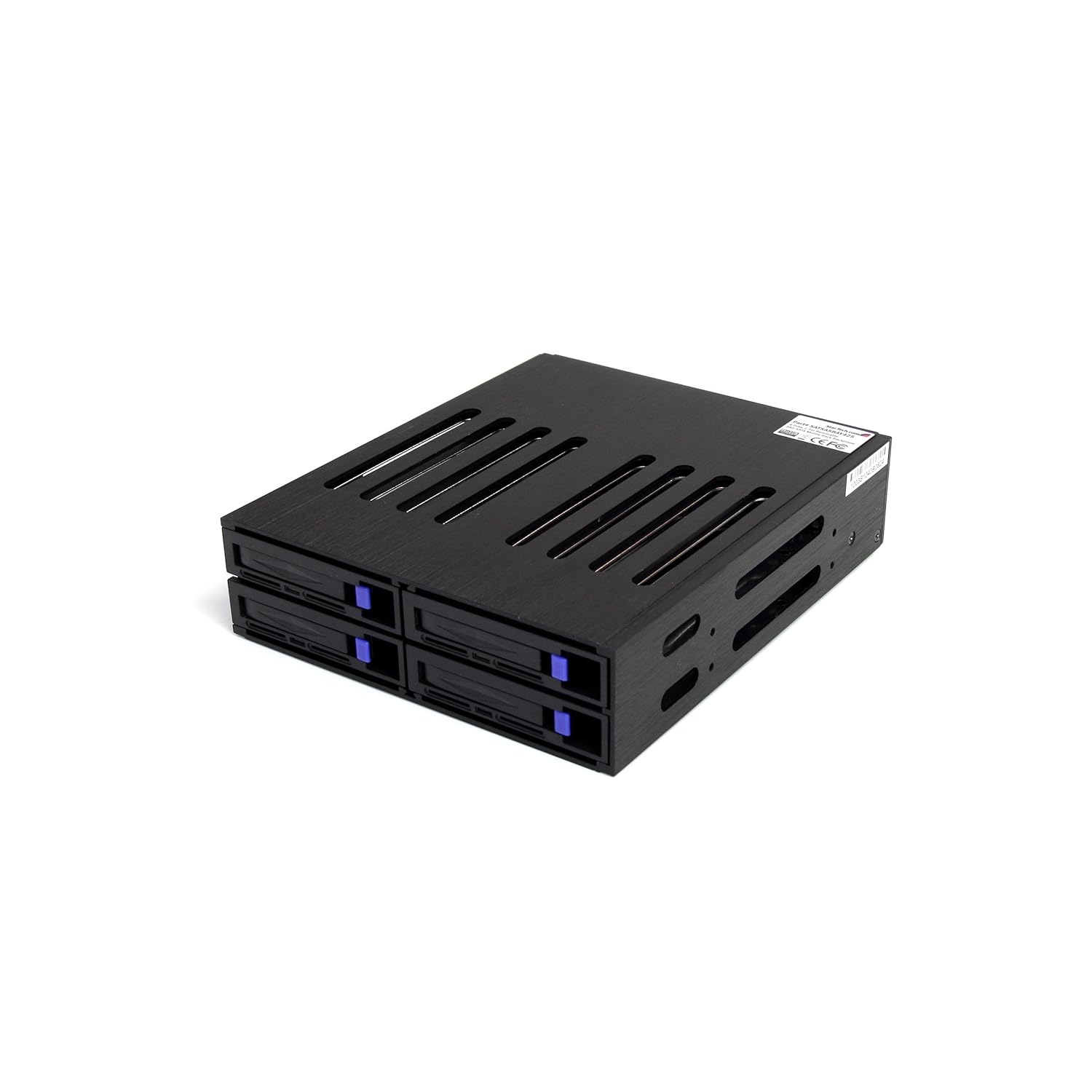
StarTech 2.5″ SAS SATA drive enclosure via Amazon.com
If VMware is not a requirement, and you need a good entry level server for a large SOHO or small SMB environment, or, if you are looking to add a flexible server to a lab or for other things the TS140 is good (see disclosure below) and quiet.
Otoh as mentioned, there is a current issue with the BIOS/firmware with the TS140 involving VMware (tried ESXi 5 & 5.5).
However I did find a workaround which is that the current TS140 BIOS/Firmware does work with VMware if you install onto a USB drive, and then use external SAS, SATA or other accessible storage which is how I ended up using it.
Disclosure: Lenovo loaned the TS140 to me for just under two months including covering shipping costs at no charge (to them or to me) hence this is not a sponsored post or review. On the other hand I have placed an order for a new TS140 similar to the one tested that I bought on-line from Lenovo.
Overall I give the Lenovo TS140 an provisional "A" which would be a solid "A" once the BIOS/firmware issue mentioned above is resolved for VMware. Otoh, if you are not concerned about using the TS140 for VMware (or can do a work around), then consider it as an "A".
As mentioned above, I liked it so much I actually bought one to add to my collection.
All Comments, (C) and (TM) belong to their owners/posters, Other content (C) Copyright 2006-2023 Server StorageIO(R) and UnlimitedIO All Rights Reserved
The SSD Place NVM, SCM, PMEM, Flash, Optane, 3D XPoint, MRAM, NVMe Server, Storage, I/O Topics
Now and then somebody asks me if I’m familiar with flash or nand flash Solid State Devices (SSD) along with other non-volatile memory (NVM) technologies and trends including NVM Express (NVMe).
Having been involved with various types of SSD technology, products and solutions since the late 80s initially as a customer in IT (including as a lunch customer for DEC’s ESE20 SSD’s), then later as a vendor selling SSD solutions, as well as an analyst and advisory consultant cover the technologies, I tell the person asking, well, yes, of course.
That gave me the idea as well as to help me keep track of some of the content and make it easy to find by putting it here in this post (which will be updated now and then).
Thus this is a collection of articles, tips, posts, presentations, blog posts and other content on SSD including nand flash drives, PCIe cards, DIMMs, NVM Express (NVMe), hybrid and other storage solutions along with related themes.
Also if you can’t find it here, you can always do a Google search like this or this to find some more material (some of which is on this page).
Flash SSD Articles, posts and presentations
The following are some of my tips, articles, blog posts, presentations and other content on SSD. Keep in mind that the question should not be if SSD are in your future, rather when, where, with what, from whom and how much. Also keep in mind that a bit of SSD as storage or cache in the right place can go a long way, while a lot of SSD will give you a benefit however also cost a lot of cash.
MSP CMG, Sept. 2014 Presentation (Flash back to reality – Myths and Realities – Flash and SSD Industry trends perspectives plus benchmarking tips)– PDF
MSP CMG, September 2014 Presentation (Flash back to reality – Myths and Realities Flash and SSD Industry trends perspectives plus benchmarking tips) – PDF
Spiceworks SSD and related conversation here and here, profiling IOPs here, and SSD endurance here.
SSD is in your future, How, when, with what and where you will be using it (PDF Presentation)
SSD for Virtual (and Physical) Environments: Part I Spinning up to speed on SSD (Via TheVirtualizationPractice), Part II, The call to duty, SSD endurance, Part III What SSD is best for you?, and Part IV what’s best for your needs.
SearchSolidStateStorage: Comments on Access data more efficiently with automated storage tiering and flash
InfoStor: Comments on EMC’s Light to Speed: Flash, VNX, and Software-Defined
EnterpriseStorageForum: Cloud Storage Mergers and Acquisitions: What’s Going On?
Check out the Server StorageIO NVM Express (NVMe) focus page aka www.thenvmeplace.com for additional related content. nterested in data protection, check out the data protection diaries series of posts here, or cloud and object storage here, and server storage I/O performance benchmarking here. Also check out the StorageIO events and activities page here, as well as tips and articles here, news commentary here, along out newsletter here.
All Comments, (C) and (TM) belong to their owners/posters, Other content (C) Copyright 2006-2026 Server StorageIO and UnlimitedIO LLC All Rights Reserved
Industry Trends Perspectives: Cisco Cloud and VMware VSAN
Welcome to the March 2014 edition of the StorageIO Update (newsletter) containing trends perspectives on cloud, virtualization and data infrastructure topics. Technically it is now spring here in North America and to say that we have had abnormal cold weather would be an understatement. However it is March with April just around the corner meaning plenty to do including several upcoming events (see below).
Clouds and Cisco
Some recent industry activity has included Cisco announcing its Cloud intentions (e.g. more than simply selling servers and networking hardware). So far the Cisco Cloud move appears to be more about hybrid and partner ecosystem including channels vs. going toes to toe with an Amazon Web Service (AWS). Cisco appears to playing the hybrid theme of being a technology supplier as well as provider or partner. Thus, it looks like for the near term the Cisco cloud target is not as much AWS as the likes of an IBM who recently added Softlayer or an HP.
Greg Schulz on break
This will also be interesting to watch where along with how other Cisco partners such as EMC, Microsoft, NetApp, VCE and VMware participate. Keep in mind that some of these and other Cisco partners also have their own public, private and hybrid cloud initiatives, services along with being a supplier to each other.
VMware VSAN Software Defined Storage
Another industry activity involving servers storage I/O networking hardware software and virtualization (aka software defined) was the general announcement (GA) by VMware of Virtual SAN (VSAN). VMware VSAN went into public beta shortly after VMworld 2013 timeframe when many of us downloaded, installed and did various types of testing with it.
For those not familiar with VSAN, it is added licensed software functionality for VMware that creates a cluster to host Virtual Machines (VMs) along with its own shared resilient storage solution (e.g. Software Defined Storage). How VSAN works is to use PCIe, SAS, SATA dedicated direct attached storage (DAS) including that are local to the VMware host server (physical machine or PM). The VMware host PMs support DAS Hard Disk Drives (HDD), Solid State Devices (SSD) including PCIe cards, drives or DIMMs, along with Solid State Hybrid Drives (SSHD). This local DAS storage is served and shared among the nodes (up to 32 host or PMs) per VSAN cluster balancing performance, availability (and resiliency) along with space capacity to host VM objects. Note that VM objects include VMDKs (e.g. virtual disks) and are not to be confused with the other type of object storage or access such as CDMI/SWIFT/S3/HTTP/REST.
VMs (and those managing them) see in the VSAN cluster dats that are familiar with other VMware implementations including storage policies and other tools. Here is a link to a great piece by Patrick Schulz a data infrastructure systems engineer in Germany (no relation, at least not that I know of yet) where he shares his experiences with VSAN implementation.
Generic VSAN example
Instead of using an external iSCSI, Fibre Channel (FC) or FC over Ethernet (FCoE) shared SAN or NAS storage system / appliance to create the storage repository, local DAS is leveraged in groups spread across the hosts in the VSAN cluster (up to 32 nodes ). VSAN requires a percentage of SSD for each storage group on the host cluster nodes that a part is used for caching data which is persistently stored on HDD based media.
VSAN software is licensed by the number of active sockets (not the cores) in the host servers (PM) that are in the cluster or by number of VDI users (guest VMs). For example if there are four servers two with one socket and two with dual sockets there would be six socket licenses. MSRP License cost per processor socket is $2,495 USD which also assumes core VMware licenses already exist. There are also a per guest VM license of $50 per VDI instance, as well as other optional license models and bundles with different features or upgrades.
What is different with VSAN vs. other VMware clusters is that a) the storage is only accessible to VMs that are in the VSAN cluster (unless a VM exports and serves to others via NFS, iSCSI, etc which is a different conversation for another day). Another difference is that today VSAN leverage storage inside of servers or direct attached as opposed to using iSCSI, FC, FCoE SAN or NAS storage systems.
Btw, the current maximum LUN, volume or target storage device size is 4TB so if you were thinking of taking a SAS attached storage system and creating a bunch of small LUNs, you might want to review that from a cost perspective, or at least for today.
There is much more to VSAN including how it works, what it can and can not do, who it is for and whom should not use for different app’s, however IMHO besides lower-end, SMB, workgroup, departmental, VMware centric environments, the number one scenario today is VDI along with where converged solutions such as those from Nutanix, Simplivity and Tintri among others are playing.
Watch for more StorageIO posts, commentary, perspectives, presentations, webinars, tips and events on information and data infrastructure topics, themes and trends. Data Infrastructure topics include among others cloud, virtual, legacy server, storage I/O networking, data protection, hardware and software.
Industry trends tips, commentary, articles and blog posts What is being seen, heard and talked about while out and about
The following is a synopsis of some StorageIOblog posts, articles and comments in different venues on various industry trends, perspectives and related themes about clouds, virtualization, data and storage infrastructure topics among related themes.
Recent StorageIO comments and perspectives in the news
SearchSolidStateStorage: Comments on automated storage tiering and flash EnterpriseStorageForum: Comments on Cloud-Storage Mergers and Acquisitions SearchDataBackup: Comments on near-CDP nudging true CDP from landscape EnterpriseStorageForum: Comments on Ways to Avoid Cloud Storage Pricing Surprises SearchDataBackup: Q&A: Snapshot, replication ‘great approach’ for data protection SearchDataBackup: Comments on LTFS-enabled products
Recent StorageIO tips and articles in various venues
InformationSecurityBuzz: Dark Territories – Do You Know Where Your Information Is? InformationSecurityBuzz: Rings Of Security For Data Protection Or For Appearance? SearchSolidStateStorage: Q&A on automated storage tiering and flash SpiceWorks: My copies were corrupted: The 3-2-1 data protection rule
Recent StorageIOblog posts and perspectives
Missing MH370 reminds us, do you know where your digital assets are? Click to read more
Remember to check out our objectstoragecenter.com page where you will find a growing collection of information and links on cloud and object storage themes, technologies and trends from various sources.
StorageIO activities (out and about)
Seminars, symposium, conferences, webinars Live in person and recorded recent and upcoming events
The StorageIO calendar continues to evolve, here are some recent and upcoming activities.
June 12, 2014
The Many Facets of Virtual Storage and Software Defined Storage Virtualization
National Association Broadcasters (e.g. Very Big Fast data Event)
Las Vegas
March 27, 2014
Keynote: The 2017 Datacenter – PREPARING FOR THE 2017 DATACENTER SESSIONS
Edina 8:00AM Register Here
129/78/148/103/1527/350/242/91 = 650
Click here to view other upcoming along with earlier event activities. Watch for more 2014 events to be added soon to the StorageIO events calendar page. Topics include data protection modernization (backup/restore, HA, BC, DR, archive), data footprint reduction (archive, compression, dedupe), storage optimization, SSD, object storage, server and storage virtualization, big data, little data, cloud and object storage, performance and management trends among others.
Vendors, VAR’s and event organizers, give us a call or send an email to discuss having us involved in your upcoming pod cast, web cast, virtual seminar, conference or other events.
Thank you to the current StorageIoblog.com site sponsor advertisers
Druva (End Point Data Protection) Unitrends (Enterprise backup solution and management tools) Veeam (VMware and Hyper-V virtual server backup and data protection tools).
Contact StorageIO to learn about sponsorship and other partnership opportunities.
All Comments, (C) and (TM) belong to their owners/posters, Other content (C) Copyright 2006-2026 Server StorageIO and UnlimitedIO LLC All Rights Reserved
iVMcontrol iPhone VMware management, iTool or iToy?
A few months back I was looking for a simple easy to use yet robust tool for accessing and managing my VMware environment from my iPhone. The reason being is that I don’t always like to carry a laptop or tablet around, not to mention neither fits in a pocket very well. Needless to say there are many options for accessing VMware products and implementations that run on tablets including iPads as well as laptops among others.
Why do I need iVMcontrol
I wanted something that I could quickly access and check on a VM guest, start or stop things, gain status updates if or when needed from my iPhone. Also keeping in mind that this would be a tool that would not be used constantly throughout the day, maybe at best one or twice a week, hence needed to be affordable as well. At $9.99 USD the tool I found and selected (iVMcontrol) was not for free, however I have gotten that value out of the tool already in just a few months of having it.
As mentioned, the tool is iVMcontrol which you can get from the iTunes store (here’s the link).
View of iVMcontrol from iPhone
Granted iVMcomtrol is not the same as other app’s for full-sized tablets or laptops, however for an iPhone it’s not bad! In fact other than a few nuances namely using a virtual mouse, it’s pretty good for what I use it for.
That’s the key is that while I use the vSphere client or vCenter Browser for real activities, iVMcontrol served a different purpose. That purpose is for example if I just need to check on something or do basic functions without having to get the laptop out or something else. Even in the lab if I’m making a change or need to start or stop things and forget the laptop in another room, no worries simply use the iPhone.
Sure using a tablet would be easier, however I usually don’t care a tablet in my pocket.
How often do I use iVMcontrol?
Depends however usually a couple of times a week depending on what I’m doing.
For example if I need to quickly check on a guest VM, start or stop something, or general status check iVMcontrol has come in handy.
Various VMware hosts (PM’s) in a VMware datacenter
Various Guest VMs on VMware host (PM)
VMware host storage space capacity usage
Managing a guest VM
Accessing Windows Guest VM via iVMcontrol
Checking on Windows Guest Storage I/O activity
As you can see the screen is small, sure you can zoom in thus good for checking in on activity, or doing basic things. However for more involved activity, that’s where a tablet or regular computer comes into play accessing the VM guests, or VMware using the vSphere Client or vCenter web client type tools.
Is iVMcontrol an iTool or iToy?
IMHO its a tool, granted its also a fun toy.
Is a tool such as iVMcontrol a necessity or a nice to have for when I need to use it to check on something quick.
That depends on what you need vs. wants.
For me, it is a convince tool to have when I need it, however just because I have it does not mean I have to use it all the time.
All Comments, (C) and (TM) belong to their owners/posters, Other content (C) Copyright 2006-2026 Server StorageIO and UnlimitedIO LLC All Rights Reserved
The current calendar which continues to be updated includes a mix of webinars (playback are available), and live events covering data infrastructure topics from cloud, virtual, physical and software defined across servers, storage I/O networking, SSD, performance, object storage and data protection among other related themes.
All Comments, (C) and (TM) belong to their owners/posters, Other content (C) Copyright 2006-2026 Server StorageIO and UnlimitedIO LLC All Rights Reserved
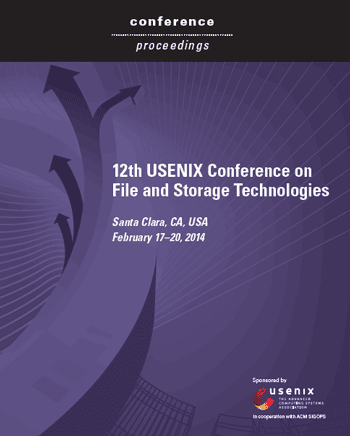
USENIX FAST (File and Storage Technologies) 2014 Conference Proceedings
In case you missed it, the 12th annual USENIX conference on File and Storage Technologies (FAST) was recently held in Santa Clara, CA.
Big Data, Little Data, Fast SSD and Erasure Code Data
If like me you are interested in FAST related technologies, trends, tools and related research, check out the conference PDF proceedings here.
You can also go here to the USENIX FAST site to view additional information about the sessions along with other download material.
The PDF format proceedings contain over 320 pages of content including some good white papers and information covering RAID and Erasure code, Big Data and Little Data, Cloud and Virtualization, Flash, DRAM, SSD, Filesystem performance, metrics, measurement and related software along with plenty of file system related material.
Heads up though, these are not your usual vendor high-level marketing white papers rather what you would expect from a technical conference such as FAST as you can see in the above index with abstracts.
All Comments, (C) and (TM) belong to their owners/posters, Other content (C) Copyright 2006-2026 Server StorageIO and UnlimitedIO LLC All Rights Reserved
Its Award Season: Time for 2014 top VMware and virtualization blog voting
It’s that time of the year again for award season including with the recently wrapped up 2014 Winter Olympic (and benchmarking games), the academy awards and many others. That also means it is time again for the annual top VMware, Virtualization, Storage and related blogs voting now taking place until March 17th over at Eric Siebert (aka @ericsiebert) vsphere-land.com site that then appears on his vLaunchPad site. There is plenty of new school, as well as some old school and a few current or future school theme blogs represented with some being more VMware specific while others are cloud, virtual, server, storage, networking, development or other related themes.
Click on the above image to cast your vote
My StorageIOblog.com has been on the vLaunchPad site for a few years now as well as having syndicated content that also appears via some of the other venues listed there.
Thus as this is a peoples choice process, I’m asking if you can take a few moments and cast your vote here (thank you in advance) which I hope includes StorageIOblog.com as part of the top ten, in addition to being nominated in the Storage, Podcast and Independent blogger categories.
In addition to mine, you will also find many of my fellow VMware vExperts among others at the vLaunchpad site so check them out as well.
All Comments, (C) and (TM) belong to their owners/posters, Other content (C) Copyright 2006-2026 Server StorageIO and UnlimitedIO LLC All Rights Reserved
Old School, New School, Current and Back to School
Are you old school or new school?
If you are new school or old school, then will you be stuck on those school’s of thought or advanced to the current and future schools?
Old School
From the old school folks you will hear things along the lines of that is how we do or did it. Also you might hear things along the lines of lets use what we have as long as we can make it work to fix problems while learning from mistakes. Also from old school you may here things like new school is only focused on the newest latest greatest shiny technology. Not to mention themes such as we have to stick around and clean up and take care of the mess left when new schoolers move to their next focus.
New School
On the other hand from new school you may hear snarky comments about old school either in kidding and jest, as a way to put down to promote self up in status. Some other new school perspectives are focus on the newest technology that can be used wherever with focus on the tool, product or service as opposed to sometimes lack of focus on the problem to address. Another theme can be don’t worry about the future, we will either throw away what we have and get something new, or leave it up to somebody else to take care, after all, the old schoolers are good at doing that.
Current and Future School
Then there are the current and future schoolers that are hybrid, combing the best of old-school leveraging their experiences with openness to explore new things of the new schoolers. The current or future schoolers are a blend of risk-averse yet willing to explore and find new ways to fix problems vs. simply moving, masking or leaving issues behind. The new or current schoolers are keen on learning lessons and mistakes of the past to avoid making them in the future.
Likewise they are also dialed into using both new and old tools, technologies and techniques in new ways vs. simply using new things in old ways. Another characteristics of the new or future schoolers is that they are open and willing to create converged teams to leverage converged technologies. Not only are they dialed into the new technology, trends and techniques, they are also dialed into how to use them for different things, situations and apply to business or other needs as opposed to just a focus on the tech.
This means that they are willing and interested in learning other skills, crafts capabilities vs. creating old or new silos or fiefdoms of technology. These new schoolers could care less who is a cloud, virtual, server, storage, networking, database, applications, backup, security, hardware or software person as they are focused on all of those as data infrastructure professionals.
What this all means
Some of you might be old school while others are may be new school or what ever is current trendy and cool. However new schoolers to become future or current schoolers can learn from the old schoolers. Likewise the old schoolers can learn a new thing or two as well as help transfer some knowledge experience to the new schoolers to become future schoolers. Granted old schoolers can settle in to their comfort zone while new schoolers can stay out front of the curve and both watch the rise of the new and future schoolers.
Are you old school, new school, current or no school, cast your vote and see results below:
All Comments, (C) and (TM) belong to their owners/posters, Other content (C) Copyright 2006-2026 Server StorageIO and UnlimitedIO LLC All Rights Reserved
Server Storage I/O Network Benchmark Winter Olympic Games
It is time for the 2014 Winter Olympic games in Sochi Russia where competitors including some athletes come together in what has become a mix of sporting and entertainment engaging activities.
Games of inches and seconds, performance and skill
Some of these activities including real Olympic game events are heavier on sports appeal, some with artistic and others pure entertainment with a mix of beauty, braun and maybe even a beast or two. Then there are those events that have been around since the last ice age, while others being post global warming era.
Hence some have been around longer than others showing a mix of old, new in terms of the sports, athletes not to mention technology and their outfits.
I mean how about some of the new snow boarding and things on skis being done, can you image if they brought in as a new "X" sport roller derby on the short speed skating track sponsored by Red Bull or Bud light? Wait, that sounds like the Red Bull Crashed Ice event (check this out if not familiar with) think motto cross, hockey, down hill on ice. How about getting some of the south African long distance sprinters to learn how to speed skate, talk about moving some gold metal as in medals back to the african continent! On the other hand, the current powers to be would lodge protest, change the benchmark or rules to stay in power, hmm, sound familiar with IT?
Ok, enough of the fun stuff (for now), let’s get back on track here (catch that pun?).
Metrics that matter, winners and losers
Since these are the Olympics, lets also remember that there still awards for personal and team winners (along with second and third place), after all, if all Olympians were winners, there would be no losers and if no losers, how could there be a winner?
Who or what decides the winners vs. losers involves metrics that matter, something that also applies to servers, storage I/O networking hardware, software and services.
In the case of the Olympics, some of the sports or events are based on speed or how fast (e.g. time) something is done, or how much is accumulated or done in that amount of time while in other events the metrics that matter may be more of a mystery based on judging that maybe subjective.
The technologies to record times, scores, movements and other things that go into scoring have certainly improved, as have the ability for fans to engage and vote their choice, or opposition via social media venues from twitter to face book among others.
What about server storage I/O networking benchmarks
There could easily be an Information Technology (IT) or data infrastructure benchmarking Olympics with events such as faster server (physical, virtual or cloud, personal or consortium team), storage, I/O and networking across hardware, software or services. Of course there would be different approaches favored by the various teams with disputes, protests and other things sometimes seen during Olympic games. One of the challenges however is what would be the metrics that matter particularly to the various marketing groups of each organization or their joint consortium?
Just like with sports, which of the various industry trade groups or consortiums would be the ruling party or voice for a particular event specifying the competition criteria, scoring and other things. What happens when there is a break away group that launches their own competing approach yet when it comes time for the IT benchmarking Olympics, which of the various bodies does the Olympic committee defer to? In case you are not familiar with in sports there are various groups and sub-groups who can decide the participants for various supports perhaps independent of an overall group, sound like IT?
Let the games begin
So then the fun starts, however which of the events are relevant to your needs or interest, sure some are fun or entertaining while others are not practical. Some you can do yourself, while others are just fun to watch, both the thrill of victory and agony of defeat.
This is similar to IT industry benchmarking and specmanship competitions, some of which is more relevant than others, then there are those that are entertaining.
Likewise some benchmarks or workload claims can be reproduced to confirm the results or claims, while others remain more like the results of figure skating judges.
Hence some of the benchmark games are more entertaining, however for those who are not aware or informed, they may turn out to be more misinformation or lead to poor decision-making.
Consequently benchmarks and metrics that matter are those that most closely aging with what your environment is or will be doing.
If your environment is going to be running a particularly simulation or script, than so be it, otoh, look for comparisons that are reflective.
On the other hand, if you can’t find something that is applicable, then look at tools and results that have meaning along with relevance, not to mention that provide clarity and repeatable. Being repeatable means that you can get access to the tools, scripts or scenario (preferably free) to run in your own environment.
There is a long list of benchmarks and workload simulation tools, as well as traces available, some for free, some for fee that apply to components, subsystems or complete application systems from server, storage I/O networking applications and hardware. These include those for Email such as Microsoft Exchange related, SQL databases, , LoginVSI for VDI, VMmark for VMware, Hadoop and HDFS related for big data among many others (see more here).
Apples to Apples vs. Apple pie vs. Orange Jello
Something else that matters are apples to apples vs. apples to oranges or worse, apple pie to orange Jello.
This means knowing or gaining insight into the pieces as we as how they behave under different conditions as well as the entire system for a baseline (e.g normal) vs. abnormal.
Hence its winter server storage I/O networking benchmark games with the first event having been earlier this week with team Brocade taking on Cisco. Here is a link to a post by Tony Bourke (@tbourke) that provides some interesting perspectives and interactions, along with a link here to the Brocade sponsored report done by Evaluator Group.
In this match-up, Team Brocade (with HP servers, Brocade switches and an unnamed 16GFC SSD storage system) take on Team Cisco and their UCS (also an un-named 16GFC SSD system that I wonder if Cisco even knows whose’s it was?). Ironic that it was almost six years to the date that there was a similar winter benchmark wonder event when NetApp submitted an SPC result for EMC (read more about that cold day here).
The Brocade FC (using HP servers and somebody’s SSD storage) vs. Cisco FCoE using UCS (and somebody else’s storage) comparison is actually quite entertaining, granted it can also be educational on what to do or not do, focus on or include among others things. The report also raises many questions that seem more wondering why somebody won in an ice figuring skating event vs. the winner of a men’s or women’s hockey game.
Take metrics and benchmarks with a grain of salt however look for transparency in both how they are produced, information provided and most important, does it matter or is it relevant to your environment or simply entertaining.
Lets see what the next event in the ongoing server storage I/O networking benchmark 2014 winter Olympic games will be.
Disclosure: I used to work for Evaluator Group after working for a company called Inrange that competed with, then got absorbed (via CNT and McData) into Brocade who has been a client as has Cisco. I also do performance and functionality testing, audits, validation and proof of concepts services in my own as well as in client labs using various industry standard available tools and techniques. Otoh, not sure that I even need to disclose anything however its easy enough to do so why not ;).
All Comments, (C) and (TM) belong to their owners/posters, Other content (C) Copyright 2006-2026 Server StorageIO and UnlimitedIO LLC All Rights Reserved
The StorageIO industry links page has been updated with over thousand different industry related companies, vendors, vars, trade groups, part and solution suppliers along with cloud and managed service providers. The common theme with these industry links is information and data infrastructures which means severs, storage, IO and networking, hardware, software, applications and tools, services, products and related items for traditional, virtual and cloud environments.
The industry links page is accessed from the StorageIO main web page via the Tools and Links menu tab, or via the URL https://storageio.com/links. An example of the StorageIO industry links page is shown below with six different menu tabs in alphabetical order.
Know of a company, service or organization that is not listed on the links page, if so, send an email note to info at storageio.com. If your company or organization is listed, contact StorageIO to discuss how to expand your presence on the links page and other related options.
All Comments, (C) and (TM) belong to their owners/posters, Other content (C) Copyright 2006-2026 Server StorageIO and UnlimitedIO LLC All Rights Reserved
Lenovo buys IBM’s xSeries x86 server business for $2.3B USD, what about EMC?
Once again Lenovo is new owner of some IBM computer technology, this time by acquiring the x86 (e.g. xSeries) server business unit from big blue. Today Lenovo announced its plan to acquire the IBM x86 server storage business unit for $2.3B USD.
Research Triangle Park, North Carolina, and Armonk, New York – January 23, 2014
Lenovo (HKSE: 992) (ADR: LNVGY) and IBM (NYSE: IBM) have entered into a definitive agreement in which Lenovo plans to acquire IBM’s x86 server business. This includes System x, BladeCenter and Flex System blade servers and switches, x86-based Flex integrated systems, NeXtScale and iDataPlex servers and associated software, blade networking and maintenance operations. The purchase price is approximately US$2.3 billion, approximately two billion of which will be paid in cash and the balance in Lenovo stock.
IBM will retain its System z mainframes, Power Systems, Storage Systems, Power-based Flex servers, and PureApplication and PureData appliances.
If you recall (or didn’t’t know) around a decade or so ago IBM also spun off its Laptop (e.g. Thinkpads) and workstation business unit to Lenovo after being one of the early PC players (I still have a model XT in my collection along with Mac SE and Newton).
What this means for IBM?
What this means is that IBM is selling off a portion of its systems technology group which is where the servers, storage and related hardware, software technologies report into. Note however that IBM is not selling off its entire server portfolio, only the x86 e.g. Intel/AMD based products that make up the xSeries as well as companion Blade and related systems. This means that IBM is retaining its Power based systems (and processors) that include the pSeries, iSeries and of course the zSeries mainframes in addition to the storage hardware/software portfolio.
However as part of this announcement, Lenovo is also licensing from IBM the Storwize/V7000 technology as well as tape summit resources, GPFS based scale out file systems used in SONAS and related products that are part of solution bundles tied to the x86 business.
Again to be clear, IBM is not selling off (or at least at this time) Storwize, tape or other technology to Lenovo other than x86 server business. By server business, this means the technology, patents, people, processes, products, sales, marketing, manufacturing, R&D along with other entities that form the business unit, not all that different from when IBM divested the workstation/laptop aka PC business in the past.
What this means for Lenovo?
What Lenovo gets are an immediate (once the deal closes) expansion of their server portfolio including high-density systems for cloud, HPC as well as regular enterprise, not to mention also for SME and SMB. Lenovo also gets blade systems as well as converged systems (server, storage, networking, hardware, software) hence why IBM is also licensing some technology to Lenovo that it is not selling. Lenovo also gets the sales, marketing, design, support and other aspects to also expand their server business. By gaining the server business unit, Lenovo will now be in a place to take on Dell (who was also rumored to be in the market for the IBM servers), as well as HP, Oracle and other x86 system based suppliers.
What about EMC and Lenovo?
Yes, EMC, that storage company who is also a primary owner of VMware, as well as partner with Cisco and Intel in the VCE initiatives, not to mention who also entered into a partnership with Lenovo a year or so ago.
In case you forgot or didn’t’t know, EMC after breaking up with Dell, entered into a partnership with Lenovo back in 2012.
This partnership and initiatives included developing servers that in turn EMC could use for their various storage and data appliances which continue to leverage x86 type technology. In addition, that agreement found the EMC Iomega brand transitioning over into the Lenovo line-up for both domestic North America, as well as international including the chinese market. Hence I have an older Iomega IX4 that says EMC, and a newer one that says EMC/Lenovo, also note that at CES a few weeks ago, some new Iomega products were announced.
In checking with Lenovo today, they indicated that it is business as usual and no changes with or to the EMC partnership.
Via email from Lenovo spokesperson today:
A key piece to Lenovo’s Enterprise strategy has always included strong partnerships. In fact today’s announcements reinforce that strategy very clearly.
Given the new scale, footprint and Enterprise credibility that this server acquisition affords Lenovo, we see great opportunity in offering complimentary storage offerings to new and existing customers.
Lenovo’s partnership with EMC is multifaceted and stays in-tact as an important part of Lenovo’s overall strategy to offer customers compelling solutions built on world-class technology.
Lenovo will continue to offer Lenovo/EMC NAS products from our joint venture as well as resell EMC stand-alone storage platforms.
IBM Storwize storage and other products are integral to the in-scope platforms and solutions we acquired. In order to ensure continuity of business and the best customer experience we will partner with IBM for storage products as well.
We believe this is a great opportunity for all three companies, but most importantly these partnerships are in place and will remain healthy for the benefit for our customers.
Hence it is my opinion that for now it is business as usual, the IBM x8x business unit has a new home, those people will be getting new email addresses and business cards similar to how some of their associates did when the PC group was sold off a few years ago.
Otoh, there may also be new products that might become opportunities to be placed into he Lenovo EMC partnership, however that is just my speculation at this time. Likewise while there will be some groups within Lenovo focused on selling the converged Lenovo solutions coming from IBM that may in fact compete with EMC (among others) in some scenarios, that should be no more and hopefully less than what IBM has with their server groups at times competing with themselves.
What does this mean for Cisco, Dell, HP and others?
For Cisco, instead of competing with one of their OEMs (e.g. IBM) for networking equipment (note IBM also owns some of its own networking), the server competition shifts to Lenovo who is also a Cisco partner (its called coopitition), and perhaps business as usual in many areas. For Dell, in the mid-market space, things could get interesting and the Round Rock folks need to get creative and beyond VRTX.
For HP, this is where IMHO it’s going to get really interesting as Lenovo gets things transitioned. Near-term, HP could have a disruptive upper hand, however longer-term, HP has to get their A-Game on. Oracle is in the game as are a bunch of others from Fujitsu to SuperMicro to outside of North America and in particular china there is also Huawei. Back to EMC and VCE, while I expect the Cisco partnership to stay, I also see a wild card where EMC can leverage their Lenovo partnership into more markets, while Cisco continues to move into storage and other adjacent areas (e.g. more coopitition).
What this means now and going forward?
Thus this is as much about enterprise, SME, SMB as it is HPC, cloud and high-density where the game is about volume. Likewise there is also the convergence or data infrastructure angle combing server, storage, networking hardware, software and services.
One of the things I have noticed about Lenovo as a customer using ThinkPads for over 13 years now (not the same one) is that while they are affordable, instead of simply cutting cost and quality, they seem to have found ways to remove cost which is different then simply cutting to go cheap.
Case in point about a year and a half ago I dropped my iPhone on my Lenovo X1 keyboard that is back-lit and broke a key. Calling Lenovo after trying to find a replacement key on the web, they said no worries and next morning a new keyboard for the laptop was on my doorstep by 10:30Am with instructions on how to remove the old, put in the new, and do the RMA, no questions asked (read more about this here).
The reason I mention that story about my X1 laptop is that it ties to what I’m curious and watching with their soon to be expanded new server business.
Will they go in and simply look to reduce cost by making cuts from design to manufacturing to part quality, service and support, or, find ways to remove complexity and cost while providing more value?
Now I wonder whose technology will join my HP and Dell systems to fill some empty rack space in the not so distant future to support growth?
Time will tell, congratulations to Lenovo and the IBMers who now have a new home best wishes.
Dell Inspiron 660 i660, Virtual Server Diamond in the rough?
During the 2013 post thanksgiving black friday shopping day, I did some on-line buying including a Dell Inspiron 660 i660 (5629BK) to be used as a physical machine (PM) or VMware host (among other things).
Now technically I know, this is a workstation or desktop and thus not what some would consider a server, however as another PM to add to my VMware environment (or be used as a bare metal platform), it is a good companion to my other systems.
Taking a step back, needs vs. wants
Initially my plan for this other system was to go with a larger, more expensive model with as many DDR3 DIMM (memory) and PCIe x4/x8/x16 expansion slots as possible. Some of my other criteria were PCIe Gen 3, latest Intel processor generation with VT (Virtualization Technology) and Extended Page Tables (EPT) for server virtualization support without breaking my budget. Heck, I would love a Dell VRTX or some similar types of servers from the likes of Cisco, HP, IBM, Lenovo, Supermicro among many others. On the other hand, I really don’t need one of those types of systems yet, unless of course somebody wants to send some to play with (excuse me, test drive, try-out).
Hence needs are what I must have or need, while wants are those things that would be, well, nice to have.
Server shopping and selection
In the course of shopping around, looking at alternatives and having previously talked with Robert Novak (aka @gallifreyan) and he reminded me to think outside the box a bit, literally. Check out Roberts blog (aka rsts11 a great blog name btw for those of use who used to work with RSTS, RSX and others) including a post he did shortly after I had a conversation with him. If you read his post and continue through this one, you should be able to connect the dots.
While I still have a need and plans for another server with more PCIe and DDR3 (maybe wait for DDR4? ;) ) slots, I found a Dell Inspiron 660.
Candidly normally I would have skipped over this type or class of system, however what caught my eye was that while limited to only two DDR3 DIMM slots and a single PCIe x16 slot, there were three extra x1 slots which while not as robust, certainly gave me some options if I need to use those for older, slower things. Likewise leveraging higher density DIMM’s, the system is already now at 16GB RAM waiting for larger DIMM’s if needed.
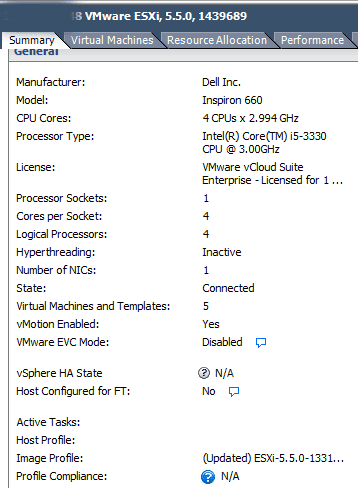
The Dell Inspiron 660-i660 I found had a price of a little over $550 (delivered) with an Intel i5-3330 processor (quad-core, quad thread 3GHz clock), PCIe Gen 3, one PCIe x16 and three PCIe x1 slots, 8GB DRAM (since reallocated), GbE port and built-in WiFi, Windows 8 (since P2V and moved into the VMware environment), keyboard and mouse, plus a 1TB 6Gb SATA drive, I could afford two, maybe three or four of these in place of a larger system (at least for now). While for something’s I have a need for a single larger server, there are other things where having multiple smaller ones with enough processing performance, VT and EPT support comes in handy (if not required for some virtual servers).
Some of the enhancements that I made were once the initial setup of the Windows system was complete, did a clone and P2V of that image, and then redeploying the 1TB SATA drive to join others in the storage pool. Thus the 1TB SATA HDD has been replaced with (for now) a 500GB Momentus XT HHDD which by time you read this could already changed to something else.
Another enhancements was bumping up the memory from 8GB to 16GB, and then adding a StarTech enclosure (See below) for more internal SAS / SATA storage (it supports both 2.5" SAS and SATA HDD’s as well as SSD’s). In addition to the on-board SATA drive port plus one being used for the CD/DVD, there are two more ports for attaching to the StarTech or other large 3.5" drives that live in the drive bay. Depending on what I’m using this system for, it has different types of adapters for external expansion or networking some of which have already included 6Gbps and 12Gbps SAS HBA’s.
What about adding more GbE ports?
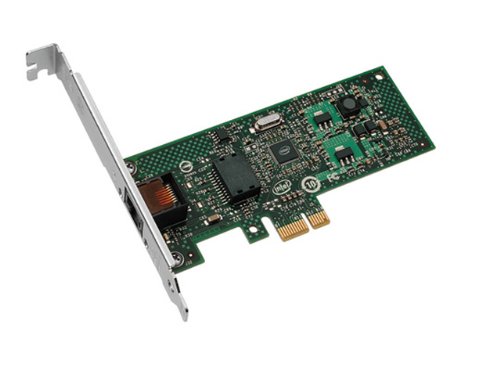
As this is not a general purpose larger system with many expansion ports for PCIe slots, that is one of the downsides you get for this cost. However depending on your needs, you have some options. For example I have some Intel PCIe x1 GbE cards to give extra networking connectivity if or when needed. Note however that as these are PCIe x1 slots they are PCIe Gen 1 so from a performance perspective exercise caution when mixing these with other newer, faster cards when performance matters (more on this in the future).
One of the caveats to be aware of if you are going to be using VMware vSphere/ESXi is that the Realtek GbE NIC on the Dell Inspiron D600-i660 may not play well, however there are work around’s. Check out some of the work around’s over at Kendrick Coleman (@KendrickColeman) and Erik Bussink (@ErikBussink) sites both of which were very helpful and I can report that the Realtek GbE is working fine with VMware ESXi 5.5a.
Need some extra SAS and SATA internal expansion slots for HDD and SSD’s?
The StarTech 4 x 2.5″ SAS and SATA internal enclosures supports various speed SSD and HDD’s depending on what you connect the back-end connector port to. On the back of the enclosure chassis there is a connector that is a pass-thru to the SAS drive interface that also accepts SATA drives. This StarTech enclosure fits nicely into an empty 5.2″ CD/DVD expansion bay and then attach the individual drive bays to your internal motherboard SAS or SATA ports, or to those on another adapter.
So far I have used these enclosures attached to various adapters at different speeds as well as with HDD, HHDD, SSHD and SSD’s at various SAS/SATA interface speeds up to 12Gbps. Note that unlike some other enclosures that have SAS or SATA expander, the drive bays in the StarTech are pass-thru hence are not regulated by the expander chip and its speed. Price for these StarTech enclosures is around $60-90 USD and are good for internal storage expansion (hmm, need to build your own NAS or VSAN or storage server appliance? ;) ).
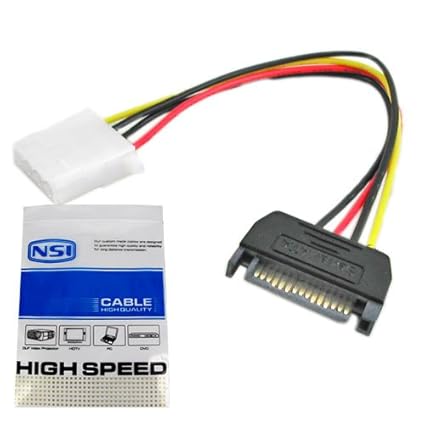
Note that you will also need to get a Molex power connector to go from the back of the drive enclosure to an available power port such as for expansion DVD/CD that you can find at a Radio Shack, Fry’s or many other venues for couple of dollars. Double check your specific system and cable connector leads to verify what you will need.
How is it working and performing
So far so good, in addition to using it for some initial calibration and validation activities, the D660 is performing very well and no buyers remorse. Ok, sure, would like more PCIe Gen 3 x4/x8/x16 or an extra on-board Ethernet, however all the other benefits have outweighed those pitfalls.
Speaking of which, if you think a SSD (or other fast storage device) is fast on a 6Gbps SAS or PCIe Gen 2 interface for physical or virtual servers, wait until you experience those IOPs or latencies at 12Gbps SAS and PCIe Gen 3 with a faster current generation Intel processor, just saying ;)…
In the above chart (slide scroll bar to view more to the right) a Windows 7 64 bit systems (VMs configured with 14GB DRAM) on VMware vSphere V5.5.1 is shown running on different hardware configurations. The Windows system is running Futuremark PCMark 7 Pro (v1.0.4). From left to right the Windows VM on the Dell Inspiron 660 with 16GB physical DRAM using a SSHD (Solid State Hybrid Drive). Second from the left shows results running on a Dell T310 with an Intel X3470 processor also on a SSHD. Middle is the workload on the Dell 660 running on a HHDD, second from right is the workload on the Dell T310 also on a HHDD, while on the right is the same workload on an HP DCS5800 with an Intel E8400. The workload results show a composite score, system storage, simulating user productivity, lightweight processing, and compute intensive tasks.
Don’t forget about the KVM (Keyboard Video Mouse)
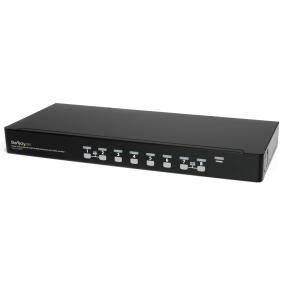
Mention KVM to many people in and around the server, storage and virtualization world and they think KVM as in the hypervisor, however to others it means Key board, Video and Mouse aka the other KVM. As part of my recent and ongoing upgrades, it was also time to upgrade from the older smaller KVM’s to a larger, easier to use model. The benefit, support growth while also being easier to work with. Having done some research on various options that also varied in price, I settled in on the StarTech shown below.
Via Amazon.com StarTech 8 Port 1U USB KVM Switch
What’s cool about the above 8 port StarTech KVM switch is that it comes with 8 cables (there are 8 ports) that on one end look like a regular VGA monitor screen cable connector. However on the other end that attached to your computer, there is the standard VGA connection that attached to your video out, and a short USB tail cable that attached to an available USB port for Keyboard and Mouse. Needless to say it helps to cut down on the cable clutter while coming in around $38.00 USD per server port being managed, or about a dollar a month over a little over three years.
Word of caution on make and models
Be advised that there are various makes and models of the Dell Inspiron available that differ in the processor generation and thus feature set included. Pay attention to which make or model you are looking at as the prices can vary, hence double-check the processor make and model and then visit the Intel site to see if it is what you are expecting. For example I double checked that the processor for the different models I looked at were i5-3330(view Intel specifications for that processor here).
Summary
Thanks to Robert Novak (aka @gallifreyan) for taking some time providing useful tips and ideas to help think outside the box for this, as well as some future enhancements to my server and StorageIO lab environment.
Consequently while the Dell Inspiron D600-i660 was not the server that I wanted, it has turned out to be the system that I need now and hence IMHO a diamond in the rough, if you get the right make and mode.







 Greg Schulz on break