Is more of something always better? Depends on what you are doing

Storage I/O trends

Is more always better? Depends on what you are doing

As with many things it depends, however how about some of these?

Is more better for example (among others):

  • Facebook likes
  • Twitter followers or tweets (I’m @storageio btw)
  • Google+ likes, follows and hangouts
  • More smart phone apps
  • LinkedIn connections
  • People in your circle or community
  • Photos or images per post or article
  • People working with or for you
  • Partners vs. doing more with those you have
  • People you are working for or with
  • Posts or longer posts with more in them
  • IOPs or SSD and storage performance
  • Domains under management and supported
  • GB/TB/PB/EB supported or under management
  • Mart-time jobs or a better full-time opportunity
  • Metrics vs. those that matter with context
  • Programmers to get job done (aka mythical man month)
  • Lines of code per cost vs. more reliable and tested code per cost
  • For free items and time spent managing them vs. more productivity for a nominal fee
  • Meetings for planning on what to do vs. streamline and being more productive
  • More sponsors or advertisers or underwriters vs. fewer yet more effective ones
  • Space in your booth or stand at a trade show or conference vs. using what you have more effectively
  • Copies of the same data vs. fewer yet more unique (not full though) copies of information
  • Patents in your portfolio vs. more technology and solutions being delivered
  • Processors, sockets, cores, threads vs. using them more effectively
  • Ports and protocols vs. using them more effectively

Storage I/O trends

Thus does more resources matter, or making more effective use of them?

For example more ports, protocols, processors, cores, sockets, threads, memory, cache, drives, bandwidth, people among other things is not always better, particular if those resources are not being used effectively.

Likewise don’t confuse effective with efficient often assumed to mean used.

For example a cache or memory may be 100% used (what some call efficient) yet only providing a 35% effective benefit (cache hit or miss) vs. cache turn (misses etc).

Throwing more processing power in terms of clock speed, or cores is one thing, kind of like throwing more server blades at a software problem vs. using those cores and sockets not to mention threads more effectively.

Good software will run better on fast hardware while enabling more to be done with the same or less.

Thus with better software or tools, more work can be done in an effective way leveraging those resources vs. simply throwing or applying more at the situation.

Hopefully you get the point, so no need to do more with this post (for now), if not, stay tuned and pay more attention around you.

Ok, nuff said, I need to go get more work done now.

Cheers
Gs

Greg Schulz – Author Cloud and Virtual Data Storage Networking (CRC Press), The Green and Virtual Data Center (CRC Press) and Resilient Storage Networks (Elsevier)

All Comments, (C) and (TM) belong to their owners/posters, Other content (C) Copyright 2006-2026 Server StorageIO and UnlimitedIO LLC All Rights Reserved

Fall 2013 Dutch cloud, virtual and storage I/O seminars

Storage I/O trends

Fall 2013 Dutch cloud, virtual and storage I/O seminars

It is that time of the year again when StorageIO will be presenting a series of seminar workshops in the Netherlands on cloud, virtual and data storage networking technologies, trends along with best practice techniques.

Brouwer Storage

StorageIO partners with the independent firm Brouwer Storage Consultancy of Holland who organizes these sessions. These sessions will also mark Brouwer Storage Consultancy celebrating ten years in business along with a long partnership with StorageIO.

Server Storage I/O Backup and Data Protection Cloud and Virtual

The fall 2013 Dutch seminars include coverage of storage I/O networking data protection and related trends topics for cloud and virtual environments. Click on the following links or images to view an abstract of the three sessions including what you will learn, who they are for, buzzwords, themes, topics and technologies that will covered.

Modernizing Data Protection
Moving Beyond Backup and Restore

Storage Industry Trends
What’s News, What’s The Buzz and Hype

Storage Decision Making
Acquisition, Deployment, Day to Day Management

Modern Data Protection
September 30 & October 1
October 2 2013
October 3 and 4 2013

All seminar workshop seminars are presented in a vendor technology neutral including (e.g. these are not vendor marketing sales presentations) providing independent perspectives on industry trends, who is doing what, benefits, caveats of various approaches to addressing data infrastructure and storage challenges. View posts about earlier events here and here.

Storage I/O trends

As part of theme of being vendor and technology neutral, the workshop seminars are held off-site at hotel venues in Nijkerk Netherlands so no need to worry about the sales teams coming in to sell you something during the breaks or lunch which are provided. There are also opportunities throughout the workshops for engagement, discussion and interaction with other attendees that includes your peers from various commercial, government and service providers among others.

Learn more and register for these events by visiting the Brouwer Storage Consultancy website page (here) and calling them at +31-33-246-6825 or via email info@brouwerconsultancy.com.

Storage I/O events

View other upcoming and recent StorageIO activities including live in-person, online web and recorded activities on our events page here, as well as check out our commentary and industry trends perspectives in the news here.

Bitter ballen
Ok, nuff said, I’m already hungry for bitter ballen (see above)!

Cheers
Gs

Greg Schulz – Author Cloud and Virtual Data Storage Networking (CRC Press), The Green and Virtual Data Center (CRC Press) and Resilient Storage Networks (Elsevier)

All Comments, (C) and (TM) belong to their owners/posters, Other content (C) Copyright 2006-2026 Server StorageIO and UnlimitedIO LLC All Rights Reserved

VMworld 2013 Vmware, server, storage I/O and networking update (Day 1)

Storage I/O trends

Congratulations to VMware on 10 years of VMworld!

With the largest installment yet of a VMworld in terms of attendance, there were also many announcements today (e.g. Monday) and many more slated for out the week. Here are a synopsis of some of those announcements.

Software Defined Data Center (SDDC) and Software Defined Networks (SDN)

VMware made a series of announcements today that set the stage for many others. Not surprisingly, these involved SDDC, SDN, SDS, vSphere 5.5 and other management tool enhancements, or the other SDM (Software Defined Management).

Here is a synopsis of what was announced by VMware.

VMware NSX (SDN) combines Nicira NVPTM along with vCloud Network and Security
VMware Virtual SAN (VSAN) not to be confused with virtual storage appliances (VSAs)
VMware vCloud Suite 5.5
VMware vSphere 5.5 (includes support for new Intel Xeon and Atom processors)
VMware vSphere App HA
VMware vSphere Flash Read Cache software
VMware vSphere Big Data Extensions
VMware vCloud Automation Center
VMware vCloud

Note that while these were announced today, some will be in public beta soon and general availability over the next few months or quarters (learn more here including pricing and availability). More on these and other enhancements in future posts. However for now check out what Duncan Epping (@DuncanYB) of VMware has to say over at his Yellowbook site here, here and here.

buzzword bingo
Buzzword Bingo

Additional VMworld Software Defined Announcements

Dell did some announcements as well for cloud and virtual environments in support of VMware from networking to servers, hardware and software. With all the recent acquisitions by Dell including Quest where they picked up Foglight management tools, along with vRanger, Bakbone and others, Dell has amassed an interesting portfolio. On the hardware front, check out the VRTX shared server infrastructure, I want one for my VMware environment, now I just need to justify one (to myself). Speaking of Dell, if you are at VMworld on Tuesday August 27 around 1:30PM stop by the Dell booth where I will be presenting including announcing some new things (stay tuned for more on that soon).

HP had some announcements today. HP jumped into the SDDC and SDN with some Software Defined Marketing (SDM) and Software Defined Announcements (SDA) in addition to using the Unified Data Center theme. Today’s announcements by HP were focused more around SDN and VMware NSX along with the HP Virtual Application Networks SDN Controller and VMware networking.

NetApp (Both #1417) announced more integration between their Data ONTAP based solutions and VMware vSphere, Horizon Suite, vCenter, vCloud Automation Center and vCenter Log Insight under the them theme of SDDC and SDS. As part of the enhancement, NetApp announced Virtual Storage Console (VSC 5.0) for end-to-end storage management and software in VMware environments. In addition, integration with VMware vCenter Server 5.5. Not to be left out of the SSD flash dash NetApp also released a new V1.2 of their FlashAccel software for vSphere 5.0 and 5.1.

Storage I/O trends

Cloud, Virtualization and DCIM

Here is one that you probably have not seen or heard much about elsewhere, which is Nlyte announcement of their V1.5 Virtualization Connector for Data Center Infrastructure Management (DCIM). Keep in mind that DCIM is more than facilities, power, and cooling related themes, particular in virtual data centers. Thus, some of the DCIM vendors, as well as others are moving into the converged DCIM space that spans server, storage, networking, hardware, software and facilities topics.

Interested in or want to know more about DCIM, and then check out these items:
Data Center Infrastructure Management (DCIM) and Infrastructure Resource Management (IRM)
Data Center Tools Can Streamline Computing Resources
Considerations for Asset Tracking and DCIM

Data Protection including Backup/Restore, BC, DR and Archiving

Quantum announced that Commvault has added support to use the Lattus object storage based solution as an archive target platform. You can learn more about object storage (access and architectures) here at www.objectstoragecenter.com .

PHD Virtual did a couple of data protection (backup/restore , BC, DR ) related announcements (here and here ). Speaking of backup/restore and data protection, if you are at VMworld on Tuesday August 27th around 1:30PM, stop by the Dell booth where I will be presenting, and stay tuned for more info on some things we are going to announce at that time.

In case you missed it, Imation who bought Nexsan earlier this year last week announced their new unified NST6000 series of storage systems. The NST6000 storage solutions support Fibre Channel (FC) and iSCSI for block along with NFS, CIFS/SMB and FTP for file access from virtual and physical servers.

Emulex announced some new 16Gb Fibre Channel (e.g. 16GFC) aka what Brocade wants you to refer to as Gen 5 converged and multi-port adapters. I wonder how many still remember or would rather forget how many ASIC and adapter gens from various vendors occurred just at 1Gb Fibre Channel?

Storage I/O trends

Caching and flash SSD

Proximal announced V2.0 of AutoCache 2.0 with role based administration, multi-hypervisor support (a growing trend beyond just a VMware focus) and more vCenter/vSphere integration. This is on the heels of last week’s FusionIO powered IBM Flash Cache Storage Accelerator (FCSA ) announcement, along with others such as EMC , Infinio, Intel, NetApp, Pernix, SanDisk (Flashsoft) to name a few.

Mellanox (VMworld booth #2005), you know, the Infinaband folks who also have some Ethernet (which also includes Fibre Channel over Ethernet) technology did a series of announcements today with various PCIe nand flash SSD card vendors. The common theme with the various vendors including Micron (Booth #1635) and LSI is in support of VMware virtual servers using iSER or iSCSI over RDMA (Remote Direct Memory Access). RDMA or server to server direct memory access (what some of you might know as remote memory mapped IO or channel to channel C2C) enables very fast low server to server data movement such as in a VMware cluster. Check out Mellanox and their 40Gb Ethernet along with Infinaband among other solutions if you are into server, storage i/o and general networking, along with their partners. Need or want to learn more about networking with your servers and storage check out Cloud and Virtual Data Storage Networking and Resilient Storage Networking .

Rest assured there are many more announcements and updates to come this week, and in the weeks to follow…

Ok, nuff said (for now).

Cheers gs

Greg Schulz – Author Cloud and Virtual Data Storage Networking (CRC Press), The Green and Virtual Data Center (CRC Press) and Resilient Storage Networks (Elsevier)
twitter @storageio

All Comments, (C) and (TM) belong to their owners/posters, Other content (C) Copyright 2006-2026 Server StorageIO and UnlimitedIO LLC All Rights Reserved

Inaugural episode of the SSD Show podcast at Myce.com

Storage I/O trends

Inaugural episode of the SSD Show podcast at Myce.com

The other day I was invited by Jeremy Reynolds and J.W. Aldershoff to be a guest on the Inaugural episode of their new SSD Show podcast (click here to learn more or listen in).

audio

Many different facets or faces of nand flash SSD and SSHD or HHDD

With this first episode we discuss the latest developments in and around the solid-state device (SSD) and related storage industry, from consumer to enterprise, hardware and software, along with hands on experience insight on products, trends, technologies, technique themes. In this first podcast we discuss Solid State Hybrid Disks (SSHDs) aka Hybrid Hard Disk Drives (HHDD) with flash (read about some of my SSD, HHDD/SSHD hands on personal experiences here), the state of NAND memory (also here about nand DIMMs), the market and SSD pricing.

I had a lot of fun doing this first episode with Jeremy and hope to be invited back to do some more, follow-up on themes we discussed along with new ones in future episodes. One question remains after the podcast, will I convince Jeremy to get a Twitter account? Stay tuned!

Check out the new SSD Show podcast here.

Ok, nuff said (for now)

Cheers
Gs

Greg Schulz – Author Cloud and Virtual Data Storage Networking (CRC Press), The Green and Virtual Data Center (CRC Press) and Resilient Storage Networks (Elsevier)

Summer 2013 Server and StorageIO Update Newsletter

StorageIO 2013 Summer Newsletter

Cloud, Virtualization, SSD, Data Protection, Storage I/O

Welcome to the Summer 2013 (combined July and August) edition of the StorageIO Update (newsletter) containing trends perspectives on cloud, virtualization and data infrastructure topics.

StorageIO News Letter Image
Summer 2013 News letter

This summer has been far from quiet on the merger and acquisitions (M&E) front with Western Digital (WD) continuing its buying spree including Stec among others. There is the HDS Mid Summer Storage and Converged Compute Enhancements and EMC Evolves Enterprise Data Protection with Enhancements (Part I and Part II).

With VMworld just around the corner along with many other upcoming events, watch for more announcements to be covered in future editions and on StorageIOblog as we move into fall.

Click on the following links to view the Summer 2013 edition as (HTML sent via Email) version, or PDF versions. Visit the news letter page to view previous editions of the StorageIO Update.

You can subscribe to the news letter by clicking here

Enjoy this edition of the StorageIO Update news letter, let me know your comments and feedback.

Ok Nuff said, for now

Cheers
Gs

Greg Schulz – Author Cloud and Virtual Data Storage Networking (CRC Press), The Green and Virtual Data Center (CRC Press) and Resilient Storage Networks (Elsevier)
twitter @storageio

All Comments, (C) and (TM) belong to their owners/posters, Other content (C) Copyright 2006-2026 Server StorageIO and UnlimitedIO LLC All Rights Reserved

IBM Server Side Storage I/O SSD Flash Cache Software

Storage I/O trends

IBM Server Side Storage I/O SSD Flash Cache Software

As I often say, the best server storage I/O or IOP is the one that you do not have to do. The second best storage I/O or IOP is the one with least impact or that can be done in a cost-effective way. Likewise the question is not if solid-state device (SSD) including nand flash are in your future, rather when, where, why, with what, how much along with from whom. Also location matters when it comes to SSD including nand flash with different environments and applications leveraging different placement (locality) options, not to mention how much performance do you need vs. want?

As part of their $1 billion USD (to be spent over three years, or $333.3333 million per year) flash ahead initiative IBM has announced their Flash Cache Storage Accelerator (FCSA) server software. While IBM did not use the term, (congratulations and thank you btw) some creative marketer might want to try calling this Software Defined Cache (SDC) or Software Defined SSD (SDSSD) which if that occurs, apologies in advance ;). Keep in mind that it was about a year ago this time when IBM announced that they were acquiring SSD industry veteran Texas Memory Systems (TMS).

What was announced, introducing Flash Cache Storage Acceleration or FCSA

With this announcement of FCSA slated for customer general availability by end of August, IBM joins EMC and NetApp among other storage systems vendors who developed their own, or have collaborated on server-side IO optimization and cache software. Some of the other startup and established vendors who have IO optimization, performance acceleration and caching software include DataRam (Ramdisk), FusionIO, Infinio (NFS for VMware), Pernix (block for VMware), Proximal and SANdisk (bought flashsoft) among others.

Read more about IBM Flash Cache Software (FCSA) including various questions and perspectives in part two of this two-part post located here.

Ok, nuff said (for now)

Cheers
Gs

Greg Schulz – Author Cloud and Virtual Data Storage Networking (CRC Press), The Green and Virtual Data Center (CRC Press) and Resilient Storage Networks (Elsevier)

All Comments, (C) and (TM) belong to their owners/posters, Other content (C) Copyright 2006-2026 Server StorageIO and UnlimitedIO LLC All Rights Reserved

Part II: IBM Server Side Storage I/O SSD Flash Cache Software

Storage I/O trends

Part II IBM Server Flash Cache Storage I/O accelerator for SSD

This is the second in a two-part post series on IBM’s Flash Cache Storage Accelerator (FCSA) for Solid State Device (SSD) storage announced today. You can view part I of the IBM FCSA announcement synopsis here.

Some FCSA ssd cache questions and perspectives

What is FCSA?
FCSA is a server-side storage I/O or IOP caching software tool that makes use of local (server-side) nand flash SSD (PCIe cards or drives). As a cache tool (view IBM flash site here) FCSA provides persistent read caching on IBM servers (xSeries, Flex and Blade x86 based systems) with write through cache (e.g. data cached for later reads) while write data is written directly to block attached storage including SANs. back-end storage can be iSCSI, SAS, FC or FCoE based block systems from IBM or others including all SSD, hybrid SSD or traditional HDD based solutions from IBM and others.

How is this different from just using a dedicated PCIe nand flash SSD card?
FCSA complements those by using them as a persistent storage to cache storage I/O reads to boost performance. By using the PCIe nand flash card or SSD drives, FCSA and other storage I/O cache optimization tools free up valuable server-side DRAM from having to be used as a read cache on the servers. On the other hand, caching tools such as FCSA also keep local cached reads closer to the applications on the servers (e.g. locality of reference) reducing the impact on backed shared block storage systems.

What is FCSA for?
With storage I/O or IOPS and application performance in general, location matters due to locality of reference hence the need for using different approaches for various environments. IBM FCSA is a storage I/O caching software technology that reduces the impact of applications having to do random read operations. In addition to caching reads, FCSA also has a write-through cache, which means that while data written to back-end block storage including on iSCSI, SAS, FC or FCoE based storage (IBM or other vendors), a copy of the data is cached for later reads. Thus while the best storage I/O is the one that does not have to be done (e.g. can be resolved from cache), the second best would be writes that go to a storage system that are not competing with read requests (handled via cache).

Storage I/O trends

Who else is doing this?
This is similar to what EMC initially announced and released in February 2012 with VFcache now renamed to be XtremSW along with other caching and IO optimization software from others (e.g. SANdisk, Proximal and Pernix among others.

Does this replace IBM EasyTier?
Simple answer is no, one is for tiering (e.g. EasyTier), the other is for IO caching and optimization (e.g. FCSA).

Does this replace or compete with other IBM SSD technologies?
With anything, it is possible to find a way to make or view it as competitive. However in general FCSA complements other IBM storage I/O optimization and management software tools such as EasyTier as well as leverage and coexist with their various SSD products (from PCIe cards to drives to drive shelves to all SSD and hybrid SSD solutions).

How does FCSA work?
The FCSA software works in either a physical machine (PM) bare metal mode with Microsoft Windows operating systems (OS) such as Server 2008, 2012 among others. There is also *nix support for RedHat Linux, along with in a VMware virtual machine (VM) environment. In a VMware environment High Availability (HA), DRS and VMotion services and capabilities are supported. Hopefully it will be sooner vs. later that we hear IBM do a follow-up announcement (pure speculation and wishful thinking) on more hypervisors (e.g. Hyper-V, Xen, KVM) support along with Centos, Ubuntu or Power based systems including IBM pSeries. Read more about IBM Pure and Flex systems here.

What about server CPU and DRAM overhead?
As should be expected, a minimal amount of server DRAM (e.g. main memory) and CPU processing cycles are used to support the FCSA software and its drivers. Note the reason I say as should be expected is how you can have software running on a server doing any type of work that does not need some amount of DRAM and processing cycles. Granted some vendors will try to spin and say that there is no server-side DRAM or CPU consumed which would be true if they are completely external to the server (VM or PM). The important thing is to understand how much of an impact in terms of CPU along with DRAM consumed along with their corresponding effectiveness benefit that are derived.

Storage I/O trends

Does FCSA work with NAS (NFS or CIFS) back-end storage?
No this is a server-side block only cache solution. However having said that, if your applications or server are presenting shared storage to others (e.g. out the front-end) as NAS (NFS, CIFS, HDFS) using block storage (back-end), then FCSA can cache the storage I/O going to those back-end block devices.

Is this an appliance?
Short and simple answer is no, however I would not be surprised to hear some creative software defined marketer try to spin it as a flash cache software appliance. What this means is that FCSA is simply IO and storage optimization software for caching to boost read performance for VM and PM servers.

What is this hardware or storage agnostic stuff mean?
Simple, it means that FCSA can work with various nand flash PCIe cards or flash SSD drives installed in servers, as well as with various back-end block storage including SAN from IBM or others. This includes being able to use block storage using iSCSI, SAS, FC or FCoE attached storage.

What is the difference between Easytier and FCSA?
Simple, FCSA is providing read acceleration via caching which in turn should offload some reads from affecting storage systems so that they can focus on handling writes or read ahead operations. Easytier on the other hand is for as its name implies tiering or movement of data in a more deterministic fashion.

How do you get FCSA?
It is software that you buy from IBM that runs on an IBM x86 based server. It is licensed on a per server basis including one-year service and support. IBM has also indicated that they have volume or multiple servers based licensing options.

Storage I/O trends

Does this mean IBM is competing with other software based IO optimization and cache tool vendors?
IBM is focusing on selling and adding value to their server solutions. Thus while you can buy the software from IBM for their servers (e.g. no bundling required), you cannot buy the software to run on your AMD/Seamicro, Cisco (including EMC/VCE and NetApp) , Dell, Fujitsu, HDS, HP, Lenovo, Oracle, SuperMicro among other vendors servers.

Will this work on non-IBM servers?
IBM is only supporting FCSA on IBM x86 based servers; however, you can buy the software without having to buy a solution bundle (e.g. servers or storage).

What is this Cooperative Caching stuff?
Cooperative caching takes the next step from simple read cache with write-through to also support chance coherency in a shared environment, as well as leverage tighter application or guest operating system and storage system integration. For example, applications can work with storage systems to make intelligent predictive informed decisions on what to pre-fetch or read ahead and cached, as well as enable cache warming on restart. Another example is where in a shared storage environment if one server makes a change to a shared LUN or volume that the local server-side caches are also updated to prevent stale or inconsistent reads from occurring.

Can FCSA use multiple nand flash SSD devices on the same server?
Yes, IBM FCSA supports use of multiple server-side PCIe and or drive based SSD devices.

How is cache coherency maintained including during a reboot?
While data stored in the nand flash SSD device is persistent, it’s up to the server and applications working with the storage systems to decide if there is coherent or stale data that needs to be refreshed. Likewise, since FCSA is server-side and back-end storage system or SAN agnostic, without cooperative caching it will not know if the underlying data for a storage volume changed without being notified from another server that modified it. Thus if using shared back-end including SAN storage, do your due diligence to make sure multi-host access to the same LUN’s or volumes is being coordinated with some server-side software to support cache coherency, something that would apply to all vendors.

Storage I/O trends

What about cache warming or reloading of the read cache?
Some vendors who have tightly interested caching software and storage systems, something IBM refers to as cooperative caching that can have the ability to re-warm the cache. With solutions that support cache re-warming, the cache software and storage systems work together to main cache coherency while pre-loading data from the underlying storage system based on hot bands or other profiles and experience. As of this announcement, FCSA does not support cache warming on its own.

Does IBM have service or tools to complement FCSA?
Yes, IBM has an assessment, profile and planning tool that are available on a free consultation services basis with a technician to check your environment. Of course, the next logical step would be for IBM to make the tool available via free download or on some other basis as well.

Do I recommend and have I tried FCSA?
On paper, or WebEx, YouTube or other venue FCSA looks interesting and capable, a good fit for some environments particular if IBM server-based. However since my PM and VMware VM based servers are from other vendors, along with the fact that FCSA only runs on IBM servers, have not actually given it a hands on test drive yet. Thus if you are looking at storage I/O optimization and caching software tools for your VM or PM environment, checkout IBM FCSA to see if it meets your needs.

Storage I/O trends

General comments

It is great to see server and storage systems vendors add value to their solutions with I/O and performance optimization as well as caching software tools. However, I am also concerned with the growing numbers of different software tools that only work with one vendor’s servers or storage systems, or at least are supported as such.

This reminds me of a time not all that long ago (ok, for some longer than others) when we had a proliferation of different host bus adapter (HBA) driver and pathing drivers from various vendors. The result is a hodge podge (a technical term) of software running on different operating systems, hypervisors, PM’s, VMs, and storage systems, all of which need to be managed. On the other hand, for the time being perhaps the benefit will outweigh the pain of having different tools. That is where there are options from server-side vendor centric, storage system focused, or third-party software tool providers.

Another consideration is that some tools work in VMware environments; others support multiple hypervisors while others also support bare metal servers or PMs. Which applies to your environment will of course depend. After all, if you are an all VMware environment given that many of the caching tools tend to be VMware focused, that gives more options vs. for those who are still predominately PM environments.

Ok, nuff said (for now)

Cheers
Gs

Greg Schulz – Author Cloud and Virtual Data Storage Networking (CRC Press), The Green and Virtual Data Center (CRC Press) and Resilient Storage Networks (Elsevier)

All Comments, (C) and (TM) belong to their owners/posters, Other content (C) Copyright 2006-2026 Server StorageIO and UnlimitedIO LLC All Rights Reserved

Viking SATADIMM: Nand flash SATA SSD in DDR3 DIMM slot?

Storage I/O trends

Today computer and data storage memory vendor Viking announced that SSD vendor Solidfire has deployed their SATADIMM modules in DDR3 DIMM (e.g. Random Access Memory (RAM) main memory) slots of their SF SSD based storage solution.

solidfire ssd storage with satadimm
Solidfire SD solution with SATADIMM via Viking

Nand flash SATA SSD in a DDR3 DIMM slot?

Per Viking, Solidfire uses the SATADIMM as boot devices and cache to complement the normal SSD drives used in their SF SSD storage grid or cluster. For those not familiar, Solidfire SF storage systems or appliances are based on industry standard servers that are populated with SSD devices which in turn are interconnected with other nodes (servers) to create a grid or cluster of SSD performance and space capacity. Thus as nodes are added, more performance, availability and capacity are also increased all of which are accessed via iSCSI. Learn more about Solidfire SD solutions on their website here.

Here is the press release that Viking put out today:

Viking Technology SATADIMM Increases SSD Capacity in SolidFire’s Storage System (Press Release)

Viking Technology’s SATADIMM enables higher total SSD capacity for SolidFire systems, offering cloud infrastructure providers an optimized and more powerful solution

FOOTHILL RANCH, Calif., August 12, 2013 – Viking Technology, an industry leading supplier of Solid State Drives (SSDs), Non-Volatile Dual In-line Memory Module (NVDIMMs), and DRAM, today announced that SolidFire has selected its SATADIMM SSD as both the cache SSD and boot volume SSD for their storage nodes. Viking Technology’s SATADIMM SSD enables SolidFire to offer enhanced products by increasing both the number and the total capacity of SSDs in their solution.

“The Viking SATADIMM gives us an additional SSD within the chassis allowing us to dedicate more drives towards storage capacity, while storing boot and metadata information securely inside the system,” says Adam Carter, Director of Product Management at SolidFire. “Viking’s SATADIMM technology is unique in the market and an important part of our hardware design.”

SATADIMM is an enterprise-class SSD in a Dual In-line Memory Module (DIMM) form factor that resides within any empty DDR3 DIMM socket. The drive enables SSD caching and boot capabilities without using a hard disk drive bay. The integration of Viking Technology’s SATADIMM not only boosts overall system performance but allows SolidFire to minimize potential human errors associated with data center management, such as accidentally removing a boot or cache drive when replacing an adjacent failed drive.

“We are excited to support SolidFire with an optimal solid state solution that delivers increased value to their customers compared to traditional SSDs,” says Adrian Proctor, VP of Marketing, Viking Technology. “SATADIMM is a solid state drive that takes advantage of existing empty DDR3 sockets and provides a valuable increase in both performance and capacity.”

SATADIMM is a 6Gb SATA SSD with capacities up to 512GB. A next generation SAS solution with capacities of 1TB & 2TB will be available early in 2014. For more information, visit our website www.vikingtechnology.com or email us at sales@vikingtechnology.com.

Sales information is available at: www.vikingtechnology.com, via email at sales@vikingtechnology.com or by calling (949) 643-7255.

About Viking Technology Viking Technology is recognized as a leader in NVDIMM technology. Supporting a broad range of memory solutions that bridge DRAM and SSD, Viking delivers solutions to OEMs in the enterprise, high-performance computing, industrial and the telecommunications markets. Viking Technology is a division of Sanmina Corporation (Nasdaq: SANM), a leading Electronics Manufacturing Services (EMS) provider. More information is available at www.vikingtechnology.com.

About SolidFire SolidFire is the market leader in high-performance data storage systems designed for large-scale public and private cloud infrastructure. Leveraging an all-flash scale-out architecture with patented volume-level quality of service (QoS) control, providers can now guarantee storage performance to thousands of applications within a shared infrastructure. In-line data reduction techniques along with system-wide automation are fueling new block-storage services and advancing the way the world uses the cloud.

What’s inside the press release

On the surface this might cause some to jump to the conclusion that the nand flash SSD is being accessed via the fast memory bus normally used for DRAM (e.g. main memory) of a server or storage system controller. For some this might even cause a jump to conclusion that Viking has figured out a way to use nand flash for reads and writes not only via a DDR3 DIMM memory location, as well as doing so with the Serial ATA (SATA) protocol enabling server boot and use by any operating system or hypervisors (e.g. VMware vSphere or ESXi, Microsoft Hyper-V, Xen or KVM among others).

Note for those not familiar or needing a refresh on DRAM, DIMM and related items, here is an excerpt from Chapter 7 (Servers – Physical, Virtual and Software) from my book "The Green and Virtual Data Center" (CRC Press).

7.2.2 Memory

Computers rely on some form of memory ranging from internal registers, local on-board processor Level 1 (L1) and Level 2 (L2) caches, random accessible memory (RAM), non-volatile RAM (NVRAM) or Flash along with external disk storage. Memory, which includes external disk storage, is used for storing operating system software along with associated tools or utilities, application programs and data. Read more of the excerpt here…

Is SATADIMM memory bus nand flash SSD storage?

In short no.

Some vendors or their surrogates might be tempted to spin such a story by masking some details to allow your imagination to run wild a bit. When I saw the press release announcement I reached out to Tinh Ngo (Director Marketing Communications) over at Viking with some questions. I was expecting the usual marketing spin story, dancing around the questions with long answers or simply not responding with anything of substance (or that requires some substance to believe). Again what I found was the opposite and thus want to share with you some of the types of questions and answers.

So what actually is SATADIMM? See for yourself in the following image (click on it to view or Viking site).

Via Viking website, click on image or here to learn more about SATADIMM

Does SATADIMM actually move data via DDR3 and memory bus? No, SATADIMM only draws power from it (yes nand flash does need power when in use contrary to a myth I was told about).

Wait, then how is data moved and how does it get to and through the SATA IO stack (hardware and software)?

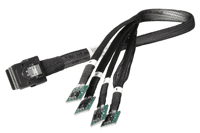
Simple, there is a cable connector that attached to the SATADIMM that in turn attached to an internal SATA port. Or using a different connector cable attach the SATADIMM (up to four) to a standard SAS internal port such as on a main board, HBA, RAID or caching adapter.

industry trend

Does that mean that Viking and who ever uses SATADIMM is not actually moving data or implementing SATA via the memory bus and DDR3 DIMM sockets? That would be correct, data movement occurs via cable connection to standard SATA or SAS ports.

Wait, why would I give up a DDR3 DIMM socket in my server that could be used for more DRAM? Great question and one that should be it depends on if you need more DRAM or more nand flash? If you are out of drive slots or PCIe card slots and have enough DRAM for your needs along with available DDR3 slots, you can stuff more nand flash into those locations assuming you have SAS or SATA connectivity.

satadimm
SATADIMM with SATA connector top right via Viking

satadimm sata connector
SATADIMM SATA connector via Viking

satadimm sas connector
SATADIMM SAS (Internal) connector via Viking

Why not just use the onboard USB ports and plug-in some high-capacity USB thumb drives to cut cost? If that is your primary objective it would probably work and I can also think of some other ways to cut cost. However those are also probably not the primary tenants that people looking to deploy something like SATADIMM would be looking for.

What are the storage capacities that can be placed on the SATADIMM? They are available in different sizes up to 400GB for SLC and 480GB for MLC. Viking indicated that there are larger capacities and faster 12Gb SAS interfaces in the works which would be more of a surprise if there were not. Learn more about current product specifications here.

Good questions. Attached are three images that sort of illustrates the connector. As well, why not a USB drive; well, there are customers that put 12 of these in the system (with up to 480GB usable capacity) that equates to roughly an added 5.7TBs inside the box without touching the drive bays (left for mass HDD’s). You will then need to raid/connect) all the SATADIMM via a HBA.

How fast is the SATADIMM and does putting it into a DDR3 slot speed things up or slow them down? Viking has some basic performance information on their site (here). However generally should be the same or similar to reach a SAS or SATA SSD drive, although keep SSD metrics and performance in the proper context. Also keep in mind that the DDR3 DIMM slot is only being used for power and not real data movement.

Is the SATADIMM using 3Gbs or 6Gbs SATA? Good questions, today is 6Gb SATA (remember that SATA can attach to a SAS port however not vise versa). Lets see if Viking responds in the comments with more including RAID support (hardware or software) along with other insight such as UNMAP, TRIM, Advanced Format (AF) 4KByte blocks among other things.

Have I actually tried SATADIMM yet? No, not yet. However would like to give it a test drive and workout if one were to show up on my doorstep along with disclosure and share the results if applicable.

industry trend

Future of nand flash in DRAM DIMM sockets

Keep in mind that someday nand flash will actually seem not only in a Webex or Powerpoint demo preso (e.g. similar to what Diablo Technology is previewing), as well as in real use for example what Micron earlier this year predicted for flash on DDR4 (more DDR3 vs. DDR4 here).

Is SATADIMM the best nand flash SSD approach for every solution or environment? No, however it does give some interesting options for those who are PCIe card, or HDD and SSD drive slot constrained that also have available DDR3 DIMM sockets. As to price, check with Viking, wish I could say tell them Greg from StorageIO sent you for a good value, however not sure what they would say or do.

Related more reading:
How much storage performance do you want vs. need?
Can RAID extend the life of nand flash SSD?
Can we get a side of context with them IOPS and other storage metrics?
SSD & Real Estate: Location, Location, Location
What is the best kind of IO? The one you do not have to do
SSD, flash and DRAM, DejaVu or something new?

Ok, nuff said (for now).

Cheers
Gs

Greg Schulz – Author Cloud and Virtual Data Storage Networking (CRC Press), The Green and Virtual Data Center (CRC Press) and Resilient Storage Networks (Elsevier)

twitter @storageio

All Comments, (C) and (TM) belong to their owners/posters, Other content (C) Copyright 2006-2026 Server StorageIO and UnlimitedIO LLC All Rights Reserved

Cloud, Virtual, Server, Storage I/O and other technology tiering

Storage I/O trends

Tiering technology and the right data center tool for a given task

Depending on who or what is your sphere of influence, or your sources of information and insight are, there will be different views of tiering, particular when it comes to tiered storage and storage tiering for cloud, virtual and traditional environments.

Recently I did piece over at 21st century IT (21cit) titled Tiered Storage Explained that looks at both tiered storage and storage tiering (e.g. movement and migration, automated or manual) that you can read here.

In the data center (or information factory) everything is not the same as different applications have various performance, availability, capacity and economics among other requirements. Consequently there are different levels or categories of service along with associated tiers of technology to support them, more on these in few moments.

Technology tiering is all around you

Tiering is not unique to Information Technology (IT) as it is more common than you may realize, granted, not always called tiering per say. For example there are different tiers of transportation (beside public or private, shared or single use) ranging from planes, trains, bicycles and boats among others.

Dutch BikesDutch TrainAirbus A330Gondola
Tiered transportation (Bikes, Trains, Planes, Gondolas)

Storage I/O trends

Moving beyond IT (we will get back to that shortly), there are other examples of tiered technologies. For example I live in the Stillwater / Minneapolis Minnesota area thus have a need for different types of snow movement and management tools, after all, not all snow situations are the same.

Snow plow
Tiered snow movement technology (Different tools for various tasks)

The other part of the year when the snow is not actually accumulating or the St. Croix river is not frozen which on a good year can be from March to November, its fishing time. That means having different types of fishing rods rigged for various things such as casting, trolling or jigging, not to mention big fish or little fish, something like how a golfer has different clubs. While like a golfer a single fishing rod can do the task, it’s not as practical thus different tools for various tasks.

Kyak FishingWalleye FishBig Fish
Different sizes and types of fish


Speaking of transportation and automobiles, there are also various metrics some of which have a correlation to Data Center energy use and effectiveness, not to mention EPA Energy Star for Data Centers and Data Center Storage.


Storage I/O trends

Technology tiering in and around the data center

IT data center

Now let’s get back to technology tiering the data center (or information factory) including tiered storage and storage tiering (here’s link to the tiered storage explained piece I mentioned earlier). The three primary building blocks for IT services are processing or compute (e.g. servers, workstations), networking or connectivity and storage that include hardware, software, management tools and applications. These resources in turn get accessed by yes you guessed it, different tiers or categories of devices from mobile smart phones, tablets, laptops, workstations or terminals browsers, applets and other presentation services.

IT building blocks, server, storage, networks

Lets focus on storage for a bit (pun intended)

Keep in mind that not everything is the same in the data center from a performance, availability, capacity and economic perspective. This means different threat risks to protect applications and data against, performance or space capacity needs among others.

data protection tiers
Avoid treating all threat risks the same, tiered data protection

Tiered data protection
Part of modernizing data protection is aligning various tools and technologies to meet different requirements including Recovery Time Objectives (RTO) and Recovery Point Objectives (RPO) along with Service Level Agreements (SLAs) and Service Level Objectives (SLO’s).

In addition to protecting data and applications to meet various needs, there are also tiered storage mediums or media (e.g. HDD, SSD, Tape) along with storage systems.

Storage Tiers
Storage I/O trends

Excerpt, Chapter 9: Storage Services and Systems from my book Cloud and Virtual Data Storage Networking book (CRC Press) available via Amazon (also Kindle) and other venues.

9.2 Tiered Storage

Tiered storage is often referred to by the type of disk drives or media, by the price band, by the architecture or by its target use (online for files, emails and databases; near line for reference or backup; offline for archive). The intention of tiered storage is to configure various types of storage systems and media for different levels of performance, availability, capacity and energy or economics (PACE) capabilities to meet a given set of application service requirements. Other storage mediums such as HDD, SSD, magnetic tape and optical storage devices are also used in tiered storage.

Storage tiering can mean different things to different people. For some it is describing storage or storage systems tied to business, application or information services delivery functional need. Others classify storage tiers by price band or how much the solution costs. For others it’s the size or capacity or functionality. Another way to think of tiering is by where it will be used such as on-line, near-line or off-line (primary, secondary or tertiary). Price bands are a way of categorizing disk storage systems based on price to align with various markets and usage scenarios. For example consumer, small office home office (SOHO) and low-end SMB in a price band of under $5,000 USD, mid to high-end SMB in middle price bands from $50,000 to $100,000 range, and small to large enterprise systems ranging from a few hundred thousand dollars to millions of dollars.

Another method of classification is by high performance active or high-capacity inactive or idle. Storage tiering is also used in the context of different mediums such as high performance solid state devices (SSD) or 15,500 revolution per minute (15.5K RPM) SAS of Fibre Channel hard disk drives (HDD), or slower 7.2K and 10K high-capacity SAS and SATA drives or magnetic tape. Yet another category is internal dedicated, external shared, networked and cloud accessible using different protocols and interfaces. Adding to the confusion are marketing approaches that emphasize functionality as defining a tier in trying to standout and differentiate above competition. In other words, if you can’t beat someone in a given category or classification then just create a new one.

Another dimension of tiered storage is tiered access, meaning the type of storage I/O interface and protocol or access method used for storing and retrieving data. For example, high-speed 8Gb Fibre Channel (8GFC) and 10GbE Fibre Channel over Ethernet (FCoE) versus older and slower 4GFC or low-cost 1Gb Ethernet (1GbE) or high performance 10GbE based iSCSI for shared storage access or serial attached SCSI (SAS) for direct attached storage (DAS) or shared storage between a pair of clustered servers. Additional examples of tiered access include file or NAS based access of storage using network file system (NFS) or Windows-based Common Internet File system (CIFS) file sharing among others.

Different categories of storage systems, also called tiered storage systems, combine various tiered storage mediums with tiered access and tiered data protection. For example, tiered data protection includes local and remote mirroring, in different RAID levels, point-in-time (pit) copies or snapshots and other forms of securing and maintaining data integrity to meet various service level, RTO and RPO requirements. Regardless of the approach or taxonomy, ultimately, tiered servers, tiered hypervisors, tiered networks, tiered storage and tiered data protection are about and need to map back to the business and applications functionality.

Storage I/O trends

There is more to storage tiering which includes movement or migration of data (manually or automatically) across various types of storage devices or systems. For example EMC FAST (Fully Automated Storage Tiering), HDS Dynamic Tiering, IBM Easy Tier (and here), and NetApp Virtual Storage Tier (replaces what was known as Automated Storage Tiering) among others.

Likewise there are different types of storage systems or appliances from primary to secondary as well as for backup and archiving.

Then there are also markets or price bands (cost) for various storage systems solutions to meet different needs.

Needless to say there is plenty more to tiered storage and storage tiering for later conversations.

However for now check out the following related links:
Non Disruptive Updates, Needs vs. Wants (Requirements vs. wish lists)
Tiered Hypervisors and Microsoft Hyper-V (Different types or classes of Hypervisors for various needs)
tape summit resources (Using different types or tiers of storage)
EMC VMAX 10K, looks like high-end storage systems are still alive (Tiered storage systems)
Storage comments from the field and customers in the trenches (Various perspectives on tools and technology)
Green IT, Green Gap, Tiered Energy and Green Myths (Energy avoidance vs. energy effectiveness and tiering)
Has SSD put Hard Disk Drives (HDD’s) On Endangered Species List? (Tiered storage systems and devices)
Tiered Storage, Systems and Mediums (Storage Tiering and Tiered Storage)
Cloud, virtualization, Storage I/O trends for 2013 and beyond (Industry Trends and Perspectives)
Amazon cloud storage options enhanced with Glacier (Tiered Cloud Storage)
Garbage data in, garbage information out, big data or big garbage? (How much data are your preserving or hoarding?)Saving Money with Green IT: Time To Invest In Information Factories
I/O Virtualization (IOV) and Tiered Storage Access (Tiered storage access)
EMC VFCache respinning SSD and intelligent caching (Storage and SSD tiering including caching
Green and SASy = Energy and Economic, Effective Storage (Tired storage devices)
EMC Evolves Enterprise Data Protection with Enhancements (Tiered data protection)
Inside the Virtual Data Center (Data Center and Technology Tiering)
Airport Parking, Tiered Storage and Latency (Travel and Technology, Cost and Latency)
Tiered Storage Strategies (Comments on Storage Tiering)
Tiered Storage: Excerpt from Cloud and Virtual Data Storage Networking (CRC Press, see more here)
Using SAS and SATA for tiered storage (SAS and SATA Storage Devices)
The Right Storage Option Is Important for Big Data Success (Big Data and Storage)
VMware vSphere v5 and Storage DRS (VMware vSphere and Storage Tiers)
Tiered Communication and Media Venues (Social and Traditional Media for IT)
Tiered Storage Explained

Ok, nuff said (for now).

Cheers gs

Greg Schulz – Author Cloud and Virtual Data Storage Networking (CRC Press), The Green and Virtual Data Center (CRC Press) and Resilient Storage Networks (Elsevier)
twitter @storageio

All Comments, (C) and (TM) belong to their owners/posters, Other content (C) Copyright 2006-2026 Server StorageIO and UnlimitedIO LLC All Rights Reserved

Non Disruptive Updates, Needs vs. Wants

Storage I/O trends

Do you want non disruptive updates or do you need non disruptive upgrades?

First there is a bit of play on words going on here with needs vs. wants, as well as what is meant by non disruptive.

Regarding needs vs. wants, they are often used interchangeably particular in IT when discussing requirements or what the customer would like to have. The key differentiator is that a need is something that is required and somehow cost justified, or hopefully easier than a want item. A want or like to have item is simply that, its not a need however it could add value being a benefit although may be seen as discretionary.

There is also a bit of play on words with non disruptive updates or upgrades that can take on different meanings or assumptions. For example my Windows 7 laptop has automatic Microsoft updates enabled some of which can be applied while I work. On the other hand, some of those updates may be applied while I work however they may not take effect until I reboot or exit and restart an application.

This is not unique to Windows as my Ubuntu and Centos Linux systems can also apply updates, and in some cases a reboot might be required, same with my VMware environment. Lets not forget about applying new firmware to a server, or workstation, laptop or other device, along with networking routers, switches and related devices. Storage is also not immune as new software or firmware can be applied to a HDD or SSD (traditional or NVMe), either by your workstation, laptop, server or storage system. Speaking of storage systems, they too have new software or firmware that gets updated.

Storage I/O trends

The common theme here though is if the code (e.g. software, firmware, microcode, flash update, etc) can be applied non disruptive something known as non disruptive code load, followed by activation. With activation, the code may have been applied while the device or software was in use, however may need a reboot or restart. With non disruptive code activation, there should not be a disruption to what is being done when the new software takes effect.

This means that if a device supports non disruptive code load (NDCL) updates along with non disruptive code activation (NDCA), the upgrade can occur without disruption or having to wait for a reboot.

Which is better?

That depends, I want NDCA, however for many things I only need NDCL.

On the other hand, depending on what you need, perhaps it is both NDCL and NDCA, however also keep in mind needs vs. wants.

Ok, nuff said (for now).

Cheers gs

Greg Schulz – Author Cloud and Virtual Data Storage Networking (CRC Press), The Green and Virtual Data Center (CRC Press) and Resilient Storage Networks (Elsevier)
twitter @storageio

All Comments, (C) and (TM) belong to their owners/posters, Other content (C) Copyright 2006-2026 Server StorageIO and UnlimitedIO LLC All Rights Reserved

Can we get a side of context with them IOPS server storage metrics?

Can we get a side of context with them server storage metrics?

Whats the best server storage I/O network metric or benchmark? It depends as there needs to be some context with them IOPS and other server storage I/O metrics that matter.

There is an old saying that the best I/O (Input/Output) is the one that you do not have to do.

In the meantime, let’s get a side of some context with them IOPS from vendors, marketers and their pundits who are tossing them around for server, storage and IO metrics that matter.

Expanding the conversation, the need for more context

The good news is that people are beginning to discuss storage beyond space capacity and cost per GByte, TByte or PByte for both DRAM or nand flash Solid State Devices (SSD), Hard Disk Drives (HDD) along with Hybrid HDD (HHDD) and Solid State Hybrid Drive (SSHD) based solutions. This applies to traditional enterprise or SMB IT data center with physical, virtual or cloud based infrastructures.

hdd and ssd iops

This is good because it expands the conversation beyond just cost for space capacity into other aspects including performance (IOPS, latency, bandwidth) for various workload scenarios along with availability, energy effective and management.

Adding a side of context

The catch is that IOPS while part of the equation are just one aspect of performance and by themselves without context, may have little meaning if not misleading in some situations.

Granted it can be entertaining, fun to talk about or simply make good press copy for a million IOPS. IOPS vary in size depending on the type of work being done, not to mention reads or writes, random and sequential which also have a bearing on data throughout or bandwidth (Mbytes per second) along with response time. Not to mention block, file, object or blob as well as table.

However, are those million IOP’s applicable to your environment or needs?

Likewise, what do those million or more IOPS represent about type of work being done? For example, are they small 64 byte or large 64 Kbyte sized, random or sequential, cached reads or lazy writes (deferred or buffered) on a SSD or HDD?

How about the response time or latency for achieving them IOPS?

In other words, what is the context of those metrics and why do they matter?

storage i/o iops
Click on image to view more metrics that matter including IOP’s for HDD and SSD’s

Metrics that matter give context for example IO sizes closer to what your real needs are, reads and writes, mixed workloads, random or sequential, sustained or bursty, in other words, real world reflective.

As with any benchmark take them with a grain (or more) of salt, they key is use them as an indicator then align to your needs. The tool or technology should work for you, not the other way around.

Here are some examples of context that can be added to help make IOP’s and other metrics matter:

  • What is the IOP size, are they 512 byte (or smaller) vs. 4K bytes (or larger)?
  • Are they reads, writes, random, sequential or mixed and what percentage?
  • How was the storage configured including RAID, replication, erasure or dispersal codes?
  • Then there is the latency or response time and IO queue depths for the given number of IOPS.
  • Let us not forget if the storage systems (and servers) were busy with other work or not.
  • If there is a cost per IOP, is that list price or discount (hint, if discount start negotiations from there)
  • What was the number of threads or workers, along with how many servers?
  • What tool was used, its configuration, as well as raw or cooked (aka file system) IO?
  • Was the IOP’s number with one worker or multiple workers on a single or multiple servers?
  • Did the IOP’s number come from a single storage system or total of multiple systems?
  • Fast storage needs fast serves and networks, what was their configuration?
  • Was the performance a short burst, or long sustained period?
  • What was the size of the test data used; did it all fit into cache?
  • Were short stroking for IOPS or long stroking for bandwidth techniques used?
  • Data footprint reduction (DFR) techniques (thin provisioned, compression or dedupe) used?
  • Were write data committed synchronously to storage, or deferred (aka lazy writes used)?

The above are just a sampling and not all may be relevant to your particular needs, however they help to put IOP’s into more contexts. Another consideration around IOPS are the configuration of the environment, from an actual running application using some measurement tool, or are they generated from a workload tool such as IOmeter, IOrate, VDbench among others.

Sure, there are more contexts and information that would be interesting as well, however learning to walk before running will help prevent falling down.

Storage I/O trends

Does size or age of vendors make a difference when it comes to context?

Some vendors are doing a good job of going for out of this world record-setting marketing hero numbers.

Meanwhile other vendors are doing a good job of adding context to their IOP or response time or bandwidth among other metrics that matter. There is a mix of startup and established that give context with their IOP’s or other metrics, likewise size or age does not seem to matter for those who lack context.

Some vendors may not offer metrics or information publicly, so fine, go under NDA to learn more and see if the results are applicable to your environments.

Likewise, if they do not want to provide the context, then ask some tough yet fair questions to decide if their solution is applicable for your needs.

Storage I/O trends

Where To Learn More

View additional NAS, NVMe, SSD, NVM, SCM, Data Infrastructure and HDD related topics via the following links.

Additional learning experiences along with common questions (and answers), as well as tips can be found in Software Defined Data Infrastructure Essentials book.

Software Defined Data Infrastructure Essentials Book SDDC

What This All Means

What this means is let us start putting and asking for metrics that matter such as IOP’s with context.

If you have a great IOP metric, if you want it to matter than include some context such as what size (e.g. 4K, 8K, 16K, 32K, etc.), percentage of reads vs. writes, latency or response time, random or sequential.

IMHO the most interesting or applicable metrics that matter are those relevant to your environment and application. For example if your main application that needs SSD does about 75% reads (random) and 25% writes (sequential) with an average size of 32K, while fun to hear about, how relevant is a million 64 byte read IOPS? Likewise when looking at IOPS, pay attention to the latency, particular if SSD or performance is your main concern.

Get in the habit of asking or telling vendors or their surrogates to provide some context with them metrics if you want them to matter.

So how about some context around them IOP’s (or latency and bandwidth or availability for that matter)?

Ok, nuff said, for now.

Gs

Greg Schulz – Microsoft MVP Cloud and Data Center Management, VMware vExpert 2010-2017 (vSAN and vCloud). Author of Software Defined Data Infrastructure Essentials (CRC Press), as well as Cloud and Virtual Data Storage Networking (CRC Press), The Green and Virtual Data Center (CRC Press), Resilient Storage Networks (Elsevier) and twitter @storageio. Courteous comments are welcome for consideration. First published on https://storageioblog.com any reproduction in whole, in part, with changes to content, without source attribution under title or without permission is forbidden.

All Comments, (C) and (TM) belong to their owners/posters, Other content (C) Copyright 2006-2026 Server StorageIO and UnlimitedIO. All Rights Reserved. StorageIO is a registered Trade Mark (TM) of Server StorageIO.

Part II: EMC Evolves Enterprise Data Protection with Enhancements

Storage I/O trends

This is the second part of a two-part series on recent EMC backup and data protection announcements. Read part I here.

What about the products, what’s new?

In addition to articulating their strategy for modernizing data protection (covered in part I here), EMC announced enhancements to Avamar, Data Domain, Mozy and Networker.

Data protection storage systems (e.g. Data Domain)

Building off of previously announced Backup Recovery Solutions (BRS) including Data Domain operating system storage software enhancements, EMC is adding more application and software integration along with new platform (systems) support.

Data Domain (e.g. Protection Storage) enhancements include:

  • Application integration with Oracle, SAP HANA for big data backup and archiving
  • New Data Domain protection storage system models
  • Data in place upgrades of storage controllers
  • Extended Retention now available on added models
  • SAP HANA Studio backup integration via NFS
  • Boost for Oracle RMAN, native SAP tools and replication integration
  • Support for backing up and protecting Oracle Exadata
  • SAP (non HANA) support both on SAP and Oracle

Data in place upgrades of controllers for 4200 series models on up (previously available on some larger models). This means that controllers can be upgraded with data remaining in place as opposed to a lengthy data migration.

Extended Retention facility is a zero cost license that enables more disk drive shelves to be attached to supported Data Domain systems. Thus there is a not a license fee, however you do pay for the storage shelves and drives to increase the available storage capacity. Note that this feature increases the storage capacity by adding more disk drives and does not increase the performance of the Data Domain system. Extended Retention has been available in the past however is now supported via more platform models. The extra storage capacity is essentially placed into a different tier that an archive policy can then migrate data into.

Boost for accelerating data movement to and from Data Domain systems is only available using Fibre Channel. When asked about FC over Ethernet (FCoE) or iSCSI EMC indicated its customers are not asking for this ability yet. This has me wondering if it is that the current customer focus is around FC, or if those customers are not yet ready for iSCSI or FCoE, or, if there were iSCSI or FCoE support, more customers would ask for it?

With the new Data Domain protection storage systems EMC is claiming up to:

  • 4x faster performance than earlier models
  • 10x more scalable and 3x more backup/archive streams
  • 38 percent lower cost per GB based on holding price points and applying improvements


EMC Data Domain data protection storage platform family


Data Domain supporting both backup and archive

Expanding Data Domain from backup to archive

EMC continues to evolve the Data Domain platform from just being a backup target platform with dedupe and replication to a multi-function, multi-role solution. In other words, one platform with many uses. This is an example of using one tool or technology for different purposes such as backup and archiving, however with separate polices. Here is a link to a video where I discuss using common tools for backup and archiving, however with separate polices. In the above figure EMC Data Domain is shown as being used for backup along with storage tiering and archiving (file, email, Sharepoint, content management and databases among other workloads).


EMC Data Domain supporting different functions and workloads

Also shown are various tools from other vendors such as Commvault Simpana that can be used as both a backup or archiving tool with Data Domain as a target. Likewise Dell products acquired via the Quest acquisition are shown along with those from IBM (e.g. Tivoli), FileTek among others. Note that if you are a competitor of EMC or simply a fan of other technology you might come to the conclusion that the above may not be different from others. Then again others who are not articulating their version or vision of something like the above figure probably should be also stating the obvious vs. arguing they did it first.

Data source integration (aka data protection software tools)

It seems like just yesterday that EMC acquired Avamar (2006) and NetWorker aka Legato (2003), not to mention Mozy (2007) or Dantz (Retrospect, since divested) in 2004. With the exception of Dantz (Retrospect) which is now back in the hands of its original developers, EMC continues to enhance and evolve Avamar, Mozy and NetWorker including with this announcement.

General Avamar 7 and Networker 8.1 enhancements include:

  • Deeper integration with primary storage and protection storage tiers
  • Optimization for VMware vSphere virtual server environments
  • Improved visibility and control for data protection of enterprise applications

Additional Avamar 7 enhancements include:

  • More Data Domain integration and leveraging as a repository (since Avamar 6)
  • NAS file systems with NDMP accelerator access (EMC Isilon & Celera, NetApp)
  • Data Domain Boost enhancements for faster backup / recovery
  • Application integration with IBM (DB2 and Notes), Microsoft (Exchange, Hyper-V images, Sharepoint, SQL Server), Oracle, SAP, Sybase, VMware images

Note that Avamar dat is still used mainly for ROBO and desktop, laptop type backup scenarios that do not yet support Data Domain. Also see Mozy enhancements below).

Avamar supports VMware vSphere virtual server environments using granular change block tracking (CBT) technology as well as image level backup and recovery with vSphere plugins. This includes an Instant Access recovery when images are stored on Data Domain storage.

Instant Access enables a VM that has been protected using Avamar image level technology on Data Domain to be booted via an NFS VMware Dat. VMware sees the VM and is able to power it on and boot directly from the Data Domain via the NFS Dat. Once the VM is active, it can be Storage vMotion to a production storage VMware Dat while active (e.g. running) for recovery on the fly capabilities.


Instant Access to a VM on Data Domain storage

EMC NetWorker 8.1 enhancements include:

  • Enhanced visibility and control for owners of data
  • Collaborative protection for Oracle environments
  • Synchronize backup and data protection between DBA and Backup admin’s
  • Oracle DBAs use native tools (e.g. RMAN)
  • Backup admin implements organizations SLA’s (e.g. using Networker)
  • Deeper integration with EMC primary storage (e.g. VMAX, VNX, etc)
  • Isilon integration support
  • Snapshot management (VMAX, VNX, RecoverPoint)
  • Automation and wizards for integration, discovery, simplified management
  • Policy-based management, fast recovery from snapshots
  • Integrating snapshots into and as part of data protection strategy. Note that this is more than basic snapshot management as there is also the ability to roll over a snapshot into a Data Domain protection storage tier.
  • Deeper integration with Data Domain protection storage tier
  • Data Domain Boost over Fibre Channel for faster backups and restores
  • Data Domain Virtual Synthetics to cut impact of full backups
  • Integration with Avamar for managing image level backup recovery (Avamar services embedded as part of NetWorker)
  • vSphere Web Client enabling self-service recovery of VMware images
  • Newly created VMs inherit backup polices automatically

Mozy is being positioned for enterprise remote office branch office (ROBO) or distributed private cloud where Avamar, NetWorker or Data Domain solutions are not as applicable. EMC has mentioned that they have over 800 enterprises using Mozy for desktop, laptop, ROBO and mobile data protection. Note that this is a different target market than the Mozy consumer product focused which also addresses smaller SMBs and SOHOs (Small Office Home Offices).

EMC Mozy enhancements to be more enterprise grade:

  • Simplified management services and integration
  • Active Directory (AD) for Microsoft environments
  • New storage pools (multiple types of pools) vs. dedicated storage per client
  • Keyless activation for faster provisioning of backup clients

Note that EMC enhanced earlier this year Data Protection Advisor (DPA) with version 6.0.

What does this all mean?

Storage I/O trends

Data protection and backup discussions often focus around tape summit resources or cloud arguments, although this is changing. What is changing is growing awareness and discussion around how data protection storage mediums, systems and services are used along with the associated software management tools.

Some will say backup is broke often pointing a finger at a media or medium (e.g. tape and disk) about what is wrong. Granted in some environments the target medium (or media) destination is an easy culprit to point a finger to as the problem (e.g. the usual tape sucks or is dead) mantra. However, for many environments while there can be issues, it is more often than not the media, medium, device or target storage system that is broke, instead how it is being used or abused.

This means revisiting how tools are used along with media or storage systems allocated, used and retained with respect to different threat risk scenarios. After all, not everything is the same in the data center or information factory.

Thus modernizing data protection is more than swapping media or mediums including types of storage system from one to another. It is also more than swapping out one backup or data protection tool for another. Modernizing data protection means rethinking what different applications and data need to be protected against various threat risks.

Storage I/O trends

What this has to do with today’s announcement is that EMC is among others in the industry moving towards a holistic data protection modernizing thought model.

In my opinion what you are seeing out of EMC and some others is taking that step back and expanding the data protection conversation to revisit, rethink why, how, where, when and by whom applications and information get protected.

This announcement also ties into finding and removing costs vs. simply cutting cost at the cost of something elsewhere (e.g. service levels, performance, availability). In other words, finding and removing complexities or overhead associated with data protection while making it more effective.

Some closing points, thoughts and more links:

There is no such thing as a data or information recession
People and data are living longer while getting larger
Not everything is the same in the data center or information factory
Rethink data protection including when, why, how, where, with what and by whom
There is little data, big data, very big data and big fast data
Data protection modernization is more than playing buzzword bingo
Avoid using new technology in old ways
Data footprint reduction (DFR) can be help counter changing data life-cycle patterns
EMC continues to leverage Avamar while keeping Networker relevant
Data Domain evolving for both backup and archiving as an example of tool for multiple uses

Ok, nuff said (for now).

Cheers gs

Greg Schulz – Author Cloud and Virtual Data Storage Networking (CRC Press), The Green and Virtual Data Center (CRC Press) and Resilient Storage Networks (Elsevier)
twitter @storageio

All Comments, (C) and (TM) belong to their owners/posters, Other content (C) Copyright 2006-2026 Server StorageIO and UnlimitedIO LLC All Rights Reserved

EMC Evolves Enterprise Data Protection with Enhancements (Part I)

Storage I/O trends

A couple of months ago at EMCworld there were announcements around ViPR, Pivotal along with trust and clouds among other topics. During the recent EMCworld event there were some questions among attendees what about backup and data protection announcements (or lack there of)?

Modernizing Data Protection

Today EMC announced enhancements to its Backup Recovery Solutions (BRS) portfolio (@EMCBackup) that continue to enable information and applications data protection modernizing including Avamar, Data Domain, Mozy and Networker.

Keep in mind you can’t go forward if you can’t go back, which means if you do not have good data protection to go to, you can’t go forward with your information.

EMC Modern Data Protection Announcements

As part of their Backup to the Future event, EMC announced the following:

  • New generation of data protection products and technologies
  • Data Domain systems: enhanced application integration for backup and archive
  • Data protection suite tools Avamar 7 and Networker 8.1
  • Enhanced Cloud backup capabilities for the Mozy service
  • Paradigm shift as part of data protection modernizing including revisiting why, when, where, how, with what and by whom data protection is accomplished.

What did EMC announce for data protection modernization?

While much of the EMC data protection announcement is around product, there is also the aspect of rethinking data protection. This means looking at data protection modernization beyond swapping out media (e.g. tape for disk, disk for cloud) or one backup software tool for another. Instead, revisiting why data protection needs to be accomplished, by whom, how to remove complexity and cost, enable agility and flexibility. This also means enabling data protection to be used or consumed as a service in traditional, virtual and private or hybrid cloud environments.

EMC uses as an example (what they refer to as Accidental Architecture) of how there are different group and areas of focus, along with silos associated with data protection. These groups span virtual, applications, database, server, storage among others.

The results are silos that need to be transformed in part using new technology in new ways, as well as addressing a barrier to IT convergence (people and processes). The theme behind EMC data protection strategy is to enable the needs and requirements of various groups (servers, applications, database, compliance, storage, BC and DR) while removing complexity.

Moving from Silos of data protection to a converged service enabled model

Three data protection and backup focus areas

This sets the stage for the three components for enabling a converged data protection model that can be consumed or used as a service in traditional, virtual and private cloud environments.


EMC three components of modernized data protection (EMC Future Backup)

The three main components (and their associated solutions) of EMC BRS strategy are:

  • Data management services: Policy and storage management, SLA, SLO, monitoring, discovery and analysis. This is where tools such as EMC Data Protection Advisor (aka via WysDM acquisition) fit among others for coordination or orchestration, setting and managing polices along with other activities.
  • Data source integration: Applications, Database, File systems, Operating System, Hypervisors and primary storage systems. This is where data movement tools such as Avamar and Networker among others fit along with interfaces to application tools such as Oracle RMAN.
  • Protection storage: Targets, destination storage system with media or mediums optimized for protecting and preserving data along with enabling data footprint reduction (DFR). DFR includes functionality such as compression and dedupe among others. Example of data protection storage is EMC Data Domain.

Read more about product items announced and what this all means here in the second of this two-part series.

Ok, nuff said (for now).

Cheers gs

Greg Schulz – Author Cloud and Virtual Data Storage Networking (CRC Press), The Green and Virtual Data Center (CRC Press) and Resilient Storage Networks (Elsevier)
twitter @storageio

All Comments, (C) and (TM) belong to their owners/posters, Other content (C) Copyright 2006-2026 Server StorageIO and UnlimitedIO LLC All Rights Reserved

HDS Mid Summer Storage and Converged Compute Enhancements

Storage I/O trends

Converged Compute, SSD Storage and Clouds

Hitachi Data Systems (HDS) announced today several enhancements to their data storage and unified compute portfolio as part of their Maximize I.T. initiative.

Setting the context

As part of setting the stage for this announcement, HDS has presented the following strategy vision as part their vision for IT transformation and cloud computing.

https://hds.com/solutions/it-strategies/maximize-it.html?WT.ac=us_hp_flash_r11

What was announced

This announcement builds on earlier ones around HDS Unified Storage (HUS) primary storage using nand flash MLC Solid State Devices (SSD) and Hard Disk Drives (HDD’s), along with unified block and file (NAS), as well Unified Compute Platform (UCP) also known as converged compute, networking, storage and software. These enhancements follow recent updates to the HDS Content Platform (HCP) for object, file and content storage.

There are three main focus areas of the announcement:

  • Flash SSD storage enhancements for HUS
  • Unified with enhanced file (aka BlueArc based)
  • Enhanced unified compute (UCP)

HDS Flash SSD acceleration

The question should not be if SSD is in your future, rather when, where, with what and how much will be needed.

As part of this announcement, HDS is releasing an all flash SSD based HUS enterprise storage system. Similar to what other vendors have done, HDS is attaching flash SSD storage to their HUS systems in place of HDD’s. Hitachi has developed their own SSD module announced in 2012 (read more here). The HDS SSD module use Multi Level Cell (MLC) nand flash chips (dies) that now supports 1.6TB of storage space capacity unit. This is different from other vendors who either use nand flash SSD drive form factor devices (e.g. Intel, Micron, Samsung, SANdisk, Seagate, STEC (now WD), WD among others) or, PCIe form factor cards (e.g. FusionIO, Intel, LSI, Micron, Virident among others) or, attach a third-party external SSD device (e.g. IBM/TMS, Violin, Whiptail etc.).

Like some other vendors, HDS has also done more than simply attach a SSD (drive, PCIe card, or external device) to their storage systems calling it an integrated solution. What this means is that HDS has implemented software or firmware changes into their storage systems to manage durability and extend flash duty cycles caused by program erase (P/E) cycle wear. In addition HDS has implemented performance optimization in their storage systems to leverage the faster SSD modules, after all, faster storage media or devices need fast storage systems or controllers.

While the new all flash storage system can be initially bought with just SSD, similar to other hybrid storage solutions, hard disk drives (HDD’s) can also be installed. For enabling full performance at low latency, HDS is addressing both the flash SSD modules as well as the storage systems they attach to including back-end, front-end and caching in-between.

The release enables 500,000 or half a million IOPS (no IOP size, reads or writes, random or sequential. Future firmware (non-disrupted) to enable higher performance that HDS is claiming will be 1,000,000 IOPS at under a millisecond) were indicated.

In addition to future performance improvements, HDS is also indicating increased storage space capacity of its MLC flash SSD modules (1.6TB today). Using 12 modules (1.6TB each), 154TB of flash SSD can be placed in a single rack.

HDS File and Network Attached Storage (NAS)

HUS unified NAS file system and gateway (BlueArc based) enhancements include:

  • New platforms leveraging faster processors (both Intel and Field Programmable Gate Arrays (FPGA’s))
  • Common management and software tools from 3000 to new 4000 series
  • Bandwidth doubled with faster connections and more memory
  • Four 10GbE NAS serving ports (front-end)
  • Four 8Gb Fibre Channel ports (back-end)
  • FPGA leveraged for off-loading some dedupe functions (faster performance)

HDS Unified Complete Platform (UCP)

As part of this announcement, HDS is enhancing the Unified Compute Platform (UCP) offerings. HDS re-entered the compute market in 2012 joining other vendors offering unified compute, storage and networking solutions. The HDS converged data infrastructure competes with AMD (Seamicro) SM15000, Dell vStart and VRTX (for lower end market), EMC and VCE vBlock, NetApp FlexPod along with those from HP (or Moonshot micro servers), IBM Puresystems, Oracle and others.

UCP Pro for VMware vSphere

  • Turnkey converged solution (Compute, Networking, Storage, Software)
  • Includes VMware vSphere pre-installed (OEM from VMware)
  • Flexible compute blade options
  • Three storage system options (HUS, HUS VM and VSP)
  • Cisco and Brocade IP networking
  • UCP Director 3.0 with enhanced automation and orchestration software

UCP Select for Microsoft Private Cloud

  • Supports Hyper-V 3.0 server virtualization
  • Live migration with DR and resynch
  • Microsoft Fast Track certified

UCP Select for Oracle RAC

  • HDS Flash SSD storage
  • SMP x86 compute for performance
  • 2x improvements for IOPS less than 1 millisecond
  • Common management with HiCommand suite
  • Integrated with Oracle RMAN and OVM

UCP Select for SAP HANA

  • Scale out to 8TBs memory (DRAM)
  • Tier 1 storage system certified for SAP HANA DR
  • Leverages SAP HANA SAP storage connector API

What this all means?

Storage I/O trends

With these announcements HDS is extending its storage centric hardware, software and services solution portfolio for block, file and object access across different usage tiers (systems, applications, mediums). HDS is also expanding their converged unified compute platforms to stay competitive with others including Dell, EMC, Fujitsu, HP, IBM, NEC, NetApp and Oracle among others. For environments with HDS storage looking for converged solutions to support VMware, Microsoft Hyper-V, Oracle or SAP HANA these UCP systems are worth checking out as part of evaluating vendor offerings. Likewise for those who have HDS storage exploring SSD offerings, these announcements give opportunities to enable consolidation as do the unified file (NAS) offerings.

Note that now HDS does not have a public formalized message or story around PCIe flash cards, however they have relationships with various vendors as part of their UCP offerings.

Overall a good set of incremental enhancements for HDS to stay competitive and leverage their field proven capabilities including management software tools.

Ok, nuff said

Cheers gs

Greg Schulz – Author Cloud and Virtual Data Storage Networking (CRC Press), The Green and Virtual Data Center (CRC Press) and Resilient Storage Networks (Elsevier)
twitter @storageio

All Comments, (C) and (TM) belong to their owners/posters, Other content (C) Copyright 2006-2026 Server StorageIO and UnlimitedIO LLC All Rights Reserved