Industry Trends Perspectives: Cisco Cloud and VMware VSAN
| ||||||||||||||||||||||||||||||||||||||||||||||||||||||||||||||||||||||||

Server StorageIO Data Infrastructure Insights and Analysis
| ||||||||||||||||||||||||||||||||||||||||||||||||||||||||||||||||||||||||

In case you missed it, the 12th annual USENIX conference on File and Storage Technologies (FAST) was recently held in Santa Clara, CA.
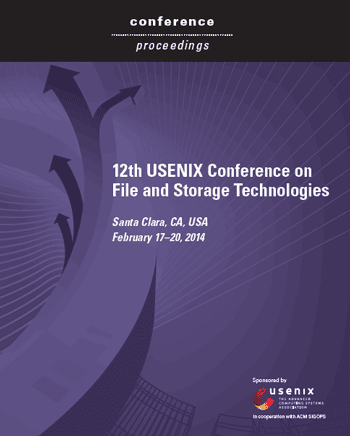
If like me you are interested in FAST related technologies, trends, tools and related research, check out the conference PDF proceedings here.
You can also go here to the USENIX FAST site to view additional information about the sessions along with other download material.
The PDF format proceedings contain over 320 pages of content including some good white papers and information covering RAID and Erasure code, Big Data and Little Data, Cloud and Virtualization, Flash, DRAM, SSD, Filesystem performance, metrics, measurement and related software along with plenty of file system related material.
Heads up though, these are not your usual vendor high-level marketing white papers rather what you would expect from a technical conference such as FAST as you can see in the above index with abstracts.
So add the 2014 USENIX FAST Proceedings to your reading list.
Ok, nuff said
Cheers gs
Greg Schulz – Author Cloud and Virtual Data Storage Networking (CRC Press), The Green and Virtual Data Center (CRC Press) and Resilient Storage Networks (Elsevier)
twitter @storageio
All Comments, (C) and (TM) belong to their owners/posters, Other content (C) Copyright 2006-2026 Server StorageIO and UnlimitedIO LLC All Rights Reserved
| ||||||||||||||||||||||||||||||||||||||||||||||||||||||||||
Ok, nuff said
Cheers
Gs
Greg Schulz – Author Cloud and Virtual Data Storage Networking (CRC Press), The Green and Virtual Data Center (CRC Press) and Resilient Storage Networks (Elsevier)
twitter @storageio
All Comments, (C) and (TM) belong to their owners/posters, Other content (C) Copyright 2006-2026 Server StorageIO and UnlimitedIO LLC All Rights Reserved
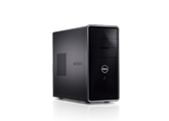
During the 2013 post thanksgiving black friday shopping day, I did some on-line buying including a Dell Inspiron 660 i660 (5629BK) to be used as a physical machine (PM) or VMware host (among other things).
Now technically I know, this is a workstation or desktop and thus not what some would consider a server, however as another PM to add to my VMware environment (or be used as a bare metal platform), it is a good companion to my other systems.
Initially my plan for this other system was to go with a larger, more expensive model with as many DDR3 DIMM (memory) and PCIe x4/x8/x16 expansion slots as possible. Some of my other criteria were PCIe Gen 3, latest Intel processor generation with VT (Virtualization Technology) and Extended Page Tables (EPT) for server virtualization support without breaking my budget. Heck, I would love a Dell VRTX or some similar types of servers from the likes of Cisco, HP, IBM, Lenovo, Supermicro among many others. On the other hand, I really don’t need one of those types of systems yet, unless of course somebody wants to send some to play with (excuse me, test drive, try-out).
Hence needs are what I must have or need, while wants are those things that would be, well, nice to have.
In the course of shopping around, looking at alternatives and having previously talked with Robert Novak (aka @gallifreyan) and he reminded me to think outside the box a bit, literally. Check out Roberts blog (aka rsts11 a great blog name btw for those of use who used to work with RSTS, RSX and others) including a post he did shortly after I had a conversation with him. If you read his post and continue through this one, you should be able to connect the dots.
While I still have a need and plans for another server with more PCIe and DDR3 (maybe wait for DDR4? ;) ) slots, I found a Dell Inspiron 660.
Candidly normally I would have skipped over this type or class of system, however what caught my eye was that while limited to only two DDR3 DIMM slots and a single PCIe x16 slot, there were three extra x1 slots which while not as robust, certainly gave me some options if I need to use those for older, slower things. Likewise leveraging higher density DIMM’s, the system is already now at 16GB RAM waiting for larger DIMM’s if needed.
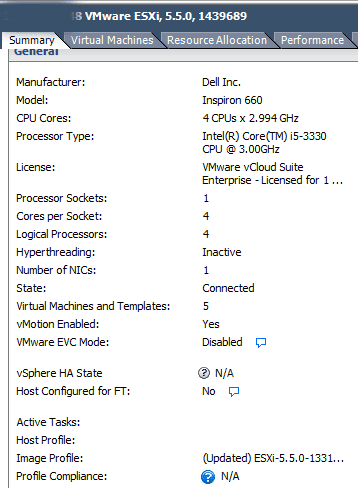
The Dell Inspiron 660-i660 I found had a price of a little over $550 (delivered) with an Intel i5-3330 processor (quad-core, quad thread 3GHz clock), PCIe Gen 3, one PCIe x16 and three PCIe x1 slots, 8GB DRAM (since reallocated), GbE port and built-in WiFi, Windows 8 (since P2V and moved into the VMware environment), keyboard and mouse, plus a 1TB 6Gb SATA drive, I could afford two, maybe three or four of these in place of a larger system (at least for now). While for something’s I have a need for a single larger server, there are other things where having multiple smaller ones with enough processing performance, VT and EPT support comes in handy (if not required for some virtual servers).
Some of the enhancements that I made were once the initial setup of the Windows system was complete, did a clone and P2V of that image, and then redeploying the 1TB SATA drive to join others in the storage pool. Thus the 1TB SATA HDD has been replaced with (for now) a 500GB Momentus XT HHDD which by time you read this could already changed to something else.
Another enhancements was bumping up the memory from 8GB to 16GB, and then adding a StarTech enclosure (See below) for more internal SAS / SATA storage (it supports both 2.5" SAS and SATA HDD’s as well as SSD’s). In addition to the on-board SATA drive port plus one being used for the CD/DVD, there are two more ports for attaching to the StarTech or other large 3.5" drives that live in the drive bay. Depending on what I’m using this system for, it has different types of adapters for external expansion or networking some of which have already included 6Gbps and 12Gbps SAS HBA’s.
As this is not a general purpose larger system with many expansion ports for PCIe slots, that is one of the downsides you get for this cost. However depending on your needs, you have some options. For example I have some Intel PCIe x1 GbE cards to give extra networking connectivity if or when needed. Note however that as these are PCIe x1 slots they are PCIe Gen 1 so from a performance perspective exercise caution when mixing these with other newer, faster cards when performance matters (more on this in the future).
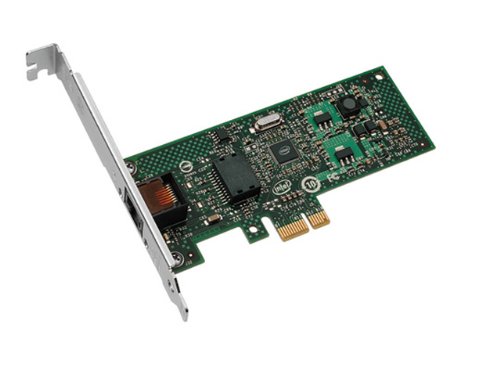
Via Amazon.com Intel (Gigabit CT PCI-E Network Adapter EXPI9301CTBLK)
One of the caveats to be aware of if you are going to be using VMware vSphere/ESXi is that the Realtek GbE NIC on the Dell Inspiron D600-i660 may not play well, however there are work around’s. Check out some of the work around’s over at Kendrick Coleman (@KendrickColeman) and Erik Bussink (@ErikBussink) sites both of which were very helpful and I can report that the Realtek GbE is working fine with VMware ESXi 5.5a.
The StarTech 4 x 2.5″ SAS and SATA internal enclosures supports various speed SSD and HDD’s depending on what you connect the back-end connector port to. On the back of the enclosure chassis there is a connector that is a pass-thru to the SAS drive interface that also accepts SATA drives. This StarTech enclosure fits nicely into an empty 5.2″ CD/DVD expansion bay and then attach the individual drive bays to your internal motherboard SAS or SATA ports, or to those on another adapter.
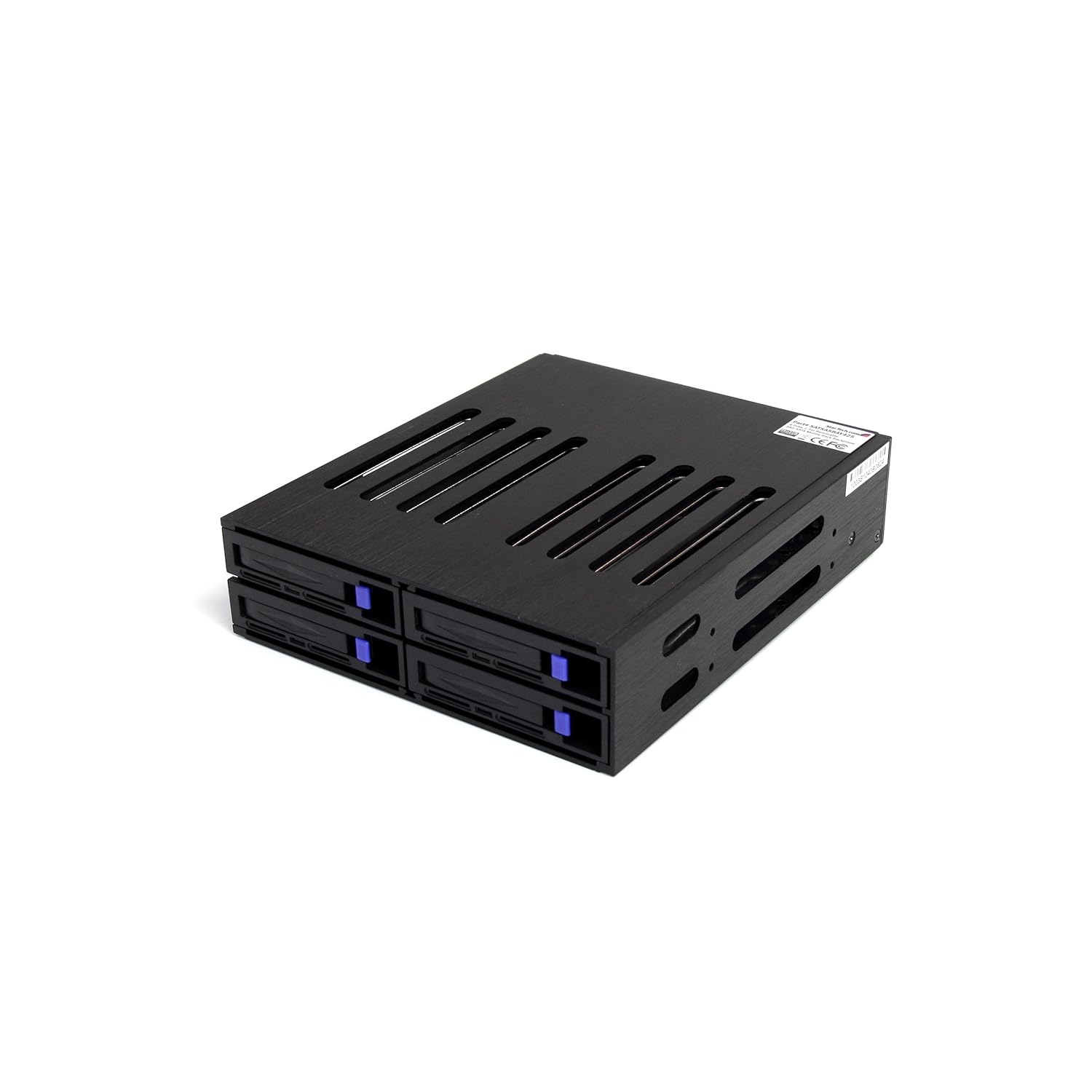
Via Amazon.com StarTech 4 x 2.5" SAS and SATA internal enclosure
So far I have used these enclosures attached to various adapters at different speeds as well as with HDD, HHDD, SSHD and SSD’s at various SAS/SATA interface speeds up to 12Gbps. Note that unlike some other enclosures that have SAS or SATA expander, the drive bays in the StarTech are pass-thru hence are not regulated by the expander chip and its speed. Price for these StarTech enclosures is around $60-90 USD and are good for internal storage expansion (hmm, need to build your own NAS or VSAN or storage server appliance? ;) ).
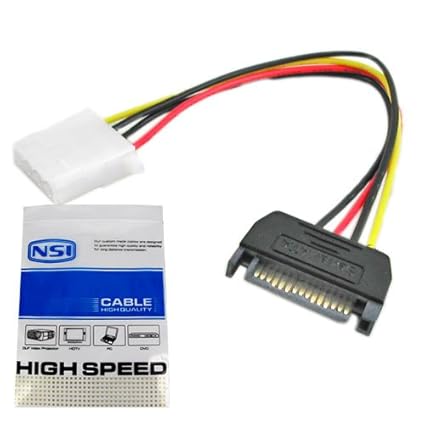
Note that you will also need to get a Molex power connector to go from the back of the drive enclosure to an available power port such as for expansion DVD/CD that you can find at a Radio Shack, Fry’s or many other venues for couple of dollars. Double check your specific system and cable connector leads to verify what you will need.
So far so good, in addition to using it for some initial calibration and validation activities, the D660 is performing very well and no buyers remorse. Ok, sure, would like more PCIe Gen 3 x4/x8/x16 or an extra on-board Ethernet, however all the other benefits have outweighed those pitfalls.
Speaking of which, if you think a SSD (or other fast storage device) is fast on a 6Gbps SAS or PCIe Gen 2 interface for physical or virtual servers, wait until you experience those IOPs or latencies at 12Gbps SAS and PCIe Gen 3 with a faster current generation Intel processor, just saying ;)…
In the above chart (slide scroll bar to view more to the right) a Windows 7 64 bit systems (VMs configured with 14GB DRAM) on VMware vSphere V5.5.1 is shown running on different hardware configurations. The Windows system is running Futuremark PCMark 7 Pro (v1.0.4). From left to right the Windows VM on the Dell Inspiron 660 with 16GB physical DRAM using a SSHD (Solid State Hybrid Drive). Second from the left shows results running on a Dell T310 with an Intel X3470 processor also on a SSHD. Middle is the workload on the Dell 660 running on a HHDD, second from right is the workload on the Dell T310 also on a HHDD, while on the right is the same workload on an HP DCS5800 with an Intel E8400. The workload results show a composite score, system storage, simulating user productivity, lightweight processing, and compute intensive tasks.


Mention KVM to many people in and around the server, storage and virtualization world and they think KVM as in the hypervisor, however to others it means Key board, Video and Mouse aka the other KVM. As part of my recent and ongoing upgrades, it was also time to upgrade from the older smaller KVM’s to a larger, easier to use model. The benefit, support growth while also being easier to work with. Having done some research on various options that also varied in price, I settled in on the StarTech shown below.
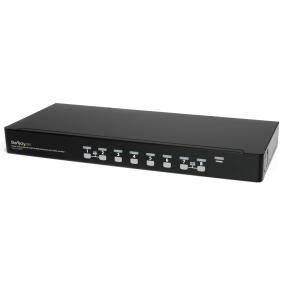
Via Amazon.com StarTech 8 Port 1U USB KVM Switch
What’s cool about the above 8 port StarTech KVM switch is that it comes with 8 cables (there are 8 ports) that on one end look like a regular VGA monitor screen cable connector. However on the other end that attached to your computer, there is the standard VGA connection that attached to your video out, and a short USB tail cable that attached to an available USB port for Keyboard and Mouse. Needless to say it helps to cut down on the cable clutter while coming in around $38.00 USD per server port being managed, or about a dollar a month over a little over three years.
Be advised that there are various makes and models of the Dell Inspiron available that differ in the processor generation and thus feature set included. Pay attention to which make or model you are looking at as the prices can vary, hence double-check the processor make and model and then visit the Intel site to see if it is what you are expecting. For example I double checked that the processor for the different models I looked at were i5-3330 (view Intel specifications for that processor here).
Thanks to Robert Novak (aka @gallifreyan) for taking some time providing useful tips and ideas to help think outside the box for this, as well as some future enhancements to my server and StorageIO lab environment.
Consequently while the Dell Inspiron D600-i660 was not the server that I wanted, it has turned out to be the system that I need now and hence IMHO a diamond in the rough, if you get the right make and mode.
Ok, nuff said
Cheers gs
Greg Schulz – Author Cloud and Virtual Data Storage Networking (CRC Press), The Green and Virtual Data Center (CRC Press) and Resilient Storage Networks (Elsevier)
All Comments, (C) and (TM) belong to their owners/posters, Other content (C) Copyright 2006-2013 StorageIO and UnlimitedIO All Rights Reserved
The following are some commands and tools for Microsoft Windows environments that are useful for storage I/O activities (among others).
So you may know and how to find out the more familiar Windows storage device (Solid State Device – SSD, Hard Disk Drives – HDD among others) names such as A:, B:, C:, D: as what you can view from the Windows Explorer, Computer or Admin tools.

However what if you need to find out a physical name for raw (not mounted) and mounted devices for configuration? For example, if you have a tool that wants the physical name for your C: drive that might be \\.\PhysicalDrive0\?
No worries, use the command WMIC DISKDRIVE LIST BRIEF

Need more detail about the devices beyond what is shown above?
Then use WMIC DISKDRIVE LIST or as in the above example, direct the output to a file with the results shown below (scroll to the left or right to see more detail information).
        Availability  BytesPerSector  Capabilities  CapabilityDescriptions                 CompressionMethod  ConfigManagerErrorCode  ConfigManagerUserConfig  DefaultBlockSize  Description  DeviceID            ErrorCleared  ErrorDescription  ErrorMethodology  Index  InstallDate  InterfaceType  LastErrorCode  Manufacturer            MaxBlockSize  MaxMediaSize  MediaLoaded  MediaType              MinBlockSize  Model                                  Name                NeedsCleaning  NumberOfMediaSupported  Partitions  PNPDeviceID                                                  PowerManagementCapabilities  PowerManagementSupported  SCSIBus  SCSILogicalUnit  SCSIPort  SCSITargetId  SectorsPerTrack  Signature   Size           Status  StatusInfo  SystemName  TotalCylinders  TotalHeads  TotalSectors  TotalTracks  TracksPerCylinder
              512             {3, 4}        {"Random Access", "Supports Writing"}                     0                       FALSE                                      Disk drive   \\.\PHYSICALDRIVE2                                                    2                   SCSI                          (Standard disk drives)                              TRUE         Fixed hard disk media                ATA ST3000DM001-1CH1 SCSI Disk Device  \\.\PHYSICALDRIVE2                                         0           SCSI\DISK&VEN_ATA&PROD_ST3000DM001-1CH1\5&3626375C&0&000600                                                         0        0                3         6             63               0           3000590369280  OK                  DBIOTEST    364801          255         5860528065    93024255     255
              512             {3, 4}        {"Random Access", "Supports Writing"}                     0                       FALSE                                      Disk drive   \\.\PHYSICALDRIVE3                                                    3                   SCSI                          (Standard disk drives)                              TRUE         Fixed hard disk media                SEAGATE ST600MP0034 SCSI Disk Device   \\.\PHYSICALDRIVE3                                         0           SCSI\DISK&VEN_SEAGATE&PROD_ST600MP0034\5&3626375C&0&000A00                                                          0        0                3         10            63                           600124654080   OK                  DBIOTEST    72961           255         1172118465    18605055     255
              512             {3, 4}        {"Random Access", "Supports Writing"}                     0                       FALSE                                      Disk drive   \\.\PHYSICALDRIVE4                                                    4                   SCSI                          (Standard disk drives)                              TRUE         Fixed hard disk media                SEAGATE ST600MX0004 SCSI Disk Device   \\.\PHYSICALDRIVE4                                         0           SCSI\DISK&VEN_SEAGATE&PROD_ST600MX0004\5&3626375C&0&000C00                                                          0        0                3         12            63                           600124654080   OK                  DBIOTEST    72961           255         1172118465    18605055     255
              512             {3, 4}        {"Random Access", "Supports Writing"}                     0                       FALSE                                      Disk drive   \\.\PHYSICALDRIVE1                                                    1                   SCSI                          (Standard disk drives)                              TRUE         Fixed hard disk media                SEAGATE ST9300603SS SCSI Disk Device   \\.\PHYSICALDRIVE1                                         0           SCSI\DISK&VEN_SEAGATE&PROD_ST9300603SS\5&3626375C&0&000400                                                          0        0                3         4             63                           299992412160   OK                  DBIOTEST    36472           255         585922680     9300360      255
              512             {3, 4}        {"Random Access", "Supports Writing"}                     0                       FALSE                                      Disk drive   \\.\PHYSICALDRIVE0                                                    0                   SCSI                          (Standard disk drives)                              TRUE         Fixed hard disk media                VMware Virtual disk SCSI Disk Device   \\.\PHYSICALDRIVE0                                         2           SCSI\DISK&VEN_VMWARE&PROD_VIRTUAL_DISK\5&1982005&1&000000                                                           0        0                2         0             63               -873641784  64420392960    OK                  DBIOTEST    7832            255         125821080     1997160      255
Some of you might be familiar with Xcopy and if not, it is a handy tool for copying files, folders and directories to local as well as networked storage. Some handy Xcopy command switches include:
/j = use un-buffered IO for large files
/y = suppress prompting
/c = continue if error
/E = copy sub directories
/H = copy hidden files
/Q = quiet mode (don’t list files being copied)
In the following example the content of the Videos folder and its sub-directories (83.5GB) are copied to another destination. Note the Time /T command that is also shown which is useful for timing how long the copy takes (e.g. subtract start-time from end-time and you have elapsed time). In this example 83.5GB are copied from one place to another on the same SSD device and using the results of the Time /T command the elapsed time was about 12 minutes.

Xcopy command example
Ever have a Windows storage device or system that failed to boot, or a problem with a partition, volume or other issue?
How about running into a situation where you are not able to format a device that you know and can confirm is ok to erase, yet you get a message that the volume is write protected or read only?
Diskpart is handy, powerful and potentially dangerous tool if you are not careful as you could mistakenly drop a good volume or partition (e.g. the importance of having good backups). However Diskpart can be used to help repair storage devices that have boot problems, or for clearing read only attributes among other tasks. If you are prefer GUI interfaces, many of the Diskpart functions can also be done via Disk Management interface (e.g. Control Panel -> All Control Panel Items -> Administrative Tools -> Computer Management -> Storage -> Disk Management ). Note that Diskpart to do certain functions will need to be run as Administrator.

In the above example the LIST DISK command shows what disks are present (on-line or off-line) which means that you may see devices here that do not show up elsewhere. Also shown is selecting a disk and then listing partitions, selecting a partition and showing attributes. The Attribute command can be used for clearing Read Only modes should a partition become write protected.
Hint, ever have a device that was once had VMware installed on it, then you move it to Windows and try to reformat for use and get a Read Only error? If so, you will want to have a look at Diskpart and the Attribute commands. However BE CAREFULL and pay attention which disk, partition and volumes you are working with as you can easily cause a problem that would result in testing how good your backups are.
If you have a SATA SSD the TRIM command is a form of garbage collection that is supported with Windows 7 (SAS drives use the SCSI UNMAP). Not sure if your system has TRIM enabled? Try the following command as administrator. Note that if you see a result of "0" then TRIM is enabled while a value of "1" means that it is disabled for your system.

Want to learn more about TRIM, check out this piece from Intel as well as this Microsoft Windows item.
Have an issue or problem collecting your system statistics, or when running a benchmark, workload generation tool such as vdbench and getting an "Unable to obtain CPU statistics"?
Try the Lodctr /R command (as administrator), however read this Microsoft Tip first to learn more.

Like its name implies, if you do not have this tool, you can download it here from Microsoft to not only delete files, folders, as well as write "0" patterns across a disk to secure erase it. You can specify the number of times you want to run the write "0" patterns across a disk to meet your erasure requirements.
There is also another use for Sdelete which is if you need or want to pre-condition a SSD or other device such as for testing, you can run a pre-conditioning pass using Sdelete.
Some command options include -p #n where "n" is the number of times to run, -s recursive to process sub-directories, -z to write "0" or zero out the space on the device, -c for clean, -a to process read-only attributes. Learn more and get your copy of Sdelete from Microsoft here.
A handy tool available from Seagate (may only work with Seagate and their partner devices) is SeaTools that can give drive information, health and status as well as perform various tests including SMART.

Seagate Seatools example
Different HDD and SSD as well as storage system vendors give tools for configuration, monitoring, management and in some cases data movement with their solutions. Samsung SSD Magician is a tool I have installed for managing my SSDs (830 and 840 Pros) that has features for updating firmware, drive health as well as performance optimization. Other hand tools include the Samsung copy tool based on Clonix as Acronis among other clone or data migration utilities (more on those in a future post).

Samsung SSD Magician
While the Microsoft WIndows USB Tool is handy for dealing with Microsoft ISO, however for creating USB’s with ISO’s such as for installing VMware or Linux on bare metal systems, Rufus is a handy tool to have in the tool-box.

Another useful tool that functions as an SSH and FTP utility is Cyberduck that also supports access to Amazon S3 among other cloud services.
There are many other tools for server, storage I/O and other activities on WIndows, not to mention other platforms, however hopefully you find the above useful.
How about it, what’s your favorite Windows server, storage I/O tools and commands?
Ok, nuff said (for now)
Cheers
Gs
Greg Schulz – Author Cloud and Virtual Data Storage Networking (CRC Press), The Green and Virtual Data Center (CRC Press) and Resilient Storage Networks (Elsevier)
twitter @storageio
All Comments, (C) and (TM) belong to their owners/posters, Other content (C) Copyright 2006-2026 Server StorageIO and UnlimitedIO LLC All Rights Reserved
First, for those who may have missed this, thanks to all who helped make 2013 a great year!

Looking back at 2013 I saw a continued trend of more vendors and their media public relations (PR) people reaching out to have their predictions placed in articles, posts, columns or trends perspectives pieces.
Hmm, maybe a new trend is predictions selfies? ;)
Not to worry, this is not a wrapper piece for a bunch of those pitched and placed predictions requests that I received in 2013 as those have been saved for a rainy or dull day when we need to have some fun ;) .
2013 end up with some end of year spree’s including Avago acquiring storage I/O and networking vendor LSI for about $6.6B USD (e.g. SSD cards, RAID cards, cache cards, HBA’s (Host Bus Adapters), chips and other items) along with Seagate buying Xyratex for about $374M USD (a Seagate suppliers and a customer partner).
Xyratex is known by some for making the storage enclosures that house hard disk drive (HDD’s) and Solid State Device (SSD) drives that are used by many well-known, and some not so well-known systems and solution vendors. Xyratex also has other pieces of their business such as appliances that combine their storage enclosures for HDD and SSD’s along with server boards, along with a software group focus on High Performance Compute (HPC) Lustre. There is another part of the Xyratex business that is not as well-known which is the test equipment used by disk drive manufacturers such as Seagate as part of their manufacturing process. Thus the Seagate acquisition moves them up market with more integrated solutions to offer to their (e.g. Seagate and Xyratex) joint customers, as well as streamline their own supply chain and costs (not to mention sell equipment to the other remaining drive manufactures WD and Toshiba).
Other 2013 acquisitions included (Whiptail by Cisco, Virident by WD (who also bought several other companies), Softlayer by IBM) along with various mergers, company launches, company shutdowns (cloud storage Nirvanix and SSD maker OCZ bankruptcy filing), and IPO’s (some did well like Nimble while Violin not so well), while earlier high-flying industry darlings such as FusionIO are now the high-flung darling targets of the shareholder sock lawsuit attorneys.
2013 also saw the end of SNW (Storage Network World), jointly produced by SNIA and Computerworld Storage in the US after more than a decade. Some perspectives from the last US SNW held October 2013 can be found in the Fall 2013 StorageIO Update Newsletter here, granted those were before the event was formal announced as being terminated.
Speaking of events, check out the November 2013 StorageIO Update Newsletter here for perspectives from attending the Amazon Web Services (AWS) re:Invent conference which joins VMworld, EMCworld and a bunch of other vendor world events.
Lets also not forget Dell buying itself in 2013.
Click on the following links read (and here) more about various 2013 industry perspectives trends commentary of mine in various venues, along with tips, articles, newsletters, events, pod cast, videos and other items.
Perhaps 2014 will build on the 2013 momentum of the annual rights of pages refereed to as making meaningless future year trends and predictions as being passe?
Not that there is anything wrong with making predictions for the coming year, particular if they actually have some relevance, practicality not to mention track record.
However that past few years seems to have resulted in press releases along with product (or services) plugs being masked as predictions, or simply making the same predictions for the coming year that did not come to be for the earlier year (or the one before that or before that and so forth).
On the other hand, from an entertainment perspective, perhaps that’s where we will see annual predictions finally get classified and put into perspectives as being just that.
Now for those who still cling to as well as look forward to annual predictions, ok, simple, we will continue in 2014 (and beyond) from where we left off in 2013 (and 2012 and earlier) meaning more (or continued):

That’s easy, many of the predictions and prophecies that you hear about for the coming year have also been pitched in prior years, so it only makes sense that some of those will be part of the future.
The late Jim Morrison of the Doors said "There are things known and things unknown and in between are the doors.".

Above image and link via Amazon.com
Hence there is what we know about 2013 or will learn about the past in the future, then there is what will be in 2014 as well as beyond, hence lets step through some doors and see what will be. This means learn and leverage lessons from the past to avoid making the same or similar mistakes in the future, however doing so while looking forward without a death grip clinging to the past.
Needless to say there will be more to review, preview and discuss throughout the coming year and beyond as we go from what is unknown through doors and learn about the known.
Thanks to all who made 2013 a great year, best wishes to all, look forward to seeing and hearing from you in 2014!
Ok, nuff said (for now)
Cheers
Gs
Greg Schulz – Author Cloud and Virtual Data Storage Networking (CRC Press), The Green and Virtual Data Center (CRC Press) and Resilient Storage Networks (Elsevier)
twitter @storageio
All Comments, (C) and (TM) belong to their owners/posters, Other content (C) Copyright 2006-2026 Server StorageIO and UnlimitedIO LLC All Rights Reserved
| ||||||||||||||||||||||||||||||||||||||||||||
Following up part I of this two-part series, here are more more details, insights and perspectives about EMC XtremIO and it’s generally availability that were announced today.
If you need all enterprise like data services including thin provisioning, dedupe, resiliency with deterministic performance on an all-flash system with raw capacity from 10-40TB (today) then XtremIO could be a good fit. On the other hand, if you need a mix of SSD based storage I/O performance (IOPS, latency or bandwidth) along with some HDD based space capacity, then a hybrid or traditional storage system could be the solution. Then there are hybrid scenarios where a hybrid storage system, array or appliance (mix of SSD and HDD) are used for most of the applications and data, with an XtremIO handling more tasks that are demanding.
EMC with XtremIO is taking a different approach than some of their competitors whose model is to compare their faster flash-based solutions vs. traditional mid-market and enterprise arrays, appliances or storage systems on a storage I/O IOP performance basis. With XtremIO there is improved performance measured in IOPs or database transactions among other metrics that matter. However there is also an emphasis on consistent, predictable, quality of service (QoS) or what is known as deterministic storage I/O performance basis. This means both higher IOPs with lower latency while doing normal workload along with background data services (snapshots, data footprint reduction, etc).
Some of the competitors focus on how many IOPs or work they can do, however without context or showing impact to applications when back-ground tasks or other data services are in use. Other differences include how cluster nodes are interconnected (for scale out solutions) such as use of Ethernet and IP-based networks vs dedicated InfiniBand or PCIe fabrics. Host server attachment will also differ as some are only iSCSI or Fibre Channel block, or NAS file, or give a mix of different protocols and interfaces.
An industry trend however is to expand beyond the flash SSD need for speed focus by adding context along with QoS, deterministic behavior and addition of data services including snapshots, local and remote replication, multi-tenancy, metering and metrics, security among other items.
To some degree vendors who only have PCIe flash SSD cards might place themselves as the alternative to all SSD or hybrid mixed SSD and HDD based solutions. FusionIO used to take that approach until they acquired NexGen (a storage system) and now have taken a broader more solution balanced approach of use the applicable tool for the task or application at hand.
Other competitors include the all SSD based storage arrays, systems or appliance vendors which includes legacy existing as well as startups vendors that include among others IBM who bought TMS (flashsystems), NetApp (EF540), Solidfire, Pure, Violin (who did a recent IPO) and Whiptail (bought by Cisco). Then there are the hybrid which is a long list including Cloudbyte (software), Dell, EMCs other products, HDS, HP, IBM, NetApp, Nexenta (Software), Nimble, Nutanix, Oracle, Simplivity and Tintri among others.
10TB X-Bricks enable 10 to 40TB (physical space capacity) per cluster (available on 11/19/13). 20TB X-Bricks (larger capacity drives) will double the space capacity in January 2014. If you are doing the math, that means either a single brick (dual controller) system, or up to four bricks (nodes, each with dual controllers) configurations. Common across all system configurations are data features such as thin provisioning, inline data footprint reduction (e.g. dedupe) and XtremIO Data Protection (XDP).
XtremIO consists of up to four nodes (today) based on what EMC calls X-Bricks.

25 SSD drive X-Brick
Each 4U X-Brick has 25 eMLC SSD drives in a standard EMC 2U DAE (disk enclosure) like those used with the VNX and VMAX for SSD and Hard Disk Drives (HDD). In addition to the 2U drive shelve, there are a pair of 1U storage processors (e.g. controllers) that give redundancy and shared access to the storage shelve.
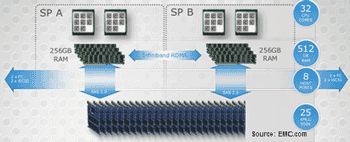
XtremIO X-Brick block diagram
XtremIO storage processors (controllers) and drive shelve block diagram. Each X-Brick and their storage processors or controllers communicate with each other and other X-Bricks via a dedicated InfiniBand using Remote Direct Memory Access (RDMA) fabric for memory to memory data transfers. The controllers or storage processors (two per X-Brick) each have dual processors with eight cores for compute, along with 256GB of DRAM memory. Part of each controllers DRAM memory is set aside as a mirror its partner or peer and vise versa with access being over the InfiniBand fabric.

XtremIO X-Brick four node fabric cluster or instance
Servers access XtremIO X-Bricks using iSCSI and Fibre Channel for block access. A responding X-Brick node handles the storage I/O request and in the case of a write updates other nodes. In the case of a write, the handling node or controller (aka storage processor) checks its meta data map in memory to see if the data is new and unique. If so, the data gets saved to SSD along with meta data information updated across all nodes. Note that data gets ingested and chunked or sharded into 4KB blocks. So for example if a 32KB storage I/O request from the server arrives, that is broken (e.g. chunk or shard) into 8 4KB pieces each with a mathematical unique fingerprint created. This fingerprint is compared to what is known in the in memory meta data tables (this is a hexadecimal number compare so a quick operation). Based on the comparisons if unique the data is saved and pointers created, if already exists, then pointers are updated.
In addition to determining if unique data, the fingerprint is also used for generate a balanced data dispersal plan across the nodes and SSD devices. Thus there is the benefit of reducing duplicate data during ingestion, while also reducing back-end IOs within the XtremIO storage system. Another byproduct is the reduction in time spent on garbage collection or other background tasks commonly associated with SSD and other storage systems.
Meta data is kept in memory with a persistent copied written to reserved area on the flash SSD drives (think of as a vault area) to support and keep system state and consistency. In between data consistency points the meta data is kept in a log journal like how a database handles log writes. What’s different from a typical database is that XtremIO XIOS platform software does these consistency point writes for persistence on a granularity of seconds vs. hours or minutes.
Does this mean that the smallest storage I/O or IOP that XtremIO can do is 4GB?
That is a rumor or some fud I have heard floated by a competitor (or two or three) that assumes if only 4KB internal chunk or shard being used for processing, that must mean no IOPs smaller than 4KB from a server.
XtremIO can do storage I/O IOP sizes of 512 bytes (e.g. the standard block size) as do other systems. Note that the standard server storage I/O block or IO size is 512 bytes or multiples of that unless the new 4KB advanced format (AF) block size being used which based on my conversations with EMC, AF is not supported, yet. (Updated 11/15/13 EMC has indicated that host (front-end) 4K AF support, along with 512 byte emulation modes are available now with XIOS). Also keep in mind that since XtremIO XIOS internally is working with 4KB chunks or shards, that is a stepping stone for being able to eventually leverage back-end AF drive support in the future should EMC decide to do so (Updated 11/15/13 Waiting for confirmation from EMC about if back-end AF support is now enabled or not, will give more clarity as it is recieved).
Another use of SSD has been in the past the opportunity to make better use of servers stretching their usefulness or delaying purchase of new ones by improving their effective use to do more work. In the past this technique of using SSDs to delay a server or CPU upgrade was used when systems when hardware was more expensive, or during the dot com bubble to fill surge demand gaps. This has the added benefit of stretching database and other expensive software licenses to go further or do more work. The less time servers spend waiting for IOP’s means more time for doing useful work and bringing value of the software license. Otoh, the more time spent waiting is lot available software minutes which is cost overhead.
Think of available software licence minutes (ASLM) in terms of available software license minutes where if doing useful work your software is providing value. On the other hand if those minutes are not used for useful work (e.g. spent waiting or lost due to CPU or server or IO wait, then they are lost). This is like airlines and available seat miles (ASM) metric where if left empty it’s a lost opportunity, however if used, then value, not to mention if yield management applied to price that seat differently. To make up for that loss many organizations have to add extra servers and thus more software licensing costs.
EMC along with some other vendors are starting to give more context with their storage I/O performance metrics that matter than simple IOP’s or Hero Marketing Metrics. However context extends beyond performance to also availability and space capacity which means data protection overhead. As an example, EMC claims 25% for RAID 5 and 20% for RAID 6 or 30% for RAID 5/RAID 6 combo where a 25 drive (SSD) XDP has a 8% overhead. However this assumes a 4+1 (5 drive) RAID , not apples to apples comparison on a space overhead basis. For example a 25 drive RAID 5 (24+1) would have around an 4% parity protection space overhead or a RAID 6 (23+2) about 8%.
Granted while the space protection overhead might be more apples to apples with the earlier examples to XDP, there are other differences. For example solutions such as XDP can be more tolerant to multiple drive failures with faster rebuilds than some of the standard or basic RAID implementations. Thus more context and clarity would be helpful.
StorageIO would like see vendors including EMC along with startups who give data protection space overhead comparisons without context to do so (and applaud those who provide context). This means providing the context for data protection space overhead comparisons similar to performance metrics that matter. For example simply state with an asterisk or footnote comparing a 4+1 RAID 5 vs. a 25 drive erasure or forward error correction or dispersal or XDP or wide stripe RAID for that matter (e.g. can we get a side of context). Note this is in no way unique to EMC and in fact quite common with many of the smaller startups as well as established vendors.
My laundry list of items which for now would be nice to have’s, however for you might be need to have would include native replication (today leverages Recover Point), Advanced Format (4KB) support for servers (Updated 11/15/13 Per above, EMC has confirmed that host/server-side (front-end) AF along with 512 byte emulation modes exist today), as well as SSD based drives, DIF (Data Integrity Feature), and Microsoft ODX among others. While 12Gb SAS server to X-Brick attachment for small in the cabinet connectivity might be nice for some, more practical on a go forward basis would be 40GbE support.
Now let us see what EMC does with XtremIO and how it competes in the market. One indicator to watch in the industry and market of the impact or presence of EMC XtremIO is the amount of fud and mud that will be tossed around. Perhaps time to make a big bowl of popcorn, sit back and enjoy the show…
Ok, nuff said (for now).
Cheers
Gs
Greg Schulz – Author Cloud and Virtual Data Storage Networking (CRC Press), The Green and Virtual Data Center (CRC Press) and Resilient Storage Networks (Elsevier)
All Comments, (C) and (TM) belong to their owners/posters, Other content (C) Copyright 2006-2026 Server StorageIO and UnlimitedIO LLC All Rights Reserved
EMC announced today the general availability (GA) if the all flash Solid State Device (SSD) XtremIO that they acquired a little over a year ago. Earlier this year EMC announced directed availability (DA) of the EMC version of XtremIO as part of other SSD hardware and software updates (here and here). The XtremIO GA announcement also follows that of the VNX2 or MCx released in September of this year that also has flash SSD enhancements along with doing more with available resources.
EMC XtremIO flash SSD boosting storage I/O performance
As an industry trend, the question is not if SSD is in your future, rather where, when, how much, what to use along with coexistence to complement Hard Disk Drive (HDD) based solutions in some environments. This also means that SSD is like real estate where location matters, not to mention having different types of technologies, packaging, solutions to meet various needs (and price points). This all ties back to the best server and storage I/O or IOP is the one that you do know have to do, the second best is the one with the least impact and best application benefit.
From industry adoption to customer deployment
EMC has evolved the XtremIO platform from a pre-acquisition solution to an first EMC version that was offered to an early set of customers e.g. DA.
I suspect that the DA was as much a focus on getting early customer feedback, addressing immediate needs or opportunities as wells as getting the EMC sales and marketing teams messaging, marching orders aligned and deployed. The latter would be rather important to decrease or avoid the temptation to cannibalize existing product sales with the shiny new technology (SNT). Likewise, it would be important for EMC to not create isolated pockets or fenced off products as some other vendors often do.
25 SSD drive X-Brick
Let us get back go this announcement and XtremIO of which EMC has indicated that they have several customers who have now done either $1M or $5M USD deals. EMC has claimed over 1.5 PBytes have been booked and deployed, or with data footprint reduction (DFR) including dedupe over 10PB effective capacity. Note that for those who are focused on dedupe or DFR reduction ratios 10:1.5 may not be as impressive as seen with some backup solutions, however keep in mind that this is for primary high performance storage vs. secondary or tertiary storage devices.
As part of this announcement, EMC has also release V2.2 of the XtremIO platform software (XIOS). Hence a normal new product should start with a version 1.0 at launch, however as explained this is both a new version of the technology as well as the initial GA by EMC.
Also as part of this announcement, EMC is making available XtremIO 10TB X-Bricks with 25 eMLC SSD drives each, along with dual controllers (storage processors). EMC has indicated that it will make available a 20TB X-Brick using larger capacity SSD drives in January 2014. Note that the same type of SSD drives must be used in the systems. Currently there can be up to four X-Bricks per XtremIO cluster or instance that are interconnected using a dedicated InfiniBand Fabric. Application servers access the XtremIO X-Bricks using standard Fibre Channel or Ethernet and IP based iSCSI. In addition to the hardware platform items, the XtremIO platform software (XIOS) includes built-in on the fly data footprint reduction (DFR) using global dedupe during data ingestion and placement. Other features include thin provisioning, VMware VAII, data protection and self-balancing data placement.
Some of XtremIO industry sectors include:
Application and workload focus:
Databases such as IBM DB2, Oracle RAC, Microsoft SQLserver and MySQL among others have traditionally for decades been a prime opportunity for SSD (DRAM and flash). This also includes newer NoSQL or key value stores and meta data repositories for object such as Mongo, Hbase, Cassandra, Riak among others. Typical focus includes placing entire instances, or specific files and objects such as indices, journals and redo logs, import/export temp or scratch space, message queries and high activity tables among others.
If you simply looked at the above list of sectors (among others) or applications, you could easily come to a conclusion that there is or would be overlap. Granted in some environments there will be which means XtremIO (or other vendors solutions) may be the primary storage solution. On the other hand since everything is not the same in most data centers or information factories, there will be a mix of storage systems handling various tasks. This is where EMC will need to be careful learning what they did during DA on where to place XtremIO and how to positing to complement when and where needed other solutions, or as applicable being a replacement.
Overall, XtremIO gives EMC and their customers, partners and prospects a new technology to use and add to their toolbox for addressing various challenges. SSD is in your future, when, where, with what and how are questions not to mention how much. After all, a bit of flash SSD in the right location used effectively can have a large impact. On the other hand, a lot of flash SSD in the wrong place or not used effectively will cost you lots of cash. Key for EMC and their partners will be to articulate clearly, where XtremIO fits vs. other solutions without adding complexity.
Checkout part II of this series to learn more about XtremIO including what it is, how it works, competition and added perspectives.
Ok, nuff said (for now).
Cheers
Gs
Greg Schulz – Author Cloud and Virtual Data Storage Networking (CRC Press), The Green and Virtual Data Center (CRC Press) and Resilient Storage Networks (Elsevier)
All Comments, (C) and (TM) belong to their owners/posters, Other content (C) Copyright 2006-2026 Server StorageIO and UnlimitedIO LLC All Rights Reserved
Is it based on popularity or how often something that is talked about, blogged, tweeted, commented, video or similar?
Perhaps it is tied to the number of press releases, product or staffing announcements including who has joined the organization along with added coverage of it?
Maybe its based on how many articles, videos or some other content and coverage that helps to show traction and momentum?
On the other hand is it tied to how many prospects are actually trying a product or service as part of a demo or proof of concept?
Then again, maybe it is associated with how many real paying or revenue installed footprints and customers or what is also known as industry deployment (customer adoption).
Of those customers actually buying and deploying, how many have continued using the technology even after industry adoption subsides or does the solution become shelf ware?
Does the customer deployment actually continue to rise quietly while industry adoption or conversations drop off (past the cycle of hype)?

Gaining traction can mean different things to people, however there is also a difference between industry adoption (what’s being talked about among the industry) and industry deployment (what customers are actually buying, installing and continue to use).
Often the two can go hand in hand, usually one before the other, however they can also be separate. For example it is possible that something new will have broad industry adoption (being talked about) yet have low customer deployment (even over time). This occurs when something is new and interesting that might be fun to talk about or the vendor, solution provider is cool and fun to hang out and be with, or simply has cool giveaways.
On the other hand there can be customer deployment and adoption with little to no fan fare (industry adoption) for different reasons.
Not long ago if you asked or listened to some, you would think that once high-flying cloud storage vendor Nirvanix was gaining traction based on their marketing along with other activities, yet they recently closed their doors. Then there was Kim Dotcoms hyped Megacloud launch earlier this year that also has now gone dark or shutting down. This is not unique to cloud service providers or solutions as the same can, has and will happen again to traditional hardware, software and services providers (startups and established).
How about former high-flying FusionIO, or the new startup by former FusionIO founder and CEO David Flynn called Primary Data. One of the two is struggling to gain or keep up revenue traction while having declined in industry popularity traction. The other is gaining in industry popularity traction with their recently secured $50 Million in funding yet are still in stealth mode so rather difficult to gain customer adoption or deployment traction (thus for now its industry adoption focus for them ;).
If you are a customer or somebody actually deploying and using technology, tools, techniques and services for real world activity vs. simply trying new things out, your focus on what is gaining traction will probably be different than others. Granted it is important to keep an eye on what is coming or on futures, however there is also the concern of how it will really work and keep working over time.
For example while Hard Disk Drives (HDD) continue to support industry deployment traction (customer adoption and usage) traction. However they are not new and when new models apear (such as Seagate Ethernet based Kinetic) they may not get the same industry adoption traction as a newer technology might. Case in point Solid State Devices (SSD) continue to gain in customer deployment adoption with some environments doing more than others, yet have very high industry adoption traction status.

Relative SSD customer adoption and deployment along with future opportunities
On the other hand if your focus is on what’s new and emerging which is usually more industry centered, then it should be no surprise what traction means and where it is focused. For example the following figure shoes where different audiences have various timelines on adoption (read more here).

Current and emerging memory, flash and other SSD technologies for different audiences
When you hear that something is gaining traction, ask yourself (or others) what that means along with the applicable context.
Does that mean something is popular and trending to discuss (based on GQ or looks), or that it is actually gaining real customer adoption based on G2 (insight – they are actually buying vs. simply trying our a free version).
Does it mean one form of traction along with industry adoption (what’s being talked about) vs. industry deployment (real customer adoption) is better than the other?
No, it simply means putting things into the applicable context.
Ok, nuff said (for now).
Cheers
Gs
Greg Schulz – Author Cloud and Virtual Data Storage Networking (CRC Press), The Green and Virtual Data Center (CRC Press) and Resilient Storage Networks (Elsevier)
All Comments, (C) and (TM) belong to their owners/posters, Other content (C) Copyright 2006-2026 Server StorageIO and UnlimitedIO LLC All Rights Reserved
Congratulations to Virident for being bought today for $645 Million USD by Western Digital (WD). Virident a nand flash PCIe card startup vendor has been around for several years and in the last year or two has gain more industry awareness as a competitor to FusionIO among others.
There is a nand flash solid state devices (SSD) cash-dash occurring, not to mention fast cache dances that is occurring the IT and data infrastructure (e.g. storage and IO) sector specifically.
Yesterday hard disk drive (HDD) vendor Western Digital (WD) bought Virident a nand flash PCIe Solid State Device (SSD) card vendor for $650M, and today networking and server vendor Cisco bought Whiptail a SSD based storage system startup for a little over $400M. Here is an industry trends perspective post that I did yesterday on WD and Virident.
Obviously this begs a couple of questions, some of which I raised in my post yesterday about WD, Virident, Seagate, FusionIO and others.
Does this mean Cisco is getting ready to take on EMC, NetApp, HDS and its other storage partners who leverage the Cisco UCS server?
IMHO at least near term no more than they have in the past, nor any more than EMCs partnership with Lenovo indicates a shift in what is done with vBlocks. On the other hand, some partners or customers may be as nervous as a long-tailed cat next to a rocking chair (Google it if you don’t know what it means ;).
Is Cisco going to continue to offer Whiptail SSD storage solutions on a standalone basis, or pull them in as part of solutions similar to what it has done on other acquisitions?
IMHO this is one of the most fundamental questions and despite the press release and statements about this being a UCS focus, a clear sign of proof for Cisco is how they reign in (if they go that route) Whiptail from being sold as a general storage solution (with SSD) as opposed to being part of a solution bundle.
How will Cisco manage its relationship in a coopitition manner cooperating with the likes of EMC in the joint VCE initiative along with FlexPod partner NetApp among others? Again time will tell.
Also while most of the discussions about NetApp have been around the UCS based FlexPod business, there is the other side of the discussion which is what about NetApp E Series storage including the SSD based EF540 that competes with Whiptail (among others).
Many people may not realize how much DAS storage including fast SAS, high-capacity SAS and SATA or PCIe SSD cards Cisco sells as part of UCS solutions that are not vBlock, FlexPod or other partner systems.
NetApp and Cisco have partnerships that go beyond the FlexPod (UCS and ONTAP based FAS) so will be interesting to see what happens in that space (if anything). This is where Cisco and their UCS acquiring Whiptail is not that different from IBM buying TMS to complement their servers (and storage) while also partnering with other suppliers, same holds true for server vendors Dell, HP, IBM and Oracle among others.
Can Cisco articulate and convince their partners, customers, prospects and others that the whiptail acquisition is more about direct attached storage
(DAS) which includes both internal dedicated and external shared device?
Keep in mind that DAS does not have to mean Dumb A$$ Storage as some might have you believe.
Then there are the more popular questions of who is going to get bought next, what will NetApp, Dell, Seagate, Huawei and a few others do?
Oh, btw, funny how have not seen any of the pubs mention that Whiptail CEO Dan Crain is a former Brocadian (e.g. former Brocade CTO) who happens to be a Cisco competitor, just saying.
Congratulations to Dan and his crew and enjoy life at Cisco.
Stay tuned as the fall 2013 nand flash SSD cache dash and cash dance activities are well underway.
Ok, nuff said (for now).
Cheers
Gs
Greg Schulz – Author Cloud and Virtual Data Storage Networking (CRC Press), The Green and Virtual Data Center (CRC Press) and Resilient Storage Networks (Elsevier)
All Comments, (C) and (TM) belong to their owners/posters, Other content (C) Copyright 2006-2026 Server StorageIO and UnlimitedIO LLC All Rights Reserved
Congratulations to Virident for being bought today for $645 Million USD by Western Digital (WD). Virident a nand flash PCIe card startup vendor has been around for several years and in the last year or two has gain more industry awareness as a competitor to FusionIO among others.
There is a nand flash solid state devices (SSD) cash dash occurring, not to mention fast cache dances that is occurring the IT and data infrastructure (e.g. storage and IO) sector specifically.
Here is a piece that I did today over at InfoStor on a related theme that sets the basis of why the nand flash-based SSD market is popular for storage and as a cache. Hence there is a flash cash dash and by some dance for increased storage I/O performance.
Like the hard disk drive (HDD) industry before it which despite what some pundits and profits have declared (for years if not decades) as being dead (it is still alive), there were many startups, shutdowns, mergers and acquisitions along with some transformations. Granted solid-state memories is part of the presence and future being deployed in new and different ways.
The same thing has occurred in the nand flash-based SSD sector with LSI acquiring SANDforce, SANdisk picking up Pliant and Flashsoft among others. Then there is Western Digital (WD) that recently has danced with their cash as they dash to buy up all things flash including Stec (drives & PCIe cards), Velobit (cache software), Virident (PCIe cards), along with Arkeia (backup) and an investment in Skyera.
Meanwhile there have been some other changes with former industry darling and highflying stock post IPO FusionIO hitting as market reality and sudden CEO departure a few months ago. However after a few months of their stock being pummeled, today it bounced back perhaps as people now speculate who will buy FusionIO with WD picking up Virident. Note that one of Viridents OEM customers is EMC for their PCIe flash card XtremSF as are Micron and LSI.
Meanwhile Stec, also now own by WD was also EMCs original flash SSD drive supplier or what they refer to as a EFDs (Electronic Flash Devices), not to mention having also supplied HDDs to them (also keep in mind WD bought HGST a year or so back).
There are some early signs as well as their stock price jumping today which was probably oversold. Perhaps people are now speculating that maybe Seagate who had been an investor in Virident which was bought by WD for $645 million today might be in the market for somebody else? Alternatively, that perhaps WD didn’t see the value in a FusionIO, or willing to make big flash cache cash grabs dash of that size? Also note Seagate won a $630 million (and the next appeal was recently upheld) infringement lawsuit vs. WD (here and here).
Does that mean FusionIO could become Seagate’s target or that of NetApp, Oracle or somebody else with the cash and willingness to dash, grab a chunk of the nand flash, and cache market?
Likewise, there are the software I/O and caching tool vendors some of which are tied to VMware and virtual servers vs. others that are more flexible that are gaining popularity. What about the systems or solution appliances play, could that be in the hunt for a Seagate?
Anything is possible however IMHO that would be a risky move, one that many at Seagate probably still remember from their experiment with Xiotech, not to mention stepping on the toes of their major OEM customer partners.
Thus I would expect Seagate if they do anything would be more along the lines of a component type suppler meaning a FusionIO (yes they have Nexgen, however that could be easily dealt with), OCZ, perhaps even a LSI or Micron however some of those start to get rather expensive for a quick flash cache grab for some stock and cash.
Also, keep in mind that FusionIO in addition to having their PCIe flash cards also have the ioturbine software-caching tool that if you are not familiar with, IBM recently made an announcement of their Flash Cache Storage Accelerator (FCSA) that has an affiliation to guess who?
Some of the systems or solutions players will survive, perhaps even being acquired as XtremIO was by EMC, or file for IPO like Violin, or express their wish to IPO and or be bought such as all the others (e.g. Skyera, Whiptail, Pure, Solidfire, Cloudbyte, Nimbus, Nimble, Nutanix, Tegile, Kaminario, Greenbyte, and Simplivity among others).
Here’s the thing, those who really do know what is going to happen are not and probably cannot say, and those who are talking what will happen are like the rest of us, just speculating or providing perspectives or stirring the pot among other things.
So who will be next in the flash cache ssd cash dash dance?
Ok, nuff said (for now).
Cheers
Gs
Greg Schulz – Author Cloud and Virtual Data Storage Networking (CRC Press), The Green and Virtual Data Center (CRC Press) and Resilient Storage Networks (Elsevier)
All Comments, (C) and (TM) belong to their owners/posters, Other content (C) Copyright 2006-2026 Server StorageIO and UnlimitedIO LLC All Rights Reserved
Following last weeks VMworld event in San Francisco where among other announcements including this one around Virtual SAN (VSAN) along with Software Defined Storage (SDS), EMC today made several announcements.
Today’s EMC announcements include:


Summary of the new EMC VNX MCx storage systems include:

While there is more hardware that can be used in different configurations, the key or core (pun intended) around MCx is that EMC has taken the time and invested in reworking the internal software of the VNX that has its roots going back to the Data General CLARRiON EMC acquired. This is similar to an effort EMC made a few years back when it overhauled what is now known as the VMAX from the Symmetric into the DMX. That effort expanded from a platform or processor port to re-architecting and software optimizing (rewrite portions) to leverage new and emerging hardware capabilities more effectively.

With MCx EMC is doing something similar in that core portions of the VNX software have been re-architected and written to take advantage of more threads and cores being available to do work more effectively. This is not all that different from what occurs (or should) with upper level applications that eventually get rewritten to leverage underlying new capabilities to do more work faster and leverage technologies in a more cost-effective way. MCx also leverages flash as a primary medium with data than being moved (256MB chunks) down into lower tiers of storage (SSD and HDD drives).
ENC VNX has had in the past FLASH Cache which enables SSD drives to be used as an extension of main cache as well as using drive targets. Thus while MCx can and does leverage more and faster core as would most any software, it is also able to leverage those cores and threads in a more effective way. After all, it’s not just how many processors, sockets, cores, threads, L1/L2 cache, DRAM, flash SSD and other resources, its how effective you use them. Also keep in mind that a bit of flash in the right place used effectively can go a long way vs. having a lot of cache in the wrong place or not used optimally that will end up costing a lot of cash.
Moving forward this means that EMC should be able to further refine and optimize other portions of the VNX software not yet updated to make further benefit of new hardware platforms and capabilities.
Similar to more of something is not always better, its how those items are used that matters, just because something is new does not mean its better or faster. That will manifest itself when they are demonstrated and performance results shown. However key is showing the performance across different workloads that have relevance to your needs and that convey metrics that matter with context.
Context matters including type and size of work being done, number of transactions, IOPs, files or videos served, pages processed or items rendered per unit of time, or response time and latency (aka wait or think time), along with others. Thus some newer systems may be faster on paper, powerpoint, WebEx, You tube or via some benchmarks, however what is the context and how do they compare to others on an apples to apples basis.
Leveraging of FAST VP (Fully Automated Storage Tiering for Virtual Pools) with improved MCx software
Increases the effectiveness of available hardware resources (processors, cores, DRAM, flash, drives, ports)
Active active LUNs accessible by both controllers as well as legacy AULA support
Data sheets and other material for the new VNX MCx storage systems can be found here, with software options and bundles here, and general speeds and feeds here.
Learn more here at the EMC VNX MCx storage system landing page and compare VNX systems here.

Interesting that if you read behind the lines, listen closely to the conversations, ask the right questions you will realize that while VMware is an important workload or environment to support, it is not the only one targeted for VNX. Likewise if you listen and look beyond what is normally amplified in various conversations you will find that systems such as VNX are being deployed as back-end storage in cloud (public, private, hybrid) environments for use with technologies such as OpenStack or object based solutions (visit www.objectstoragecenter.com for more on object storage systems and access)..
There is a common myth that the cloud and service providers all use white box commodity hardware including JBOD for their systems which some do, however some are also using systems such as VNX among others. In some of these scenarios the VNX type systems are or will be deployed in large numbers essentially consolidating the functions of what had been done by even larger number of JBOD based systems. This is where some of you will have a DejaVu or back to the future moment from the mid 90s when there was an industry movement to combine all the DAS and JBOD into larger storage systems. Don’t worry if you are not yet reading about this trend in your favorite industry rag or analyst briefing notes, however ask or look around and you might be surprised at what is occurring, granted it might be another year or two before you read about it (just saying ;).
What that means is that VNX MCx is also well positioned for working with ViPR or Atmos Virtual Edition among other cloud and object storage stacks. VNX MCx is also well positioned for its new low-cost of entry for general purpose workloads and applications ranging from file sharing, email, web, database along with demanding high performance, low latency with large amounts of flash SSD. In addition to being used for general purpose storage, VNX MCx will also complement data protection solutions for backup/restore, BC, DR and archiving such as Data Domain, Avamar and Networker among others. Speaking of server virtualization, EMC also has tools for working with Hyper-V, Xen and KVM in addition to VMware.
Yes there are all flash VNX MCx just as there have been all flash VNX before, however these will be positioned for different use case scenarios by EMC and their partners to avoid competing head to head with XtremIO. Thus EMC will need to be diligent in being very clear to its own sales and marketing forces as well as those of partners and customers of what to use when, where, why and how.
The VNX MCx is a good set of enhancements by EMC and an example of how it’s not as important of how more you have, rather how you can use it to be more effective.
Ok, nuff said (fow now).
Cheers
Gs
Greg Schulz – Author Cloud and Virtual Data Storage Networking (CRC Press), The Green and Virtual Data Center (CRC Press) and Resilient Storage Networks (Elsevier)
All Comments, (C) and (TM) belong to their owners/posters, Other content (C) Copyright 2006-2026 Server StorageIO and UnlimitedIO LLC All Rights Reserved
It is that time of the year again when StorageIO will be presenting a series of seminar workshops in the Netherlands on cloud, virtual and data storage networking technologies, trends along with best practice techniques.

StorageIO partners with the independent firm Brouwer Storage Consultancy of Holland who organizes these sessions. These sessions will also mark Brouwer Storage Consultancy celebrating ten years in business along with a long partnership with StorageIO.
The fall 2013 Dutch seminars include coverage of storage I/O networking data protection and related trends topics for cloud and virtual environments. Click on the following links or images to view an abstract of the three sessions including what you will learn, who they are for, buzzwords, themes, topics and technologies that will covered.
Modernizing Data Protection | Storage Industry Trends | Storage Decision Making |
 |  |  |
September 30 & October 1 | October 2 2013 | October 3 and 4 2013 |
All seminar workshop seminars are presented in a vendor technology neutral including (e.g. these are not vendor marketing sales presentations) providing independent perspectives on industry trends, who is doing what, benefits, caveats of various approaches to addressing data infrastructure and storage challenges. View posts about earlier events here and here.
As part of theme of being vendor and technology neutral, the workshop seminars are held off-site at hotel venues in Nijkerk Netherlands so no need to worry about the sales teams coming in to sell you something during the breaks or lunch which are provided. There are also opportunities throughout the workshops for engagement, discussion and interaction with other attendees that includes your peers from various commercial, government and service providers among others.
Learn more and register for these events by visiting the Brouwer Storage Consultancy website page (here) and calling them at +31-33-246-6825 or via email info@brouwerconsultancy.com.

View other upcoming and recent StorageIO activities including live in-person, online web and recorded activities on our events page here, as well as check out our commentary and industry trends perspectives in the news here.

Ok, nuff said, I’m already hungry for bitter ballen (see above)!
Cheers
Gs
Greg Schulz – Author Cloud and Virtual Data Storage Networking (CRC Press), The Green and Virtual Data Center (CRC Press) and Resilient Storage Networks (Elsevier)
All Comments, (C) and (TM) belong to their owners/posters, Other content (C) Copyright 2006-2026 Server StorageIO and UnlimitedIO LLC All Rights Reserved
 Greg Schulz on break



 DataCenter